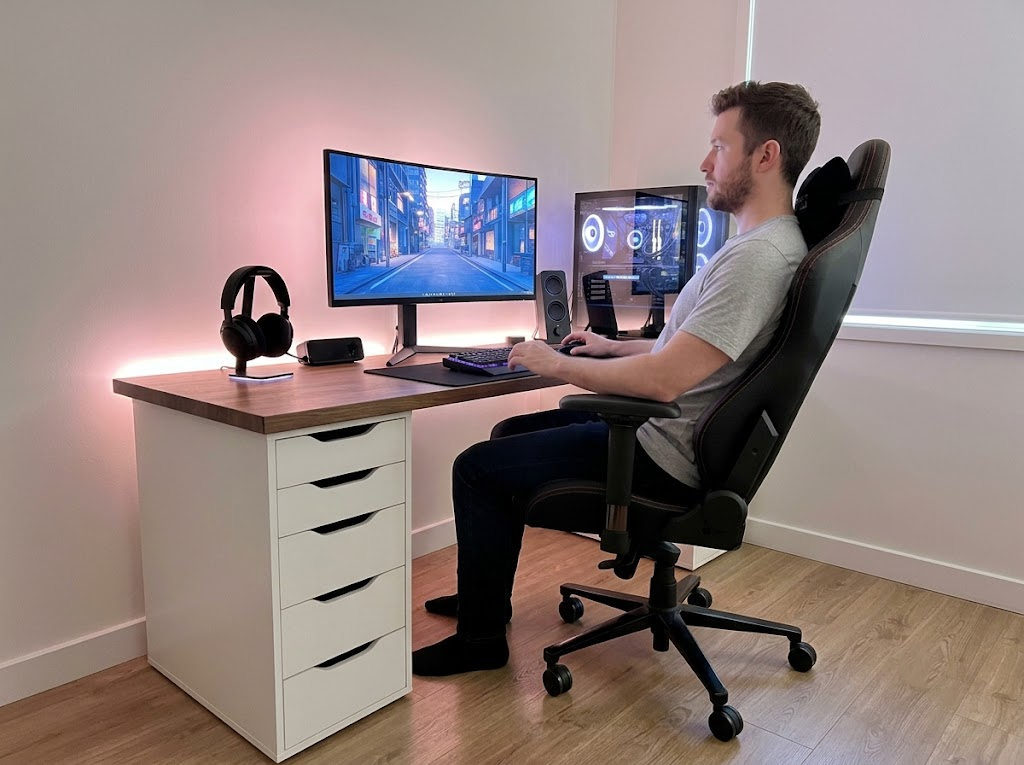


If you type for more than a few hours each day, your keyboard matters more than you might think. Understanding what an ergonomic keyboard is and how it differs from a standard one is the first step toward a more comfortable, pain-free workday.
What Is An Ergonomic Keyboard?
An ergonomic keyboard is a keyboard designed to support the natural position of your hands, wrists, and forearms while you type. Unlike standard flat keyboards, ergonomic models use curved, split, or angled layouts that reduce muscle strain and lower the risk of repetitive strain injuries like carpal tunnel syndrome and tendonitis.
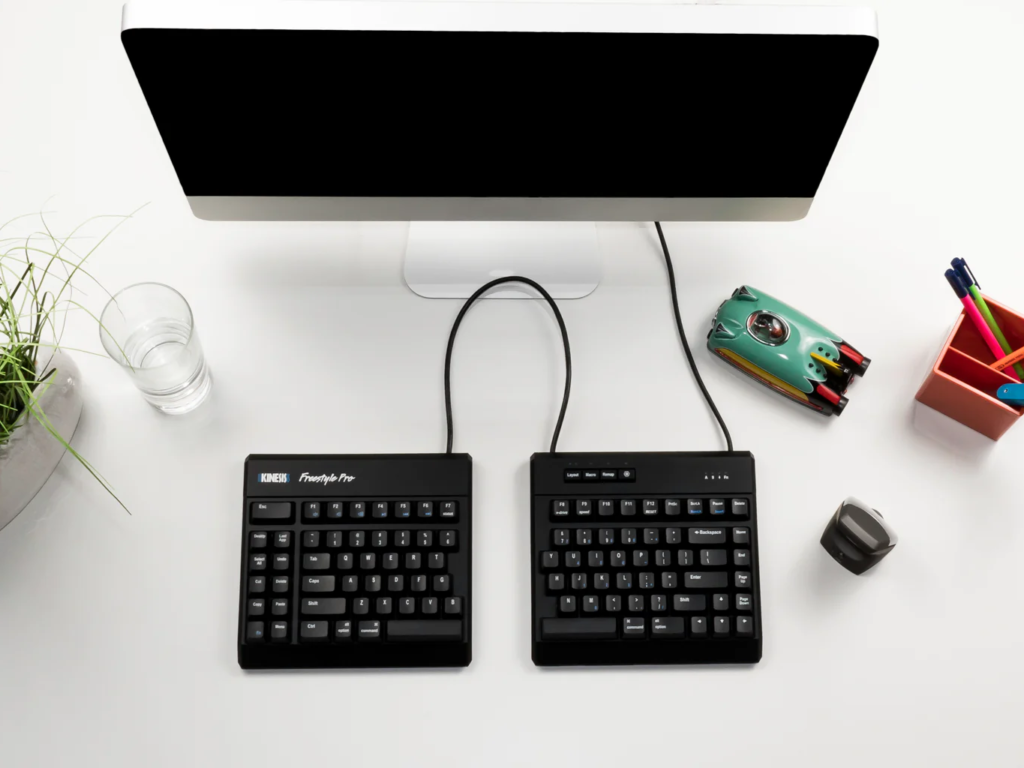
The core idea is simple. Instead of forcing your body to adapt to the keyboard, the keyboard adapts to your body.
There are several core features that set these keyboards apart from standard models. Not every ergonomic keyboard includes all of these, but most will offer a combination:
- Split or angled key layout
- Adjustable tenting
- Built-in palm rest
- Negative tilt or flat slope
- Low-profile keys
- Compact form factor
- Cushioned or gel wrist support
- Wireless connectivity
The more of these features a keyboard includes, the more flexibility you have to tailor the setup to your specific body type and typing habits. The best ergonomic keyboards let you adjust multiple settings so the keyboard truly fits you rather than the other way around.
What Is the Purpose of an Ergonomic Keyboard?
The primary purpose of an ergonomic keyboard is prevention. It is designed to minimize the physical strain that builds up over thousands of keystrokes each day.
When you type on a flat keyboard, your wrists are held in a posture called ulnar deviation, where they bend outward toward the little finger. Your forearms also rotate inward into a position called pronation.
Both postures compress tendons, restrict blood flow, and increase pressure on the nerves running through your wrists.
Over weeks and months, this leads to discomfort, fatigue, and in many cases, injury. According to OSHA, musculoskeletal disorders are among the most frequently reported causes of lost or restricted work time.
Ergonomic keyboards are built to keep your joints in a neutral, relaxed position, so these problems never develop in the first place.
Ergonomic Keyboard vs. Normal Keyboard: What are the Differences?
If you have only ever used a standard keyboard, an ergonomic model will look and feel noticeably different. Here is how the two compare across the most important factors.
| Feature | Standard Keyboard | Ergonomic Keyboard |
| Key layout | Straight horizontal rows | Curved, angled, or split rows |
| Wrist position | Bent inward (ulnar deviation) | Straight and neutral |
| Forearm position | Rotated flat (pronation) | More natural, partially rotated |
| Palm support | Rarely included | Often built in |
| Adjustability | Minimal or none | Tenting, split width, tilt angle |
| Injury risk | Higher | Significantly lower |
The biggest difference is in wrist alignment. A Kensington study found that participants using an ergonomic keyboard showed 68% less ulnar deviation and 77% less wrist extension than those using traditional keyboards.
Standard keyboards are also wider due to a built-in number pad. This pushes the mouse farther from your body, which creates shoulder strain from reaching.
Many ergonomic keyboards use a compact design without the number pad to keep the mouse closer and reduce that extra reach.
Types of Ergonomic Keyboards
Not every ergonomic keyboard looks the same. There are several distinct types, each addressing different aspects of typing posture. Knowing what an ergonomic keyboard in each category is can help you pick the right fit.
Split Keyboards
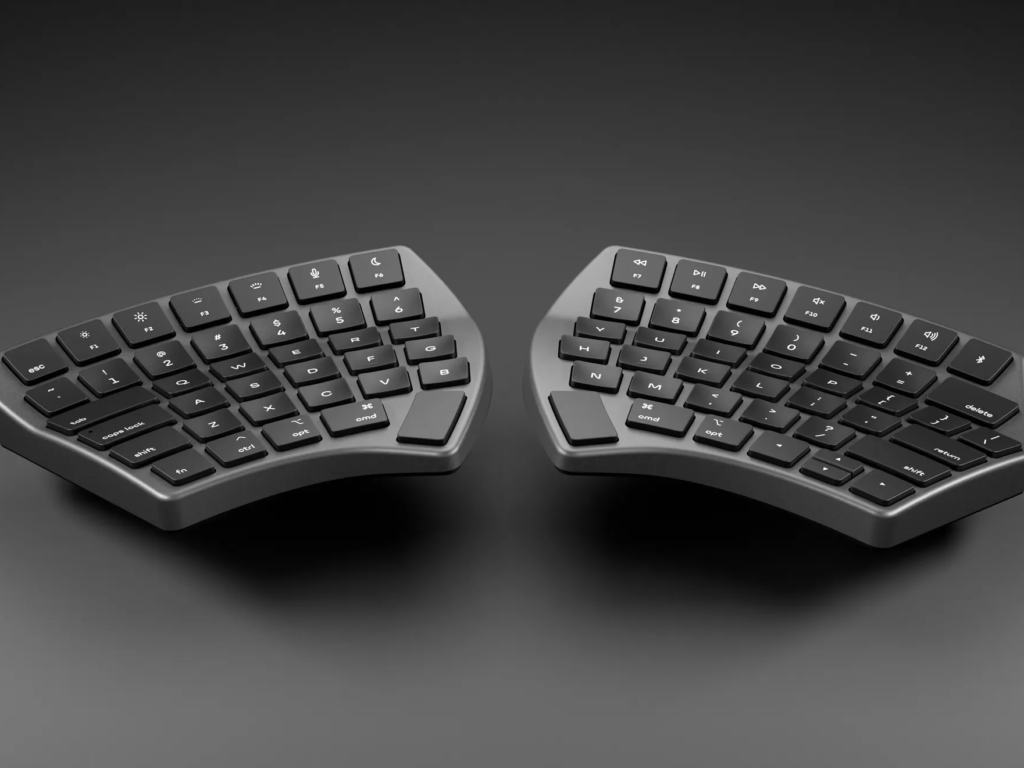
Split keyboards divide the keys into two separate halves, allowing you to position each half at shoulder width. This keeps your wrists straight and your elbows close to your body, rather than flaring outward.
Some split keyboards are connected by a central hinge that lets you adjust the angle between the two halves. Others separate completely into two independent pieces that you can place anywhere on your desk. Split keyboards are the most popular ergonomic design for heavy typists and programmers because they address ulnar deviation, one of the most common sources of wrist strain.
Contoured Keyboards
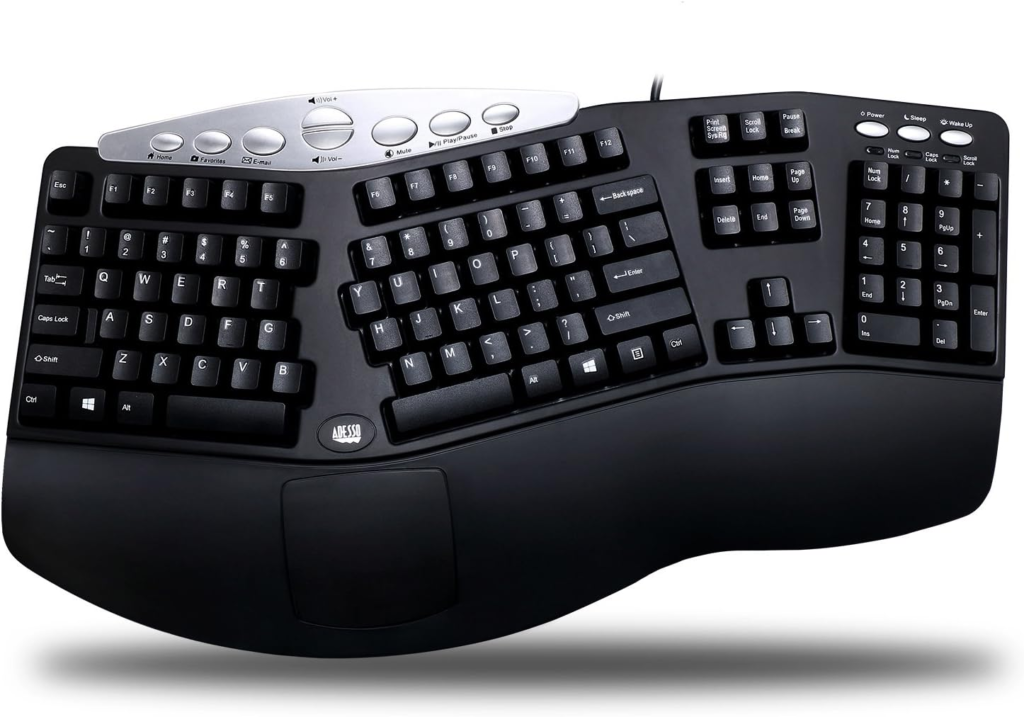
Contoured keyboards place the keys into curved, bowl-shaped wells that follow the natural arc of your fingertips. Your shorter fingers travel less distance to reach their keys, and your longer fingers do not need to overextend.
These keyboards offer the deepest level of ergonomic correction available. They also tend to include built-in tenting angles and thumb clusters that redistribute workload away from weaker fingers. The tradeoff is a steeper learning curve. Most users need four to six weeks to reach full typing speed on a contoured layout because the key placement feels very different from a standard board.
Tented Keyboards
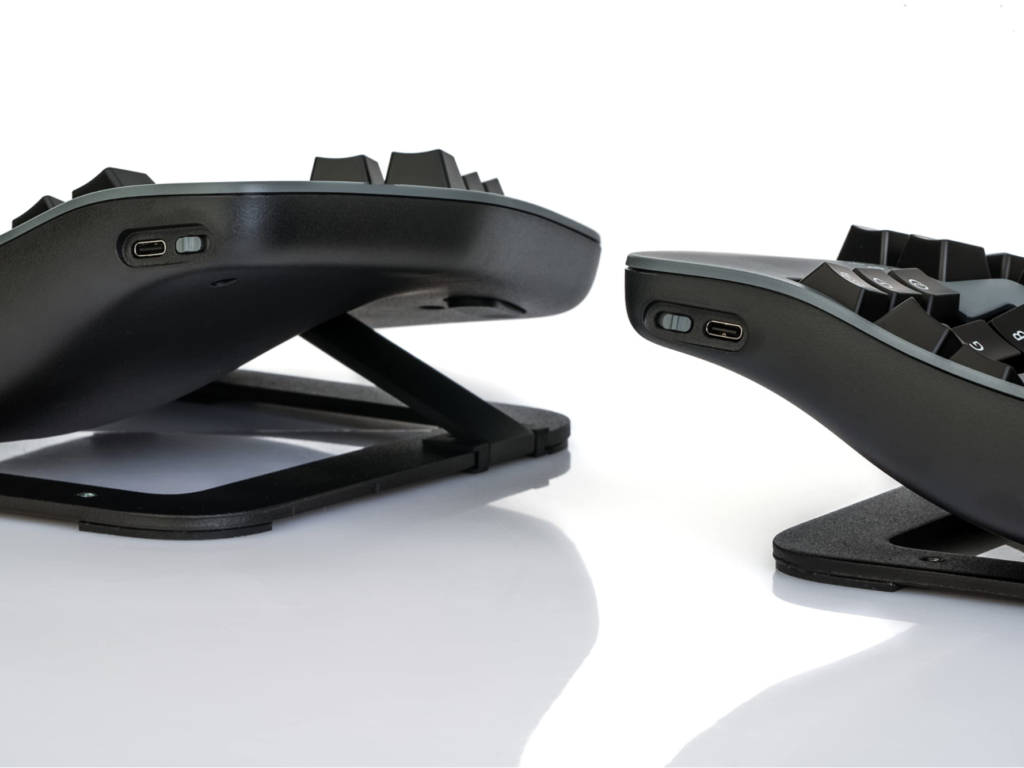
Tented keyboards raise the center of the keyboard so the thumb side of each hand sits higher than the pinky side. This rotates your forearms toward a more natural handshake position, reducing the inward rotation known as pronation.
Tenting angles typically range from 10 to 30 degrees, depending on the model. Some keyboards offer fixed tenting at a single angle, while others include adjustable legs or risers that let you dial in exactly the right degree of lift. For people who experience forearm fatigue or tension running from the elbow to the wrist, tenting is one of the most effective ergonomic interventions available.
Compact Keyboards
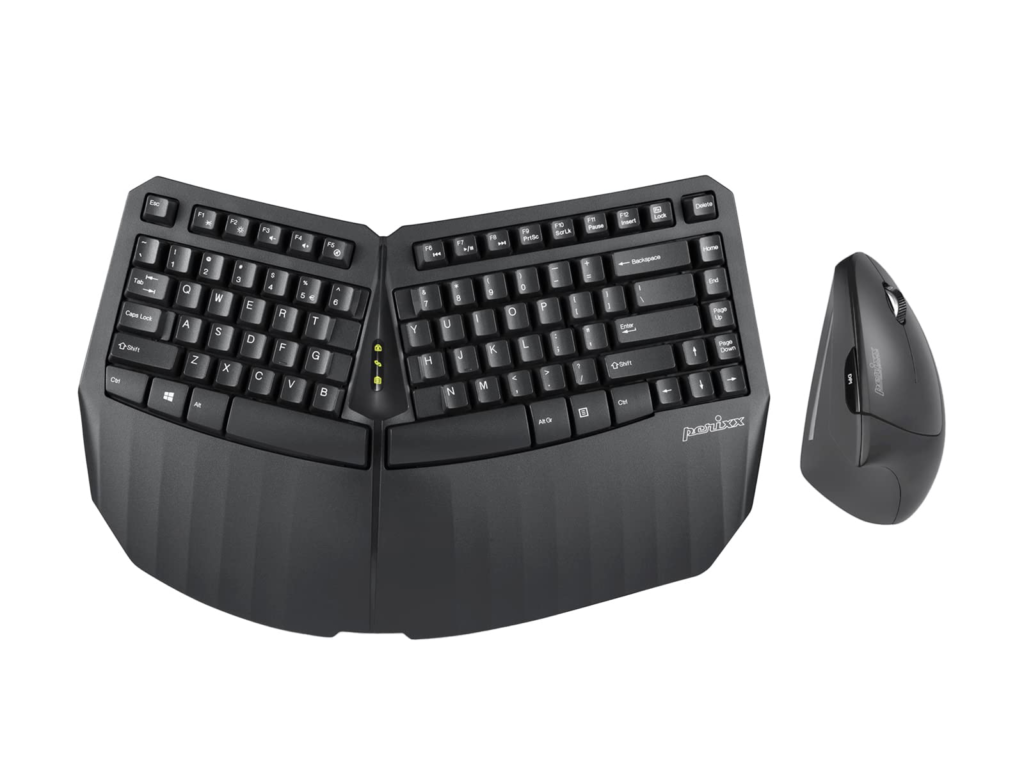
Compact keyboards remove the number pad, creating a narrower overall footprint. This may seem like a small change, but it has a meaningful impact on upper body posture.
With a full-size keyboard, the number pad pushes the mouse several inches farther to the right. This forces you to reach outward with your arm, which creates shoulder and upper back strain over time. A compact layout brings the mouse back toward your body’s centerline, keeping your arm relaxed and close to your side. If you need a number pad for occasional use, a separate detachable one can be placed on either side of the keyboard.
Angled or Wave Keyboards
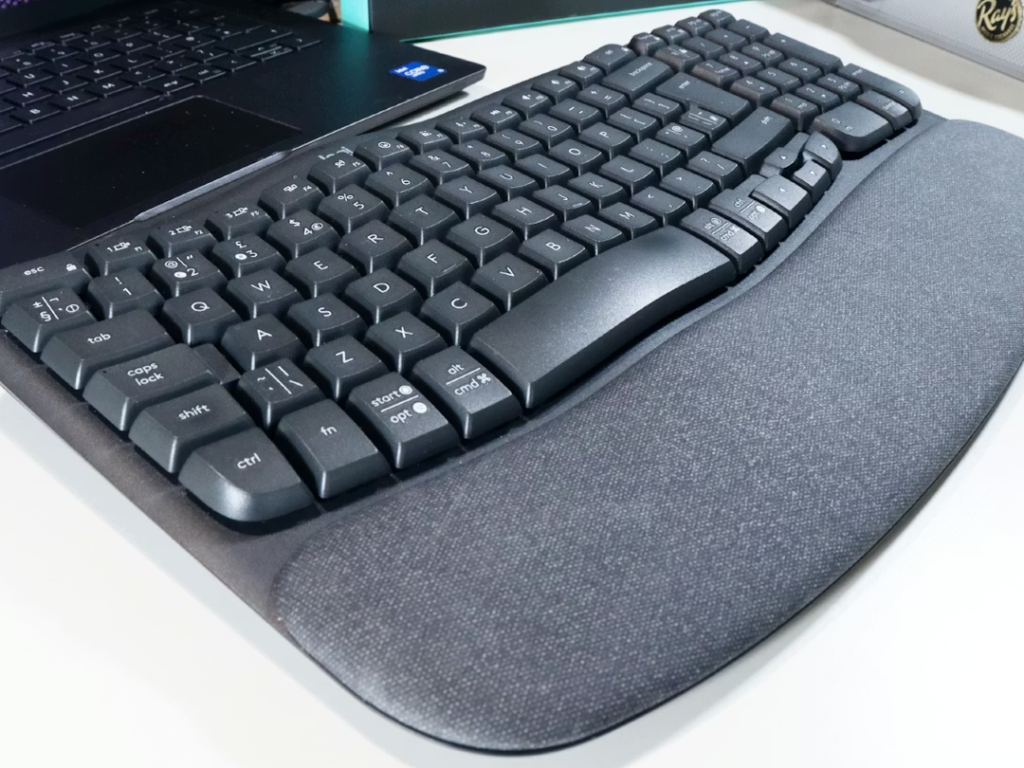
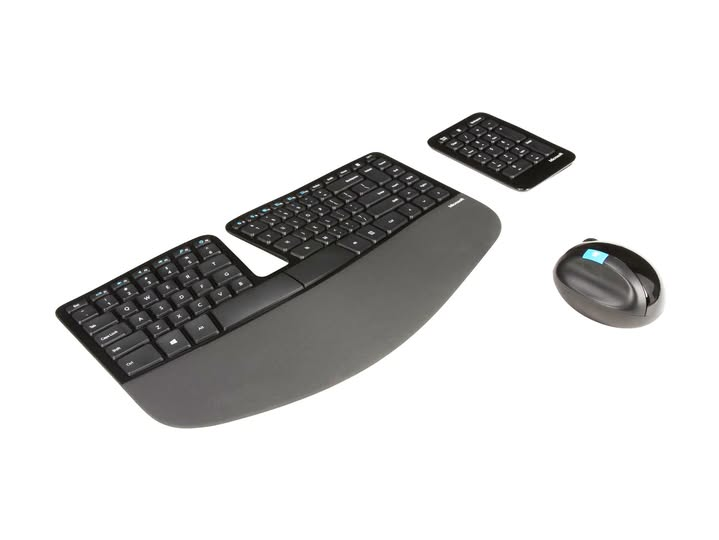
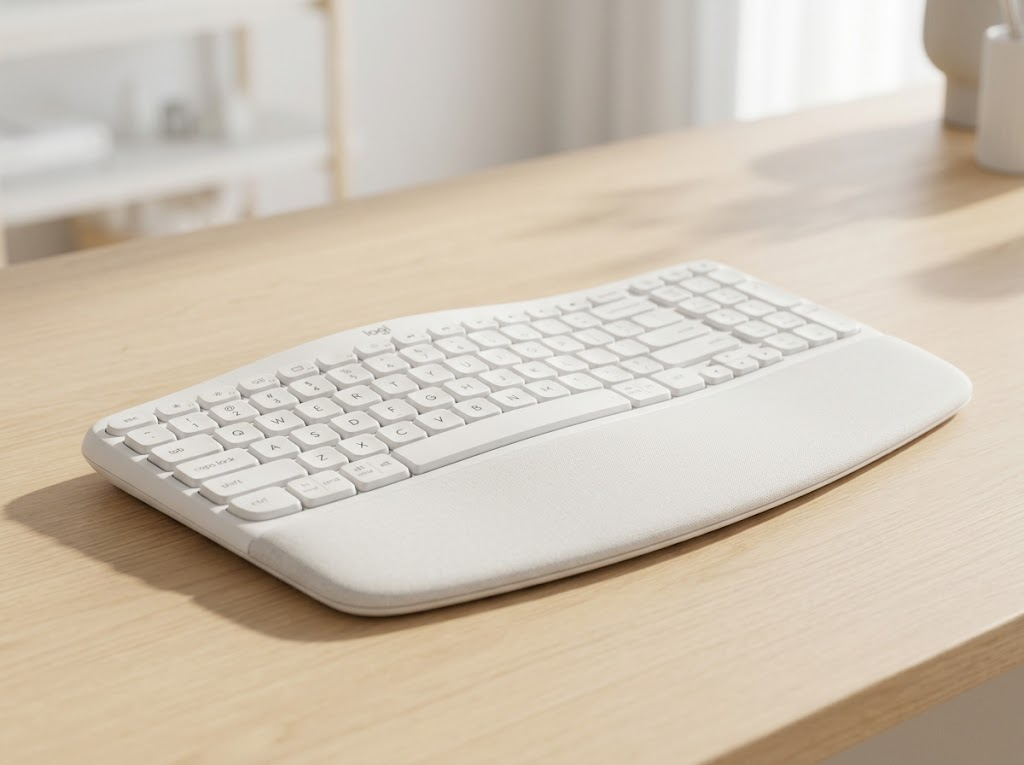
Angled keyboards, sometimes called wave keyboards, use a gentle curve across the key surface without a full split. The keys rise slightly in the center and slope downward on each side, guiding your hands into a more natural position.
These are the easiest ergonomic keyboards to transition to because the overall layout stays familiar. You do not need to relearn where the keys are. Wave keyboards are a great starting point for anyone who wants to improve their typing posture without committing to a fully split or contoured design.
Many modern ergonomic keyboards combine several of these types into a single design. A keyboard can be split, tilted, and compact all at once, giving you the most flexibility to customize the setup for your body.
Who Should Use An Ergonomic Keyboard?
The short answer is anyone who types regularly.
A common assumption is that ergonomic keyboards are only for people with wrist pain or a diagnosed condition. That is not the case. Ergonomic keyboards deliver the most value as a preventive tool, not just a reactive one.
Here are some groups that benefit the most:
- Office Professionals: If you’re typing for four or more hours a day, you are essentially an “industrial athlete.” The repetitive micro-movements of a standard keyboard can lead to cumulative strain that goes unnoticed until it becomes a chronic issue.
- Programmers & Developers: Coding often involves long, intense sessions of “flow” where physical posture is the last thing on your mind. Ergonomic setups allow you to stay in the zone longer without the distraction of mounting forearm tension or “claw hand.”
- Writers & Content Creators: For those whose livelihood depends on word count, fatigue is the enemy of productivity. An ergonomic layout reduces the physical “friction” of writing, allowing your hands to keep pace with your thoughts.
- Remote & Hybrid Workers: Home offices are notorious for “makeshift” ergonomics, such as kitchen islands or soft couches. An ergonomic keyboard can compensate for a desk height that’s less than ideal or a chair that lacks proper support, helping to centralize your posture.
- Gamers: While often overlooked in the “productivity” conversation, gamers execute a massive number of Actions Per Minute (APM). Ergonomic boards can help mitigate the specific stresses placed on the left hand (the “WASD” cluster) during extended play.
- RSI Sufferers: If you are already managing carpal tunnel syndrome, tendonitis, or general “mouse shoulder,” an ergonomic keyboard is a non-negotiable tool for recovery. It minimizes ulnar deviation and pronation, which aggravate inflamed nerves.
According to Goldtouch, even using a standard keyboard for just 20 minutes per day can contribute to long-term strain if your wrists are held in an unnatural position. The risk increases dramatically with longer daily usage.
Do Ergonomic Keyboards Actually Work?
This is the question most people ask before making the switch. The evidence is encouraging, though it comes with important nuance.
On the biomechanical side, the research is consistent. Studies confirm that ergonomic keyboards reduce ulnar deviation, wrist extension, and forearm pronation compared to standard keyboards. A follow-up study published on PubMed tracked 29 workers using ergonomic keyboards over an average of 34 months. Participants maintained their improvements in symptom severity and daily function throughout the entire period, and their typing speed remained consistent.
User satisfaction data also tells a clear story. According to a 2025 survey by Truly Ergonomic, 9 out of 10 people who switch to an ergonomic keyboard never go back to a conventional model.
That said, an ergonomic keyboard is not a cure-all on its own. As Wikipedia’s review of the research notes, an ergonomic keyboard alone does not make an ergonomic workplace. It requires proper chair height, correct monitor positioning, regular breaks, and good overall posture habits. The keyboard is one important piece of a larger system.
The bottom line is that ergonomic keyboards work best when they are part of a complete, well-designed workstation setup. They are not a magic fix, but they are one of the most effective single upgrades you can make for typing comfort and long-term hand health.
Let Ergo Global Help You Find the Right Setup
At Ergo Global, we help individuals and organizations build workspaces that protect long-term health and support peak performance.
As dedicated ergonomics consultants, we evaluate your complete workstation, from your keyboard and mouse to your chair, desk, and monitor positioning. We tailor every recommendation to your unique body, your work habits, and your goals.
Whether you are an employer looking to reduce injury-related costs or a professional who wants to work comfortably for years to come, we are here to guide you. Our mission is to help you feel better, work better, and stay healthier for the long run.
Ready to build a healthier workspace?
Contact Ergo Global today for a personalized ergonomic consultation.