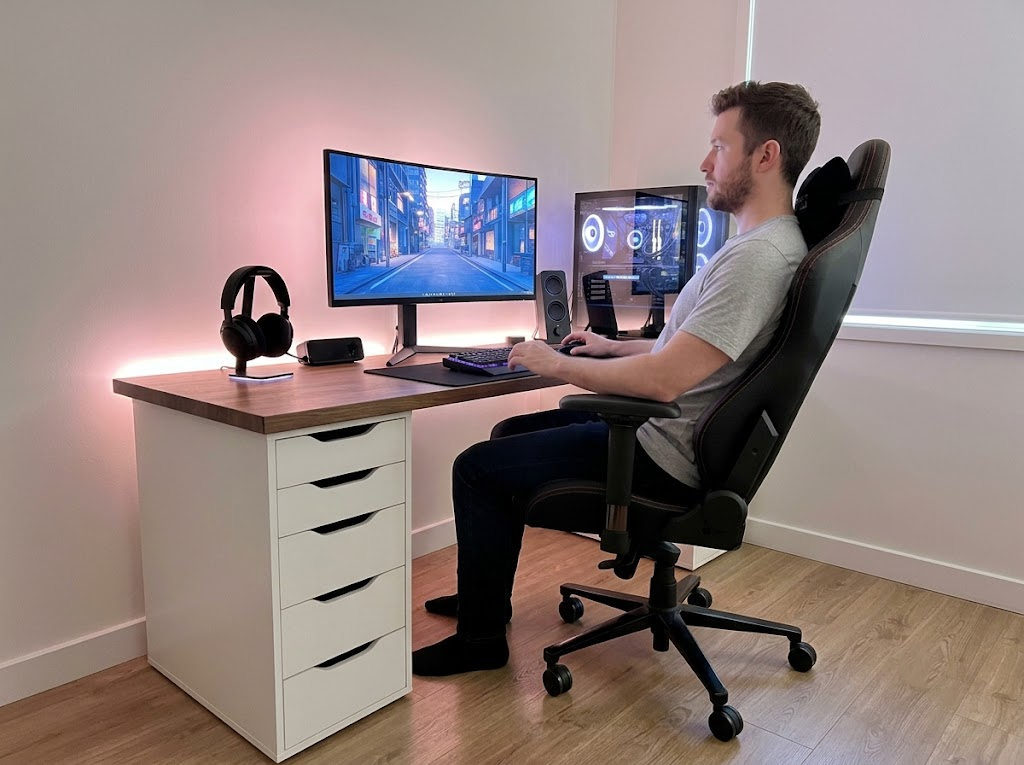


Aching shoulders, stiff necks, and lower back pain are not just occupational annoyances. They are symptoms of poor workplace posture ergonomics, and the cost is high. Ergonomic issues account for one in three of all worker injury and illness cases in the United States, and overexertion alone costs US employers $13.7 billion every year. Most of those cases are preventable.
This guide walks you through practical steps to refine your posture, optimize your workstation, and build habits that protect your body for years to come, whether you work from a corporate office, a home setup, or somewhere in between.
Why Workplace Posture Ergonomics Matters

Poor posture at work is linked to a wide range of musculoskeletal disorders. Conditions such as carpal tunnel syndrome, rotator cuff injuries, herniated discs, and chronic tension headaches frequently develop from years of sitting incorrectly or using equipment that does not suit the body.
Musculoskeletal disorders caused 18.5 million days of lost work in a single year, a figure that represents an enormous amount of disruption for businesses and suffering for individuals.
Workplace posture ergonomics addresses these challenges by focusing on prevention. When your body is properly aligned and supported, muscles work efficiently, blood flows freely, and joints stay in their natural positions. The result is less fatigue, fewer aches, sharper concentration, and better overall performance.
Ergonomic interventions consistently deliver a benefit-to-cost ratio of between 2:1 and 10:1, which means the investment pays for itself many times over through reduced injuries, lower sick leave, and improved output.
Recognizing Common Posture Problems
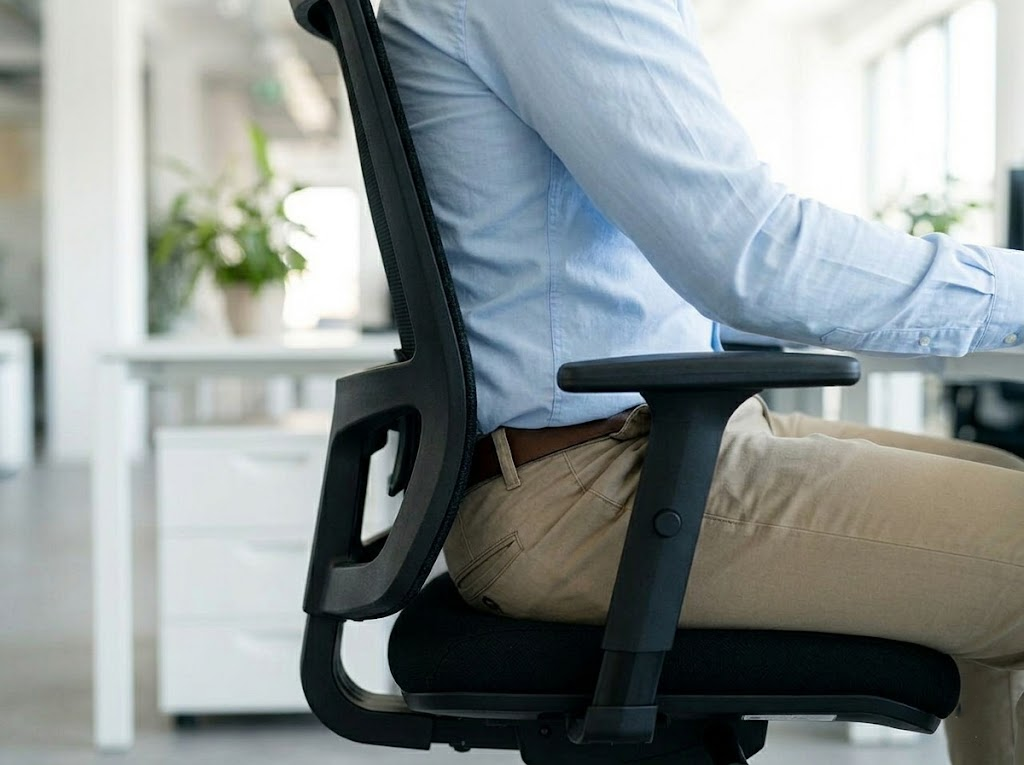
Before fixing posture issues, you need to identify them. Several patterns appear repeatedly in office settings, and forward head posture alone affects an estimated 66% of the population.
Here are the four most common posture problems seen in desk workers:
- Forward head posture — The head juts ahead of the shoulders, often as a response to looking down at screens or paperwork. Every inch the head moves forward adds roughly ten pounds of pressure on the neck and upper back, gradually wearing down the cervical spine.
- Rounded shoulders — The upper back curves and the chest collapses, usually from extended periods of typing or scrolling. Over time, this posture weakens the muscles between the shoulder blades and tightens the chest.
- Anterior pelvic tilt — The lower back arches excessively and the hips tip forward, often caused by tight hip flexors from prolonged sitting. This position puts sustained pressure on the lumbar discs.
- Slumped sitting — The familiar slouch where the lower back rounds, the shoulders drop forward, and the head hangs. Slumping is the default resting position for many people after a few hours at a desk.
Take a moment right now to notice how you are sitting. If any of these patterns sound familiar, you have plenty of company, and the good news is that workplace posture ergonomics offers clear solutions for each one.
Setting Up an Ergonomic Workstation
A well-designed workstation supports your body without requiring conscious effort to maintain good posture.
Chair Adjustments
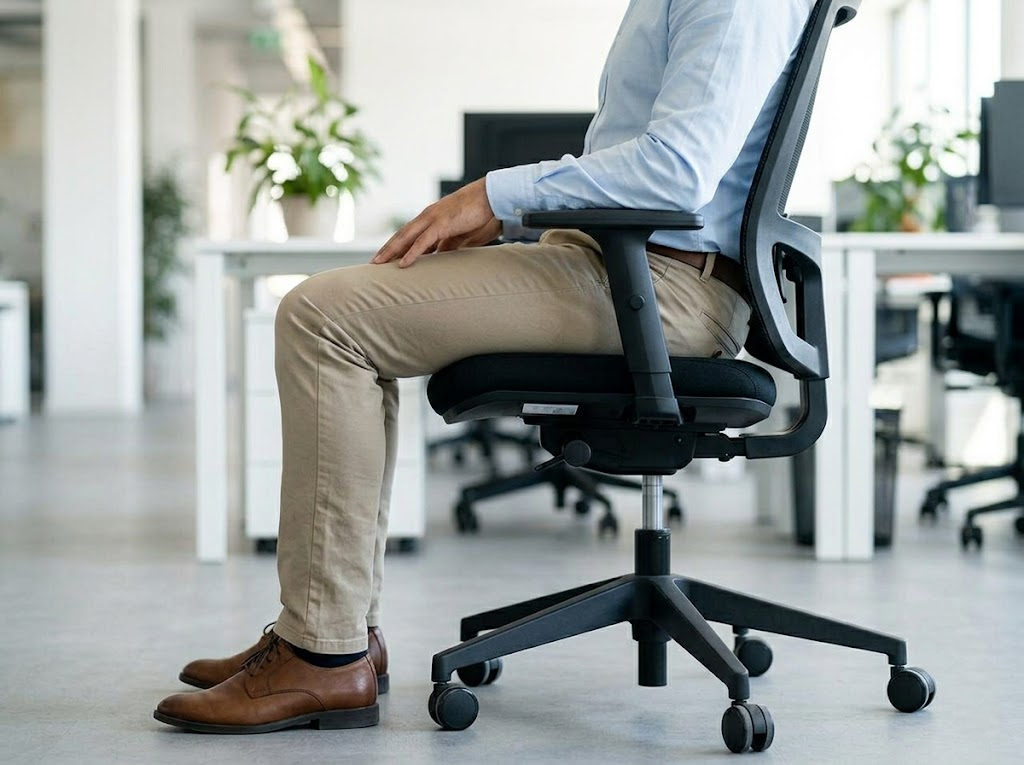
Your chair is the foundation of your entire workstation setup, so getting it right before adjusting anything else makes every subsequent change more effective.
| Seat Height and DepthYour chair should allow your feet to rest flat on the floor with your knees bent at roughly a ninety-degree angle. The seat depth should let you sit fully back against the lumbar support while leaving two to four fingers of space between the edge of the seat and the back of your knees. | Lumbar and Arm SupportAdjust the lumbar support to cradle the natural curve of your lower back. Armrests should be set so your elbows rest comfortably at a ninety-degree angle without lifting your shoulders. If your chair doesn’t allow these adjustments, consider upgrading or adding an add-on such as a footrest, lumbar pillow, or seat cushion to bridge the gap. |
Monitor Positioning
Your monitor placement plays a major role in workplace posture ergonomics.
| Single MonitorPosition the screen so the top of the display sits at or slightly below eye level when you look straight ahead. The screen should be roughly an arm’s length from your face. If you wear bifocals or progressive lenses, you may need to lower the monitor a few inches so you can read comfortably without tilting your head back. | Dual MonitorsPlace your primary screen directly in front of you and set the secondary screen at an angle to the side. If both monitors are used equally, center them so the inner edges meet in front of you rather than favoring one side. | LaptopLaptops present a particular challenge because the screen and keyboard are attached. A laptop stand combined with an external keyboard and mouse solves this by raising the screen to eye level while keeping your hands at a comfortable typing height. |
Keyboard and Mouse Placement
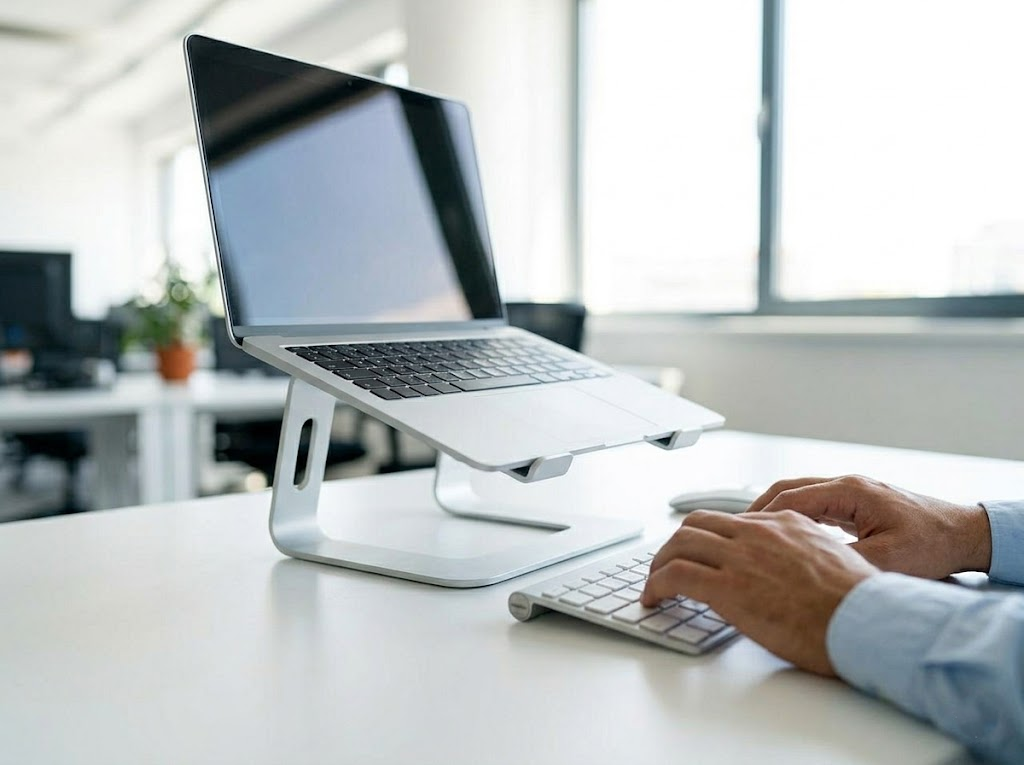
Your keyboard should sit directly in front of you, close enough that your elbows stay near your sides. Wrists should remain flat and neutral as you type, with no upward or downward bend. The mouse should be positioned right next to the keyboard at the same level, so you do not have to reach for it.
Consider a split or contoured keyboard if you experience wrist discomfort, and look into vertical mice if you experience persistent elbow or forearm strain.
Movement and Microbreaks
Even the most perfectly designed workstation cannot fully compensate for staying in one position too long. The human body is built for movement, and prolonged stillness leads to muscle stiffness, reduced circulation, and joint compression.
The 20-20-20 Rule
Every twenty minutes, look at something twenty feet away for at least twenty seconds. This reduces eye strain and gives you a natural cue to shift position. Beyond that, aim to stand, stretch, or walk for a few minutes every thirty to sixty minutes.
Sit-Stand Desks
A three-month controlled study found that workers using sit-stand desks significantly reduced their sitting time and reported measurably less neck and shoulder pain, as well as higher self-rated work performance and vitality.
If you have access to a height-adjustable desk, aim for a roughly even split between sitting and standing, transitioning every twenty to forty minutes.
Walking During Calls
Phone calls and virtual audio meetings are an easy opportunity to move. Standing up or walking slowly while on a call requires no extra time and adds meaningful activity to your day. Over the course of a workweek, those minutes add up to a significant reduction in total sitting time. Keep a headset or earbuds within reach so switching to walking mode takes no effort at all.
Break Reminders and Movement Apps
Most people intend to take regular breaks, but lose track of time once they are deep in a task. A simple timer, a calendar block, or a dedicated app can remove the need to remember. Several workplace wellness tools let you set custom break intervals and prompt brief movement routines directly on-screen.
Building the reminder into your workflow means the habit runs in the background without relying on willpower alone.
The Lunch Break Reset
A proper lunch break away from your desk does more than let you eat. Stepping outside for even a ten-minute walk resets your posture, exposes you to natural light, and gives your eyes a true rest from screen distance.
Workers who take real midday breaks consistently report lower afternoon fatigue and better concentration in the hours that follow. Treat the lunch break as a scheduled recovery period, not an optional extra.
Stretches and Exercises for Office Workers
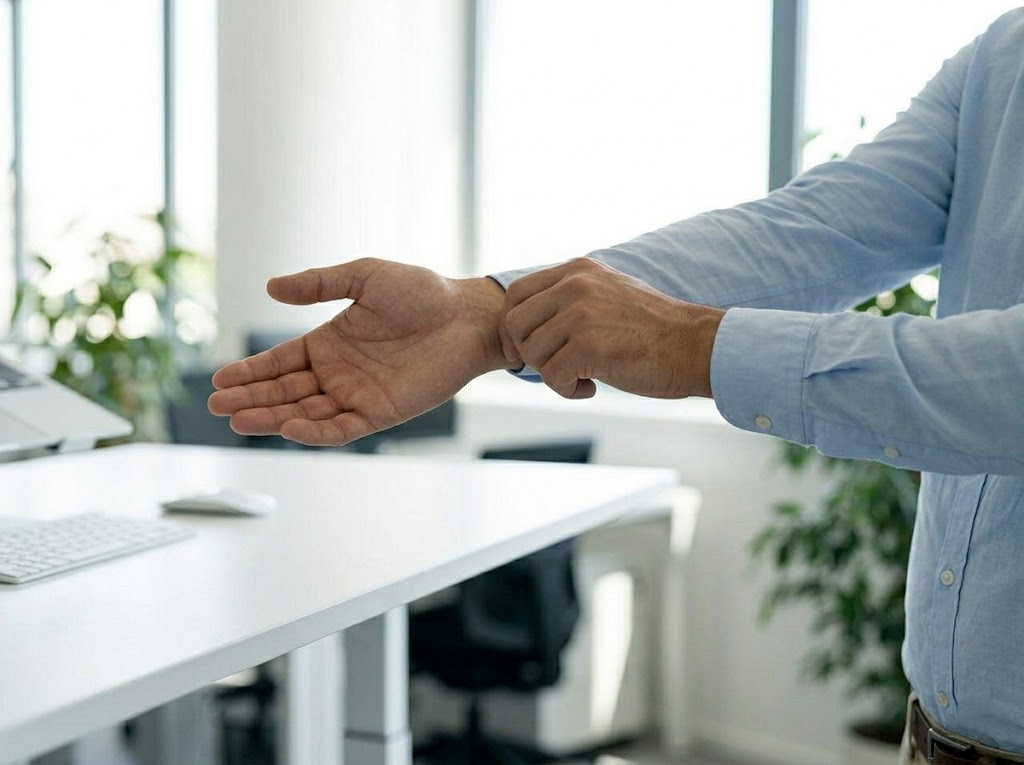
Targeted movement throughout the day reinforces the benefits of good workplace posture ergonomics. The following stretches address the most common desk-related tightness and take only a few minutes to complete.
Chin Tucks
Gently draw your chin straight back as if to make a double chin, hold for 5 seconds, then release. Repeat ten times. This directly addresses forward head posture by retraining the deep neck flexors.
Shoulder Blade Squeezes
Pull your shoulder blades together as if trying to hold a pencil between them, hold for five seconds, then release. Repeat ten times. This counters rounded shoulders and strengthens the muscles of the mid-back.
Hip Flexor Stretch
Stand and step one foot back into a small lunge, tucking the pelvis under slightly to feel a stretch through the front of the hip. Hold for thirty seconds on each side. This releases the tightness that accumulates from prolonged sitting.
Wrist and Forearm Stretch
Extend one arm and use the other hand to gently pull the fingers back, holding for 15 seconds, then switch sides. Add wrist circles to keep the forearms and hands loose. These movements help prevent the repetitive strain injuries common among typists.
Lighting, Sound, and Other Environmental Factors
Workplace posture ergonomics extends beyond furniture and posture cues. The surrounding environment shapes how you hold your body, often in ways that go unnoticed.
| Environmental Factor | Ergonomic Impact | Simple Fix |
| Lighting is too dim or too bright | Squinting and forward lean, straining neck and eyes | Adjustable task lamp positioned to eliminate screen glare |
| Excessive background noise | Increased muscle tension, shoulders creeping toward ears | Noise-canceling headphones or scheduling focus work in quieter periods |
| Cold room temperature | Muscles tighten, especially across the shoulders and upper back | Keep a sweater at your desk or adjust the thermostat |
| Cluttered desk surface | Awkward reaching postures, uneven weight distribution | Keep the area directly in front of you clear for the keyboard and mouse |
Building Lasting Habits

Improving workplace posture ergonomics is an ongoing process that builds momentum over time. Start with one or two changes, give yourself time to adjust, and add more as the new habits settle in. Pay attention to how your body feels at the end of each workday and use that feedback to fine-tune your setup.
A useful approach is to work through adjustments in order of impact:
- Chair setup first — It is the foundation of everything else
- Monitor height second — It has the greatest effect on neck position
- Keyboard and mouse third — Fine-tune once the first two are set
- Environment last — Lighting, temperature, and desk layout as finishing touches
Over time, good posture becomes second nature, your workspace supports your body throughout the day, and the aches that once felt inevitable fade into memory.
When to Seek Professional Guidance
Self-directed changes can take you a long way, yet some situations genuinely benefit from expert input:
- Persistent pain that does not improve with workstation adjustments
- Recurring soft-tissue injuries in the same area
- Complex medical conditions affecting how you can sit or move
- Workplaces with large numbers of employees needing simultaneous assessments
- New office builds or large-scale fit-outs where ergonomics can be designed in from the start
A trained ergonomics consultant looks at the whole picture, evaluates individual needs, and recommends solutions tailored to your body, your job tasks, and your environment. Research shows that well-implemented ergonomic programs can reduce MSD injuries by 20 to 40%, a meaningful improvement that compounds over time as fewer workers experience pain and time away from work.
How Ergo Global Can Help
At Ergo Global, we have spent years helping organizations and individuals transform their workspaces into healthier, more productive environments. As specialized ergonomics consultants, we know that every workplace is unique, so we design solutions that fit your people, your tasks, and your goals.
Our team conducts thorough assessments, delivers practical recommendations, and supports implementation from start to finish. We have partnered with companies of every size to reduce injuries, lift morale, and boost performance through smarter workplace posture ergonomics.
If you are ready to create a workspace that genuinely supports your team, contact us and book your consultation today.