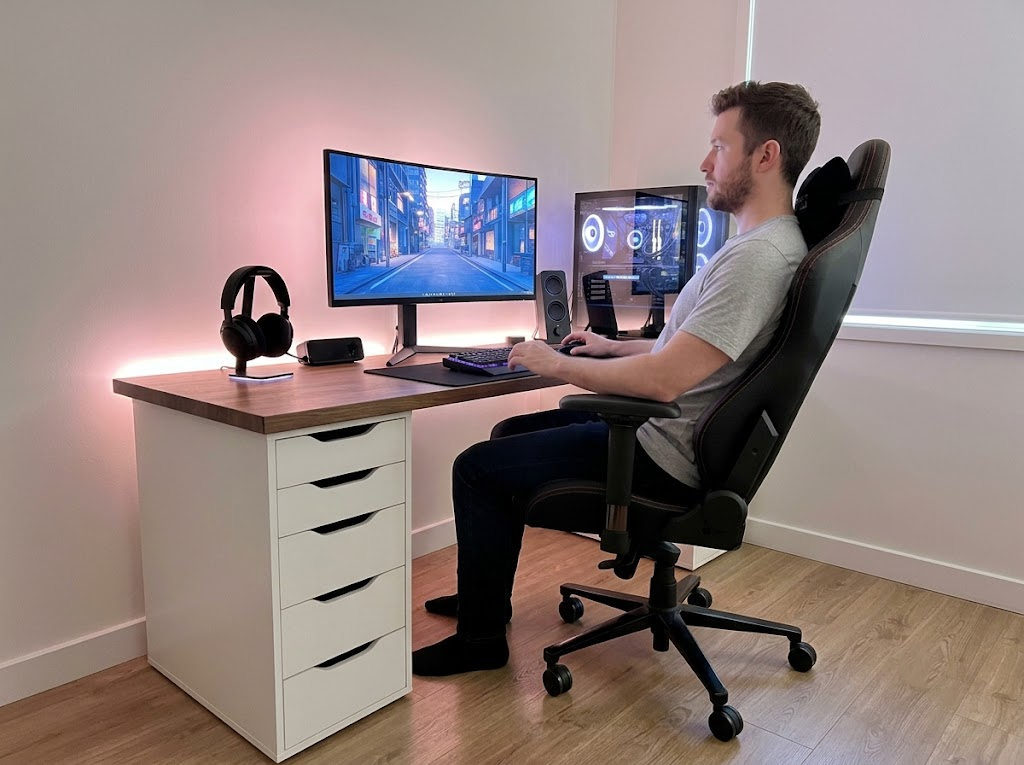


Carpal tunnel syndrome rarely appears overnight. It builds up over months of typing on a flat, narrow keyboard that forces your wrists to bend outward, pronate inward, and rest at an unnatural angle for hours on end. By the time the tingling, numbness, or sharp pain shows up, the median nerve is already inflamed, and the surrounding tendons are strained.
The right ergonomic keyboard for carpal tunnel breaks that cycle by keeping your wrists in a neutral position, reducing the force needed to register each keystroke, and letting your shoulders relax to a more natural width.
Choosing the right ergonomic keyboard for carpal tunnel means looking carefully at split layouts, tenting angles, palm support, key actuation force, and adjustment range. We have rounded up 15 of the most respected options available right now, ranging from advanced, contoured keyboards used by RSI specialists to affordable adjustable models for first-time buyers.
The Top 15 Ergonomic Keyboards for Carpal Tunnel in 2026
The list below spans a wide range of price points and typing styles from premium mechanical split keyboards to wireless wave-style options, with each selected for its ability to reduce ulnar deviation, wrist extension, and pronation, the key posture problems behind carpal tunnel symptoms.
1. Kinesis Advantage360 Professional
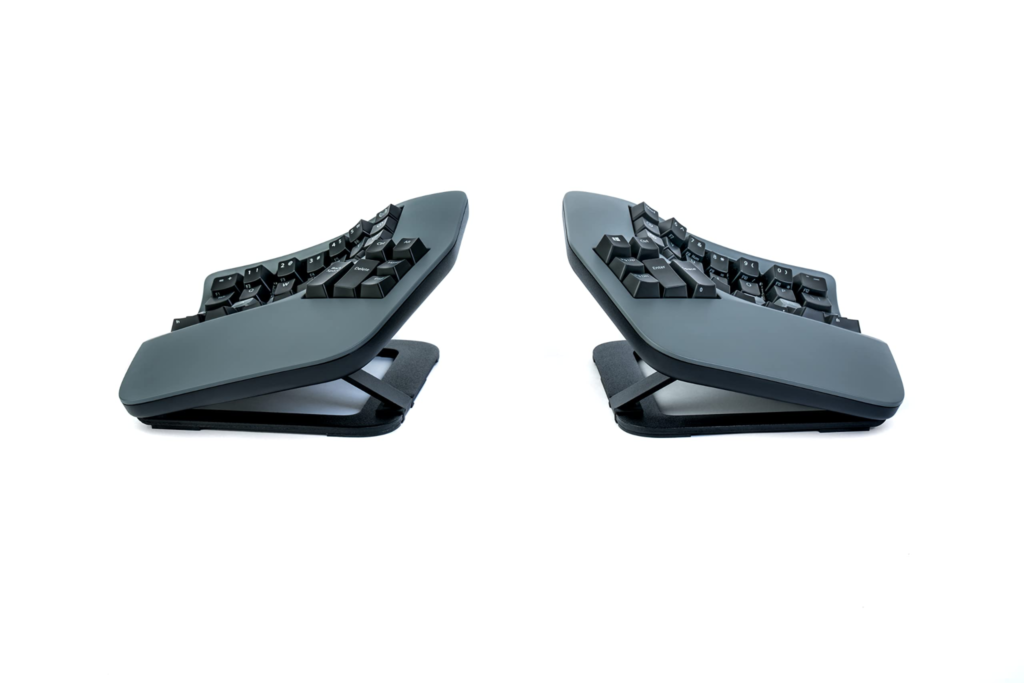
The flagship Advantage360 Pro is the most advanced ergonomic keyboard for carpal tunnel available today. Two contoured key wells separate completely to match shoulder width, with built-in tenting and a thumb cluster that moves heavy-use keys like Enter, Backspace, and Space off your weaker pinkies. The ZMK open-source firmware lets power users program every key.
2. Kinesis Advantage360
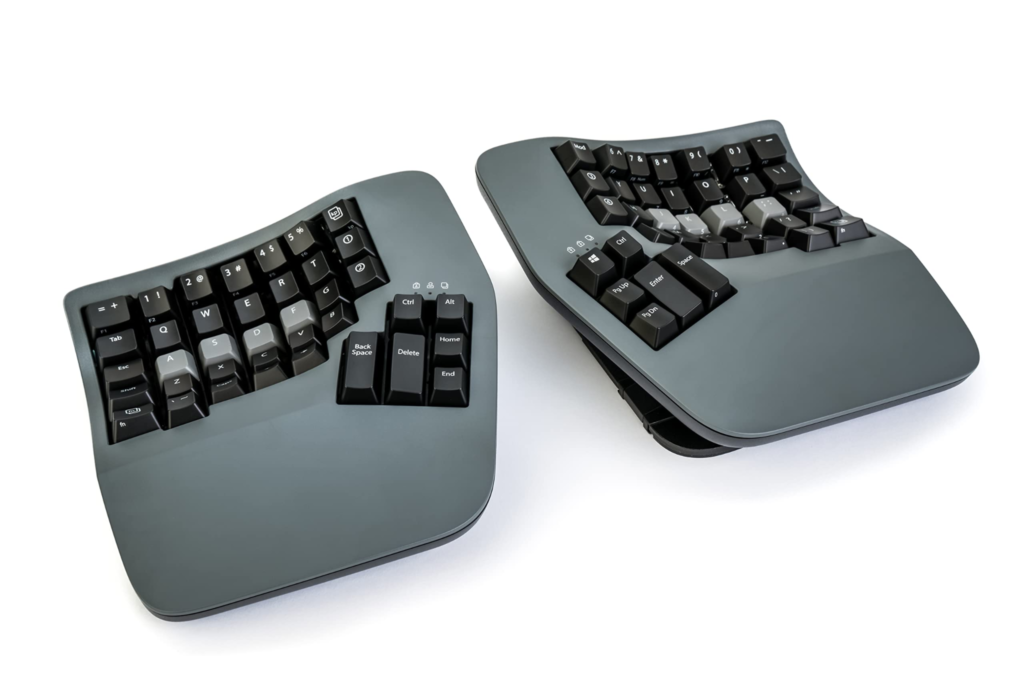
The SmartSet version of the Advantage360 offers the same contoured ergonomics with simpler onboard programming. Three tenting heights, integrated palm supports, and low-force mechanical switches address every major risk factor for repetitive strain injury. A favorite among developers and writers who type 8 or more hours a day.
3. Kinesis Advantage2
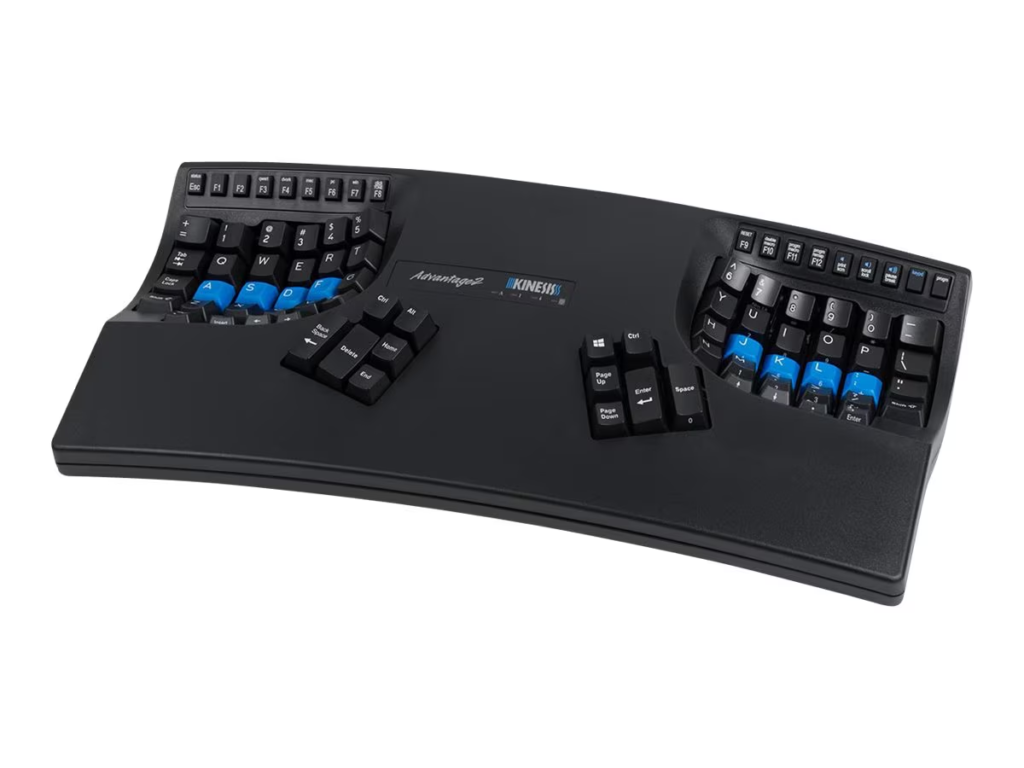
The original contoured Kinesis design remains a go-to recommendation for anyone with severe carpal tunnel or RSI symptoms. Concave key wells reduce hand and finger extension, while 20 degrees of fixed tenting prevent wrist pronation. Backed by a 3-year warranty and decades of clinical use.
4. ZSA Moonlander
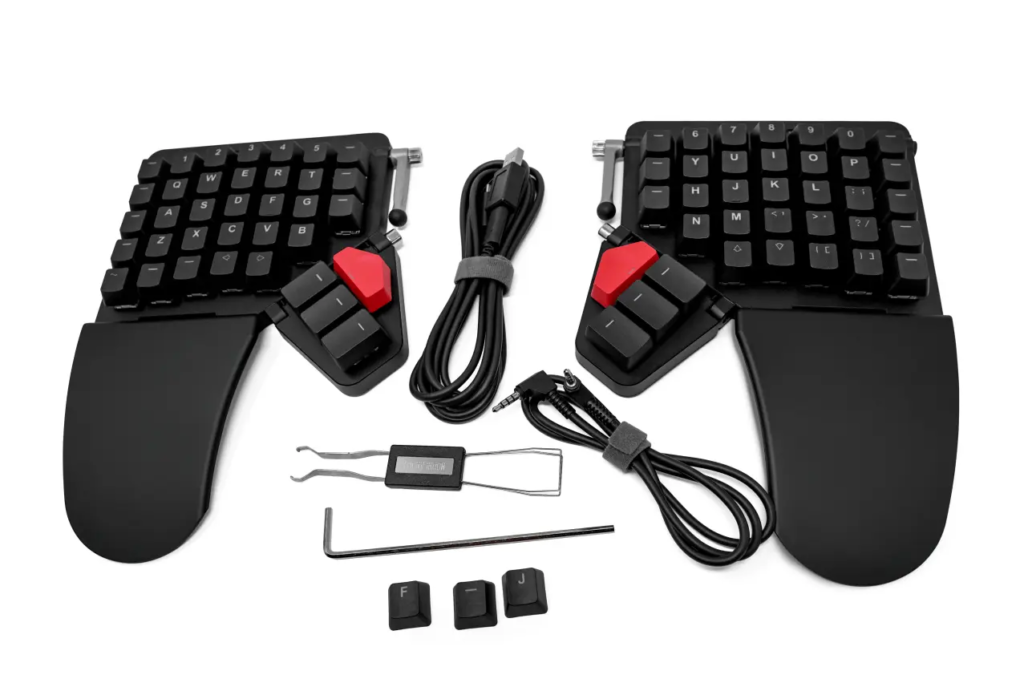
The Moonlander is a fully split, columnar layout keyboard with built-in tenting that detaches and folds flat for travel. Each half adjusts independently, and the customizable Oryx software lets you map every key to your workflow. A strong choice for programmers and writers who want a long-term investment in their wrist health.
The keyboards above represent the gold standard in contoured split designs. The next group offers split or partial-split layouts that stay closer to a traditional QWERTY arrangement, which means a lower learning curve while still delivering most ergonomic benefits.
5. Kinesis Freestyle Pro
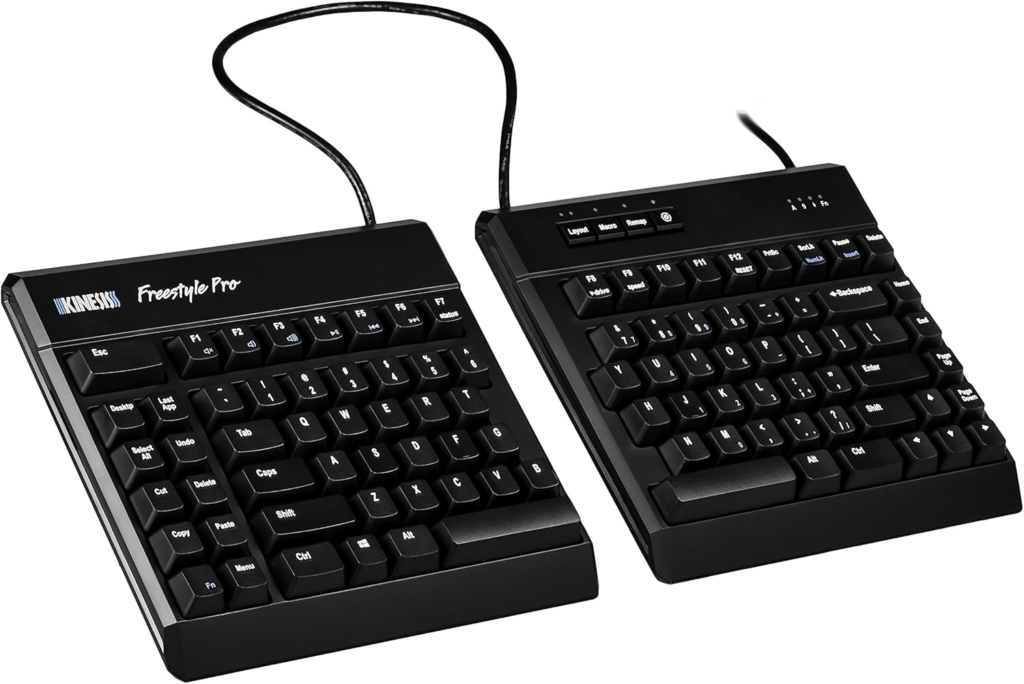
The Freestyle Pro keeps the traditional QWERTY layout most typists already know while letting you fully separate the two halves up to 20 inches. Cherry MX mechanical switches give you a choice between tactile brown and quiet linear red keys. Add the optional VIP3 tenting kit for adjustable slope settings of 5, 10, or 15 degrees.
6. Cloud Nine C989M
The C989M is a full-size split mechanical keyboard with built-in tenting and integrated palm support. The split halves separate up to 8 inches, and the zero-degree exterior slope rising to 14 degrees in the middle creates an ergonomically sound typing surface. Kailh tactile switches deliver satisfying feedback without excessive force.
7. Matias Ergo Pro
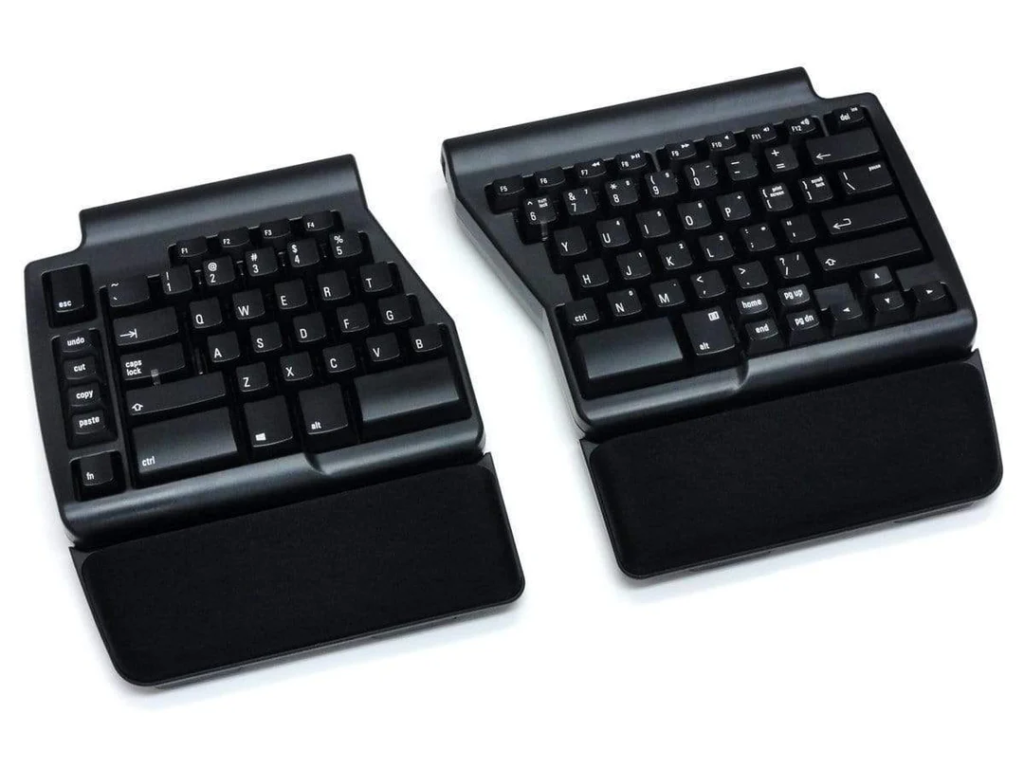
The Matias Ergo Pro pairs Quiet-Click mechanical switches with detachable cushioned palm supports, 9-degree tenting, and a 4.5-degree negative tilt. The compact navigation cluster keeps the overall footprint narrow, so your mouse stays within easy reach, helping reduce shoulder strain and wrist strain.
8. Truly Ergonomic Cleave
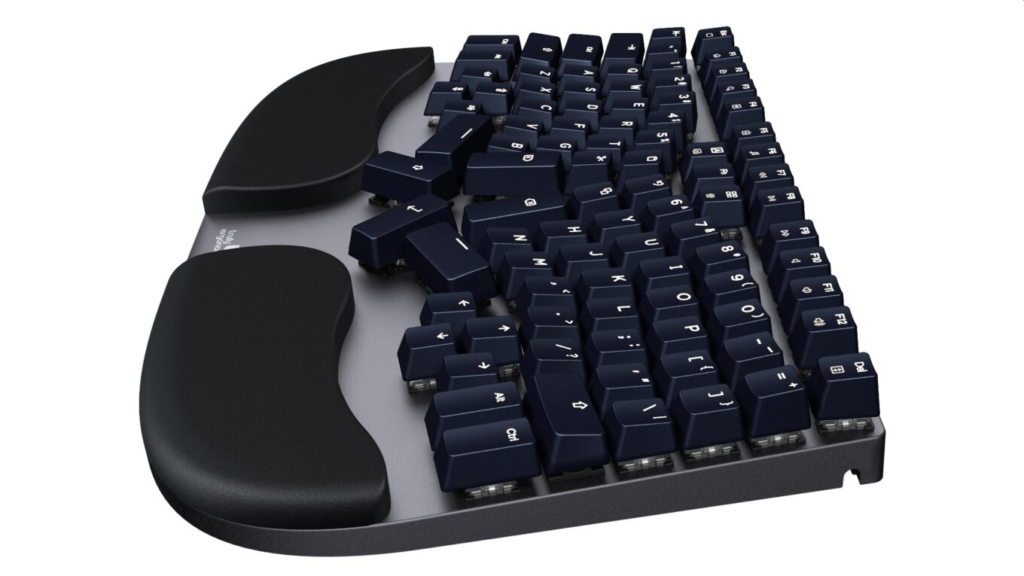
The Cleave uses a symmetrical split columnar layout machined from aerospace-grade aluminum. Tactile optical mechanical switches rated for 100 million actuations sit alongside a cushioned palm rest, and the compact footprint reduces the over-reach to your mouse. Most users adapt within 15 days.
9. Mistel Barocco MD770
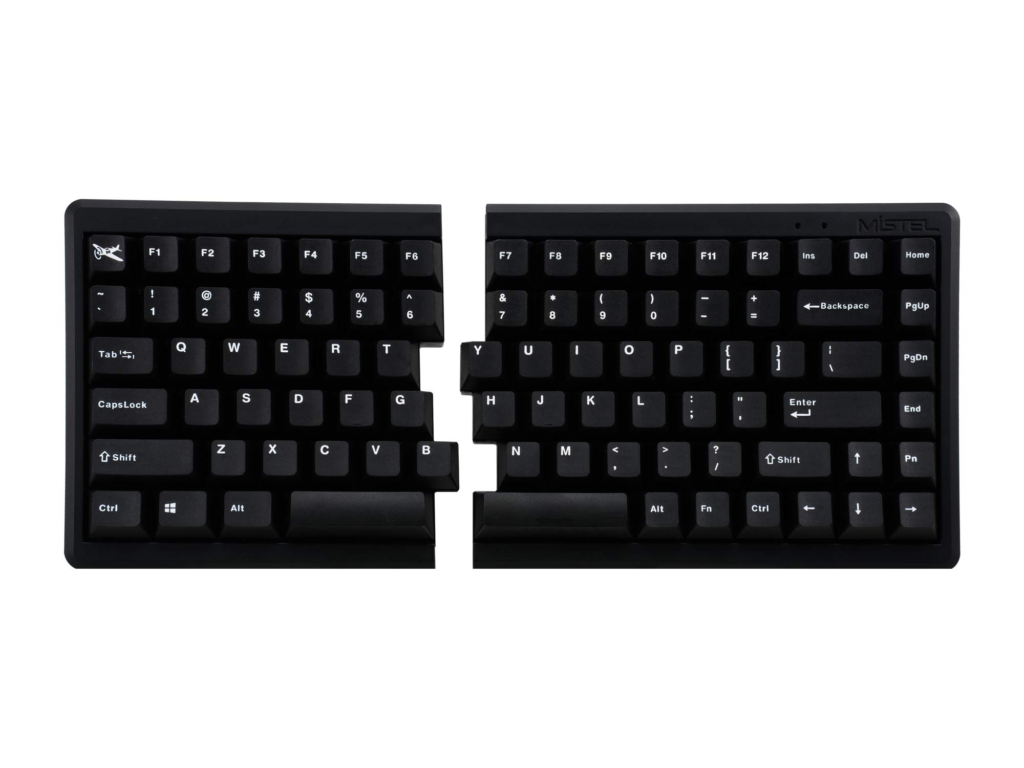
The Mistel Barocco MD770 is a 75% split mechanical keyboard with PBT double-shot keycaps and a choice of Cherry MX switches. The slim form factor and full programmability make it a strong ergonomic keyboard for carpal tunnel sufferers who want a more portable option without losing mechanical typing feel.
10. Keychron Q11
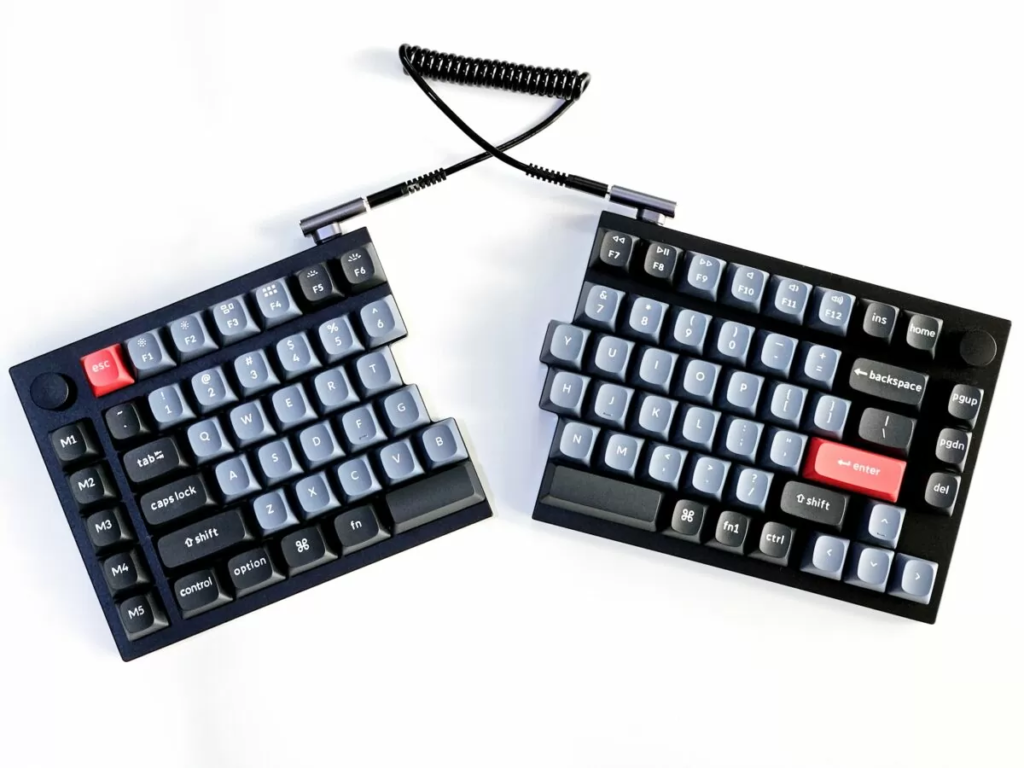
The Q11 brings split ergonomics to the popular Keychron Q series with full aluminum construction, QMK and VIA programmability, and hot-swappable mechanical switches. The 75% layout keeps function and arrow keys without bulking up the footprint, and the Mac and Windows toggle makes it a great choice for cross-platform workers.
The middle group covers some of the best mechanical split keyboards for typists who want a familiar layout. The final five options are softer-touch, more accessible keyboards that work well for people new to ergonomic typing or those who prefer quieter membrane-style keys over mechanical switches.
11. Logitech ERGO K860
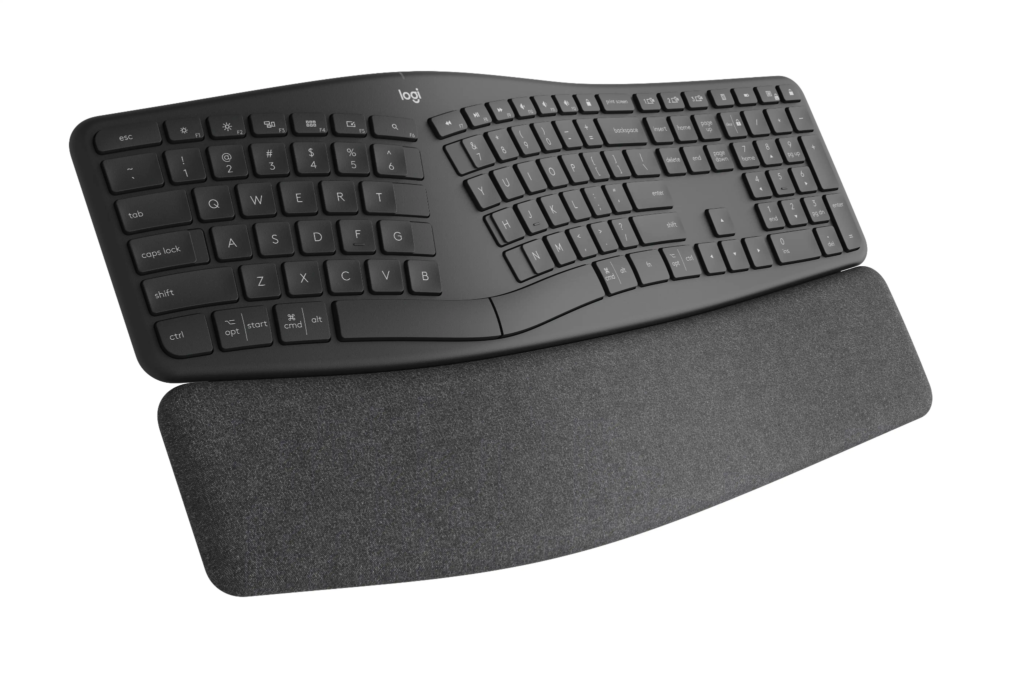
The K860 reduces wrist bending by 25% and offers 54% more wrist support than a flat keyboard, according to United States Ergonomics testing. The curved split keyframe, integrated cushioned palm rest, and adjustable palm lift make it one of the most popular ergonomic keyboards for carpal tunnel issues for office professionals. Wireless via Bluetooth or USB receiver.
12. Logitech Wave Keys
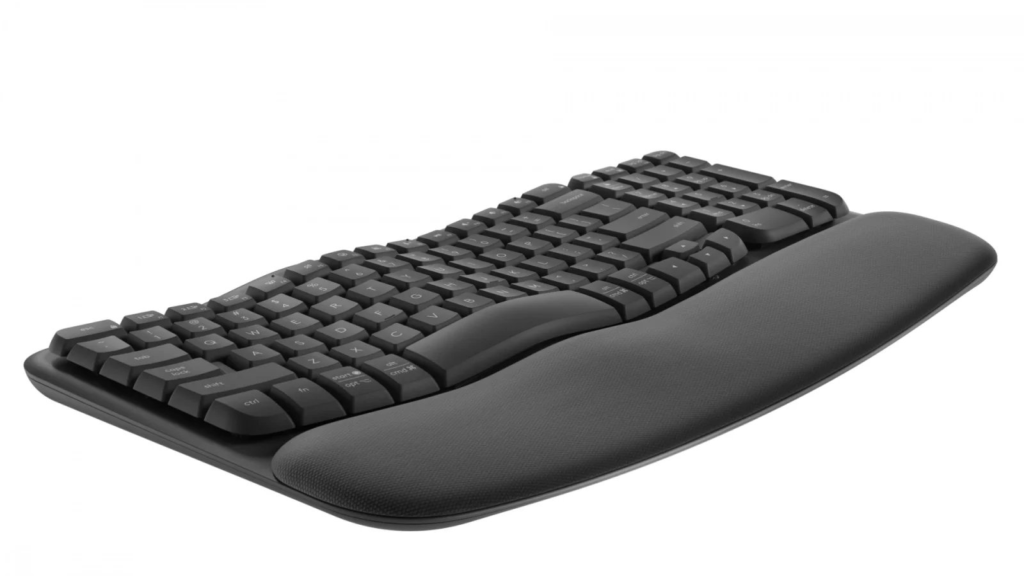
The Wave Keys is the compact, lower-cost sibling to the K860. The wavy keyframe places your hands and forearms in a more natural typing position, while the cushioned palm rest with three layers of memory foam supports your wrists. Approved by the United States Ergonomics, with up to 3 years of battery life.
13. Microsoft Ergonomic Keyboard
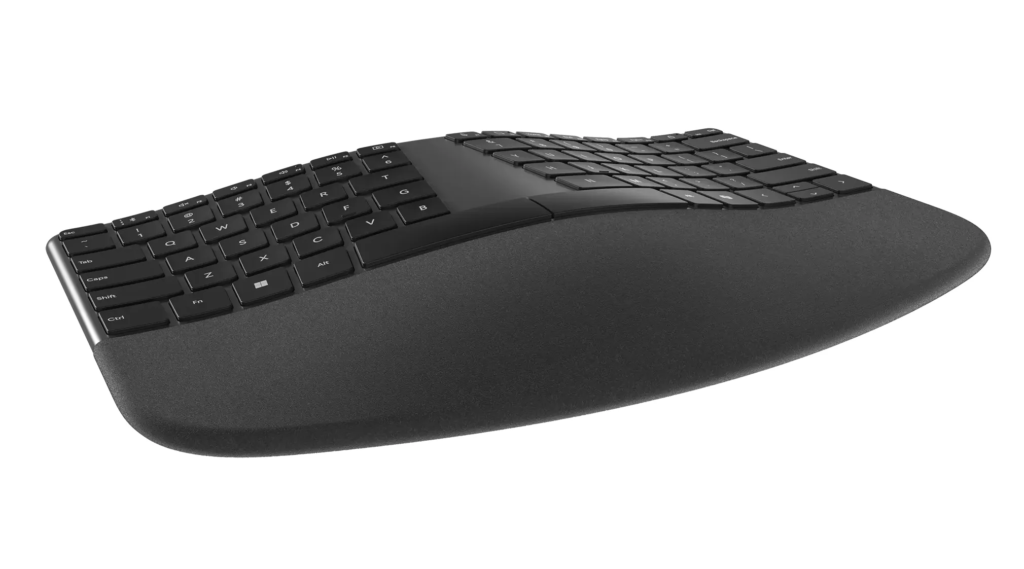
The wired Microsoft Ergonomic Keyboard offers a split layout, cushioned palm rest, and dedicated shortcut keys at an accessible price. The integrated numeric keypad and media controls make it a workhorse for office tasks. A solid entry point for anyone looking to try an ergonomic keyboard for carpal tunnel without a major investment.
14. Incase Sculpt Ergonomic Keyboard
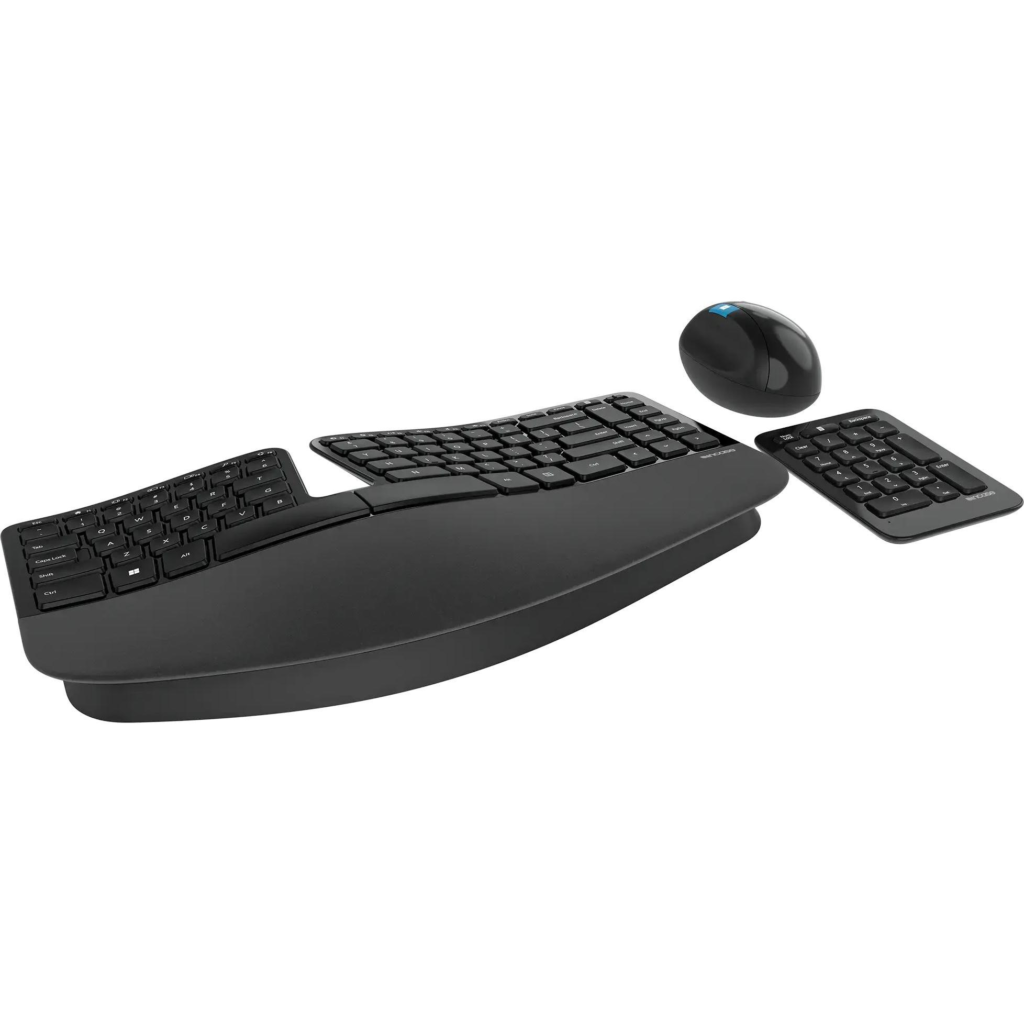
The Incase Sculpt is the spiritual successor to the legendary Microsoft Sculpt Ergonomic Keyboard, manufactured under license after Microsoft exited the hardware business. The split keyset, domed shape, and reverse tilt promote a neutral wrist position, and the separate number pad lets you keep your mouse closer to the body. AES 128-bit encryption protects your keystrokes.
15. Goldtouch V2 Adjustable Comfort Keyboard
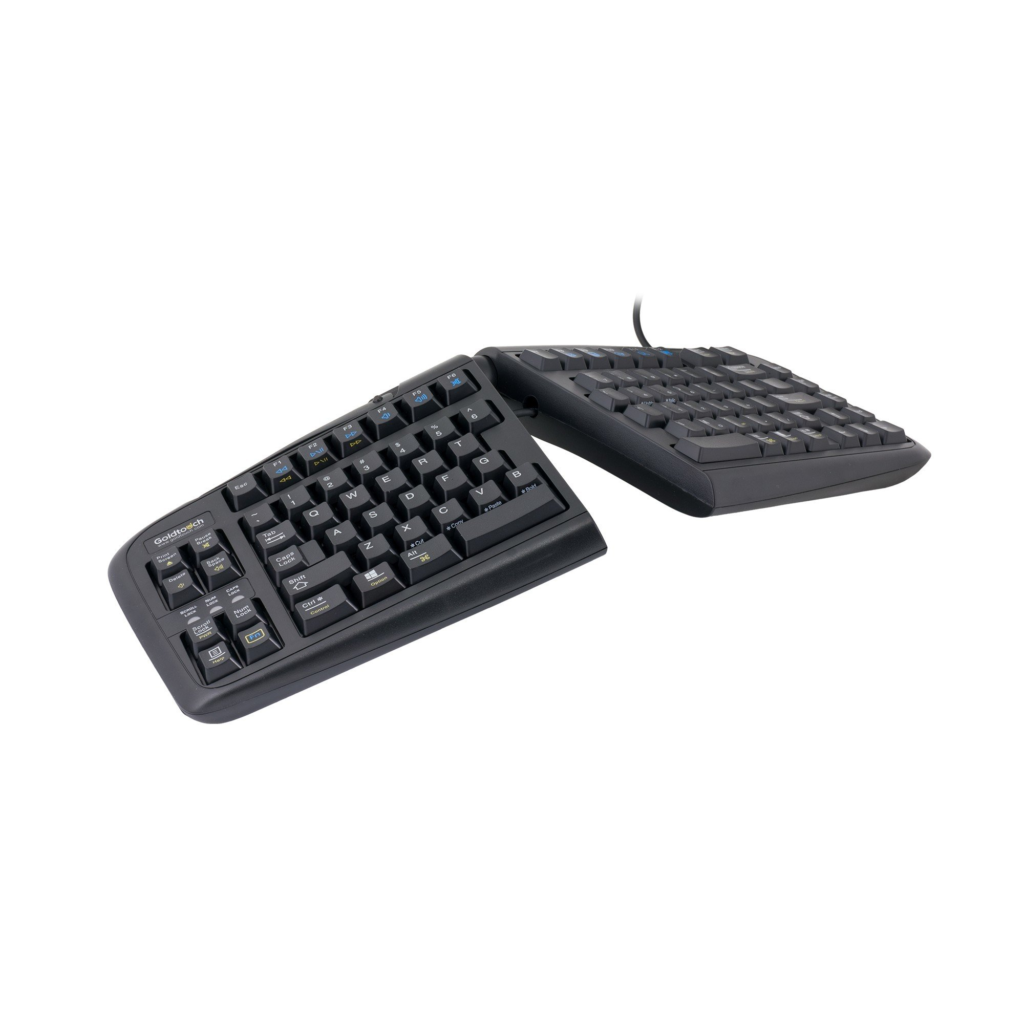
The Goldtouch V2 offers 0 to 30 degrees of horizontal and vertical adjustment thanks to its patented ball-and-lever design. The result is a fully adjustable ergonomic keyboard for carpal tunnel that fits a wide range of body types and typing styles. Low activation force and full key travel reduce the risk of bottoming out, which is one of the more overlooked causes of wrist strain.
What to Look for in an Ergonomic Keyboard for Carpal Tunnel
Not every keyboard labeled “ergonomic” is built to relieve carpal tunnel symptoms. To find one that actually helps, focus on these key features.
Tenting and Tilt
Flat keyboards force your forearms into full pronation, which compresses the median nerve over time. A tented keyboard raises the center of the board so your wrists sit in a more neutral, handshake-like position. Look for at least 5–15 degrees of tenting, or an adjustable tent kit if you want to dial it in.
Negative Tilt
Most standard keyboards slope upward, pushing your wrists into extension. An ergonomic keyboard should either lie flat or tilt slightly away from you (negative tilt), keeping your wrists straight and reducing strain on the tendons passing through the carpal tunnel.
Key Layout and Travel
Mechanical switches with moderate actuation force reduce the effort needed per keystroke. Concave or columnar key layouts — where keys are arranged in straight columns rather than staggered rows — minimize the awkward finger stretching that builds up over long sessions.
Wrist Rest Compatibility
A padded wrist rest won’t fix poor posture, but it supports neutral alignment during breaks. Look for keyboards designed to pair with a wrist rest, or models that include one, and make sure the height matches the key surface so your wrists aren’t tilting to reach the keys.
About Ergo Global
AtErgo Global, we help people stop suffering at their desks and start working pain-free. We are ergonomics consultants who study how each person sits, types, and works through the day, and then we recommend the right ergonomic keyboard for carpal tunnel, the right mouse, monitor setup, and chair for that individual.
Our team includes certified consultants with deep backgrounds in physical therapy, biomechanics, and occupational health. We work directly with home offices, small businesses, and large companies running multi-floor corporate setups across the country.
Whether you are buying one keyboard or outfitting 500 desks at the office, we take the guesswork out of the entire process so you get long-term comfort, fewer sick days, and measurable productivity gains.