

Transitioning to a standing workstation is one of the most proactive steps you can take for your long-term health. However, simply owning the equipment is not enough to guarantee results. Without a proper standing desk ergonomics setup guide, many users accidentally trade one type of physical strain for another. Setting up your desk correctly ensures that you reap the rewards of increased movement without putting undue stress on your joints or spine.
Why Your Standing Desk Setup Matters
Standing desks are not just a passing trend in modern office design. There is rock-solid science to support the idea that a proper standing desk setup could be a total game-changer for your professional life.
Physical Health and Power
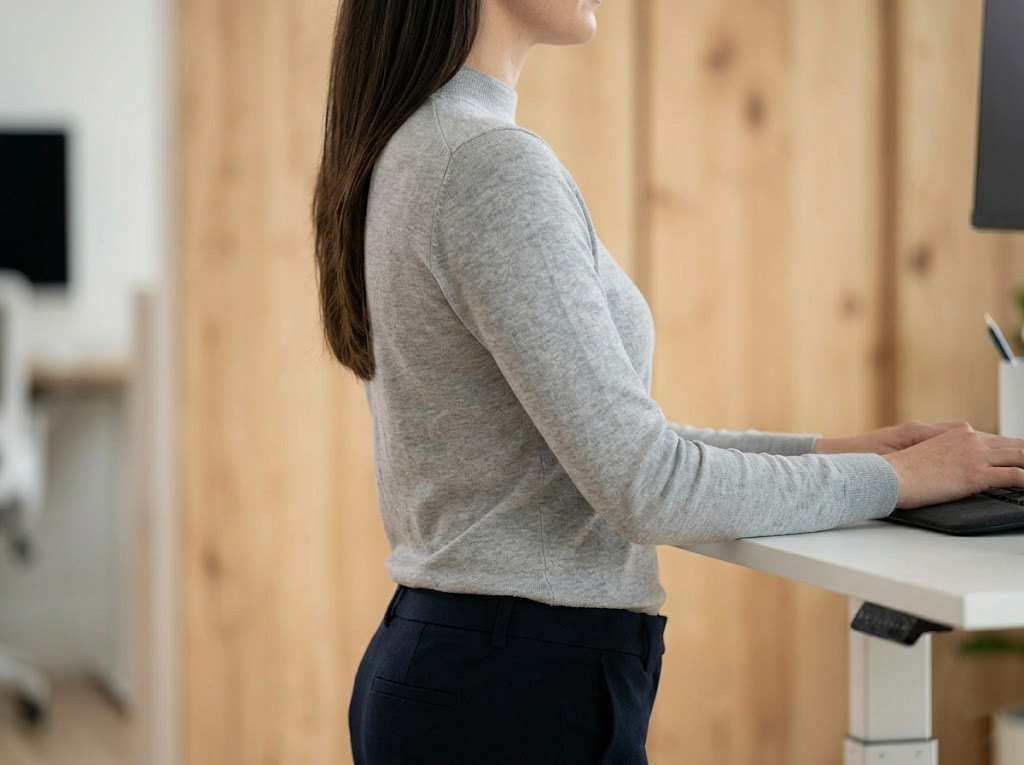
We have all heard that sitting for long periods can be detrimental to our health. Simply standing up is not quite enough on its own. You must perfect your stance with the right standing desk ergonomics. Every time you stand with precision, you do more than just defy gravity. You sculpt your spine into its natural curve. This gives your organs space and your muscles the tension they need.
Furthermore, you burn up to 20% more calories than when you are sitting. It is a proactive choice rather than a passive one. By setting up your standing desk properly, you equip your body to combat back pain and heart disease. It is more than simply standing because it strengthens you from within.
Mental Clarity and Focus
We are not just talking about a physical lift here. When you stand tall, your mind ascends with you. You can move past the foggy thoughts often associated with a seated slump. Instead, you can say hello to the clear cognition of an upright mind. Transitioning to a standing desk setup is mentally rejuvenating. Your brain gets an oxygen-boosting cocktail that fuels laser-like focus. As you stand, it is like the mental clouds part to reveal a brighter horizon.
Sustainable Energy Levels
If you think standing all day is an energy drain, please think again. Adopting a proper standing desk posture helps you store and release energy much more efficiently. When you align your body properly, it is like tapping into a hidden reservoir of strength. By fluctuating between active engagement and mindful relaxation, you ensure your energy does not flatline. A seated desk might offer temporary comfort, but a standing desk is where perpetual energy lives.
Proper Standing Desk Posture and Positioning
To get the most out of your furniture, you must follow a specific standing desk ergonomics setup guide for your body type. Use these measurements to ensure you are supported throughout the day.
Elbow and Keyboard Position
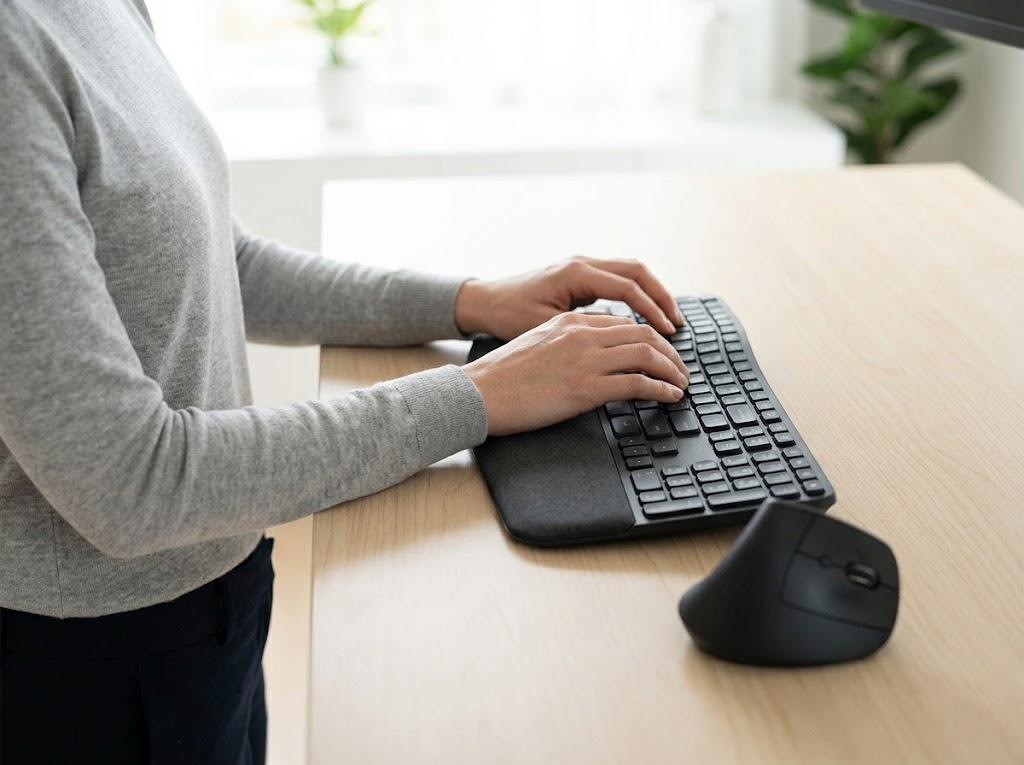
Raise your desk to roughly elbow height so your forearms are parallel to the floor. Your elbows should remain comfortably at your sides at an angle between 90 degrees and 120 degrees. Set the desk height so your wrists remain straight while you type. If your wrists angle upward, you risk developing strain over time. This simple adjustment is the foundation of any good standing desk office setup.
Monitor Placement and Neck Health
You would not want to watch a movie from the front row at the theater. A screen that is too close feels the same way. Position your monitor about an arm’s length away from your body. This is usually between 20 and 30 inches. Make sure the top of the monitor is at or slightly below eye level. This creates a neutral neck position and prevents you from tilting your head back.
Wrists and Mouse Alignment
Keep your wrists flat while typing. Keep your mouse close to the keyboard to avoid overstretching your shoulder. If you have to reach too far for your mouse, you will likely start to lean to one side. This disrupts your spinal alignment and causes long-term discomfort.

Posture and Foot Placement
Stand with your weight evenly distributed on both feet. Keep a soft bend in the knees to avoid locking them. Keep your shoulders relaxed and down. Do not let them hunch toward your ears when you are stressed. Wear comfortable and supportive shoes. Using an anti-fatigue mat is highly recommended to reduce strain on your legs and back.
Practical Usage Tips for Success
Even with a perfect plan, your behavior determines your comfort levels. You must be mindful of how your body feels as the hours pass.
- Alternate Regularly: Do not try to stand all day long. This can be just as hard on your body as sitting too much. Use a 1:1 ratio. For example, sit for 30 to 60 minutes and then stand for 30 to 60 minutes.
- Move Often: The best posture is the next posture. Shift your weight and stretch throughout the hour to keep blood flowing. You might even consider doing some light calf raises while you read emails.
- Organize Your Surface: Place frequently used items within 10 to 15 inches of your reach. This includes your phone, water bottle, or notepad. This prevents excessive reaching that can pull your back out of alignment.
- Use a High-Quality Chair: You still need a place to sit during your breaks. Invest in an adjustable office chair that supports your lumbar curve while you sit.
Tackling Standing Desk Myths Head-On
Are you hesitant to make the switch? You are not alone in that feeling. There is a whirlwind of myths surrounding these desks. Many people worry that the desk will wear them out. They wonder if they can truly stand for more than an hour at a time.
Here is the truth. When you know how to set up your space correctly, it is a total game-changer. Instead of fatigue, you will feel a burst of energy. The right office setup feels natural and intuitive. You do not have to make the switch all at once. Start by standing for a few minutes at a time and work your way up to longer sessions as your muscles get stronger.
Necessary Accessories to Complete Your Setup
Once you have the desk, you can elevate your office game with additional items. These tools ensure your standing desk ergonomics setup guide is fully realized.
Monitor Arms for Customization
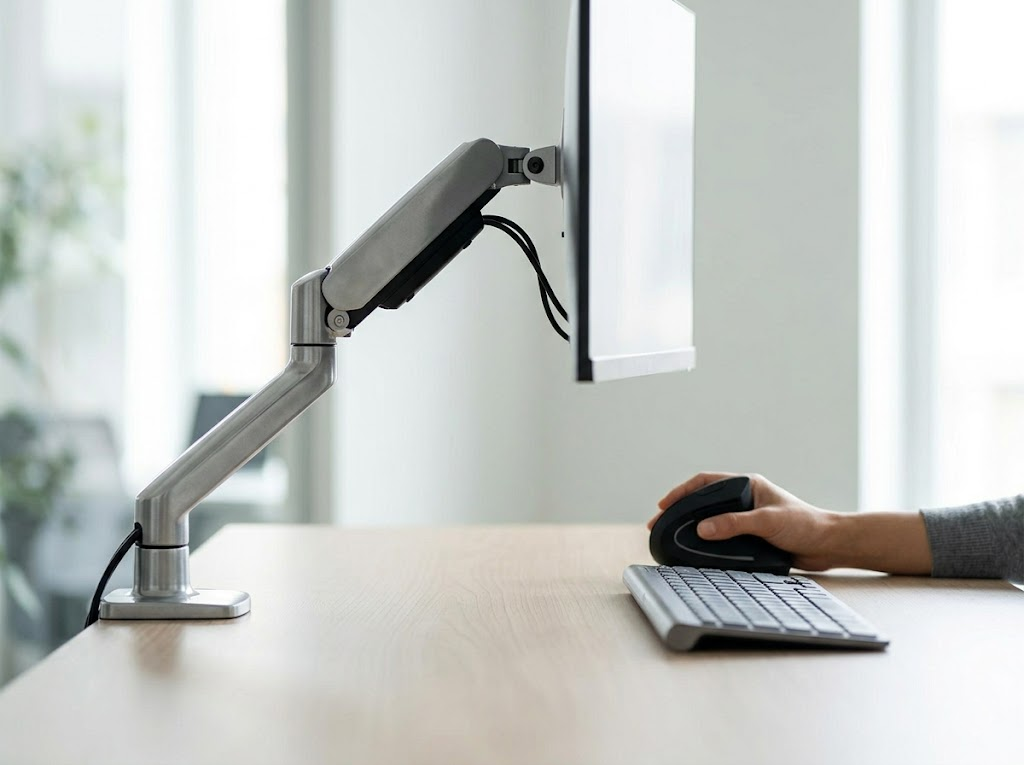
An adjustable monitor arm is an easy shortcut to comfort. You can adjust the height and tilt until the setup is perfectly suited to you. This is especially helpful if you share a desk with a partner of a different height.
Laptop Risers and External Peripherals
If you work from a laptop, a riser is a non-negotiable addition. Using a laptop directly on a desk forces you to look down, which strains the cervical spine. A riser brings the screen to eye level, while an external keyboard and mouse keep your arms in the correct position. This separation of the screen and keyboard is a fundamental part of any healthy workspace.
Lighting and Visibility
Good lighting reduces eye strain and makes long work hours easier to endure. Look for LED lights that mimic natural light. Proper lighting ensures you do not lean forward to see your screen. This helps maintain your posture throughout the day.
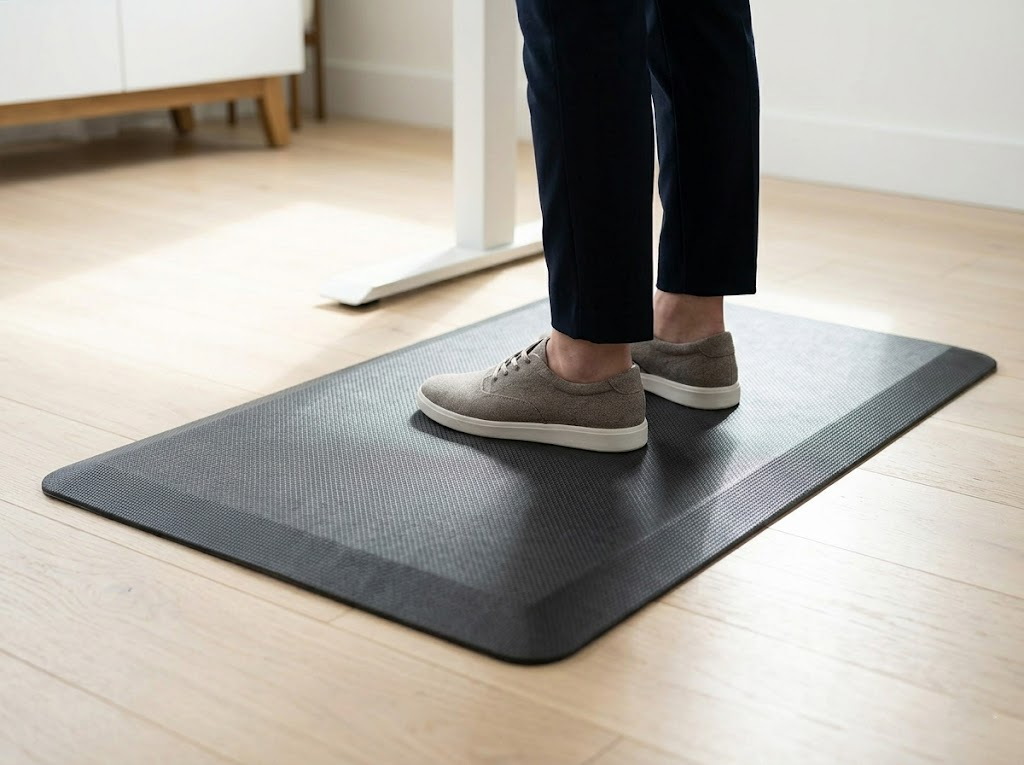
Anti-Fatigue Mats
If you are standing on a hard floor, your joints will feel it. A thick mat provides the cushioning necessary to stay upright without pain. It encourages micro-movements in your feet, which keeps blood flowing through your legs.
How to Choose Your First Standing Desk
Getting your first standing desk is a big investment in your health. Do not settle for less-than-ideal features when shopping.
Programmable Height Settings
You definitely want this feature on your desk. With a push of a button, you can go from standing to sitting. This removes the friction of manual adjustment. Some models even have customized reminders to tell you when it is time to move. Having presets for your exact sitting and standing heights ensures you always return to the perfect ergonomic position without having to guess.
Weight Capacity and Stability
Make sure your desk is sturdy. It should hold your monitors and equipment without wobbling when you type. A shaky desk causes you to tense your muscles. This defeats the purpose of your ergonomic efforts and can lead to frustration. Check the weight rating if you plan on using multiple monitors or heavy desktop computers. Stability at the highest extension is particularly important to prevent screen bounce while you work.
Cable Management
Cord clutter can be a major distraction from your focus. Choose a design that hides cables. This keeps your workspace clean and your mind calm. It also prevents cords from getting caught or stretched as the desk moves up and down. Integrated trays or grommet holes help organize power strips and peripheral wires. This ensures a safe transition between heights without accidentally unplugging your gear.
Step-by-Step Standing Desk Setup Summary

To recap the most important points of a standing desk ergonomics setup guide, follow these steps:
- Adjust the desk height until your elbows are at 90 °.
- Align the top of your monitor with your eyes at arm’s length.
- Place your keyboard and mouse so your wrists remain neutral.
- Stand on an anti-fatigue mat with supportive footwear.
- Set a timer to switch between sitting and standing every hour.
By following these guidelines, you ensure maximum comfort and productivity. Small changes to your monitor height or elbow angle make a world of difference. Your health and focus will thank you for the effort. You are just one setup away from transforming your work life for the better.
Let Ergo Global Perfect Your Workspace
At Ergo Global, we believe that your workspace should work for you rather than against you. We are dedicated ergonomics consultants who help individuals and companies optimize their environments for peak performance.
We know that everybody is different. What works for one person might cause back pain for another. That is why we provide personalized assessments to ensure your standing desk ergonomics setup guide is tailored to your specific needs. We analyze your posture and equipment to create a seamless workflow.
Our team is passionate about reducing workplace injuries and boosting employee morale through smart design. Let us help you find the perfect balance between comfort and productivity.
Are you ready to transform your office?
Visit us to book your professional ergonomics consultation today!