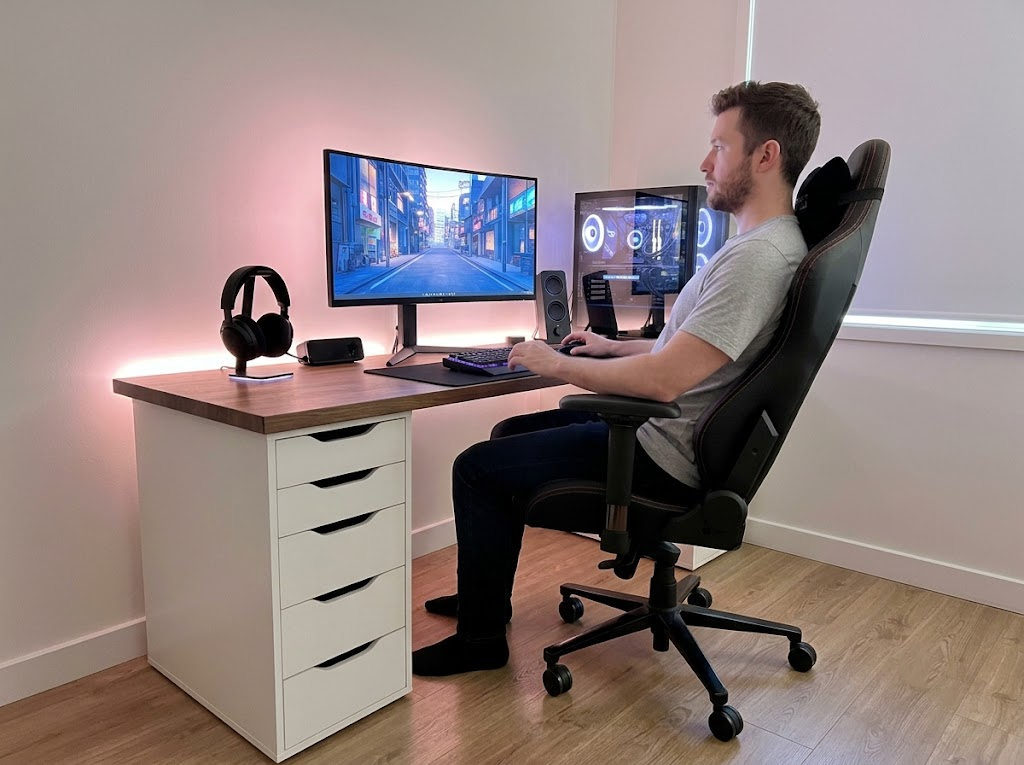


The average office worker spends over 1,100 hours sitting at a desk each year. If your body is not properly supported during those hours, the strain adds up fast. Learning the correct ergonomic seating position is one of the most effective ways to protect your back, neck, and overall health while you work. And the best part is that most adjustments take just a few minutes to get right.
Why Your Seating Position Has Such a Big Impact
Sitting may feel passive, but your body is constantly working to keep you upright.
When your posture is off, the wrong muscles are doing that work.
Slouching pushes your head forward, rounds your shoulders, and flattens the natural curve of your lower back. Over time, this leads to tight hip flexors, weakened core muscles, and chronic tension in the neck and upper back.
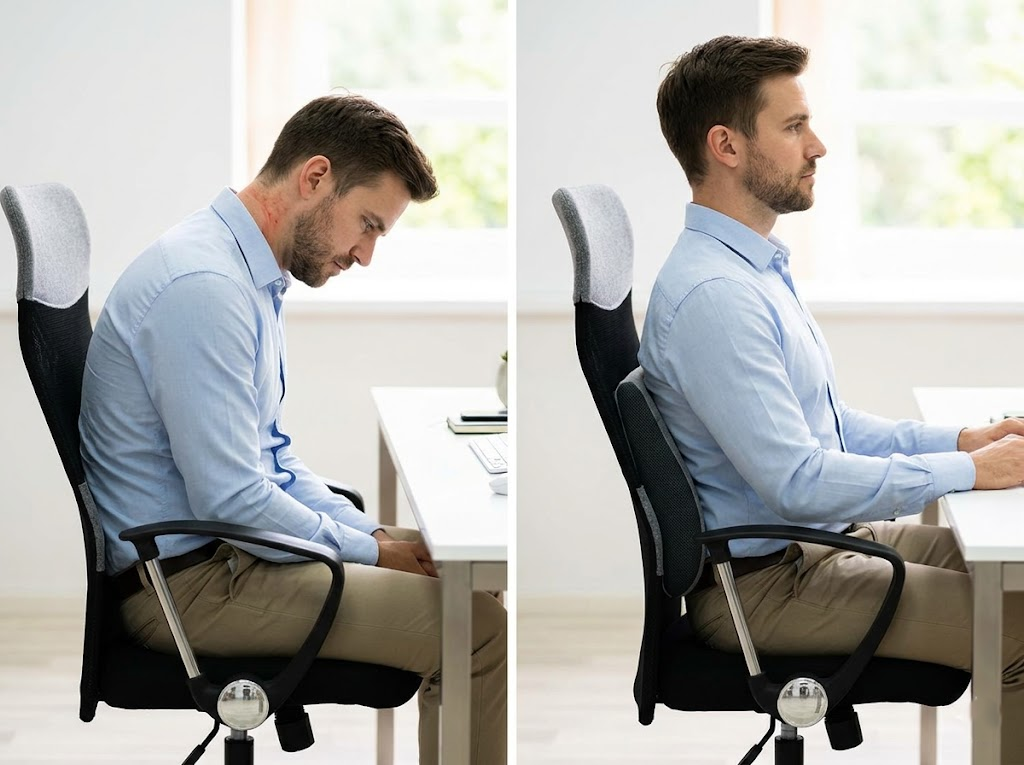
According to the Cornell University ergonomics team, sitting for longer than 20 minutes without adjusting your position can lead to negative effects on the body, including an increase in musculoskeletal problems.
Research cited by ESP Physio paints a concerning picture. Office workers experience neck pain at a rate of 42 to 63 percent each year, and every inch your head drifts forward from its neutral position adds 10 to 12 pounds of extra force on your spine.
The right ergonomic seating position eliminates these issues before they start.
What Does the Correct Ergonomic Seating Position Look Like?
A proper ergonomic seating position keeps your body in what experts call neutral alignment. This means every joint is resting in its most natural, relaxed state, with no muscles overworking to hold you in place.
According to the Mayo Clinic, a correct seated posture starts with your chair and extends through your entire body. Here is what each part of the body should look like when you are sitting well.
Head and Neck

Your head should sit directly over your spine, not pushed forward or tilted to either side. Your eyes should naturally land on the upper third of your monitor without needing to look up or down. The CCOHS recommends a viewing angle of 10 to 30 degrees below your natural line of sight.
Shoulders
Your shoulders should be relaxed and dropped, not pulled up toward your ears. When tension creeps into the shoulders, it is usually a sign that your desk or keyboard is too high. Your upper arms should hang naturally alongside your body.
Elbows and Forearms
Your elbows should be bent at approximately 90 degrees, close to your sides. Your forearms should rest parallel to the floor and in line with your keyboard. According to Herman Miller, your working surface should sit at elbow height so you never have to raise or lower your arms unnaturally to reach the keys.
Lower Back
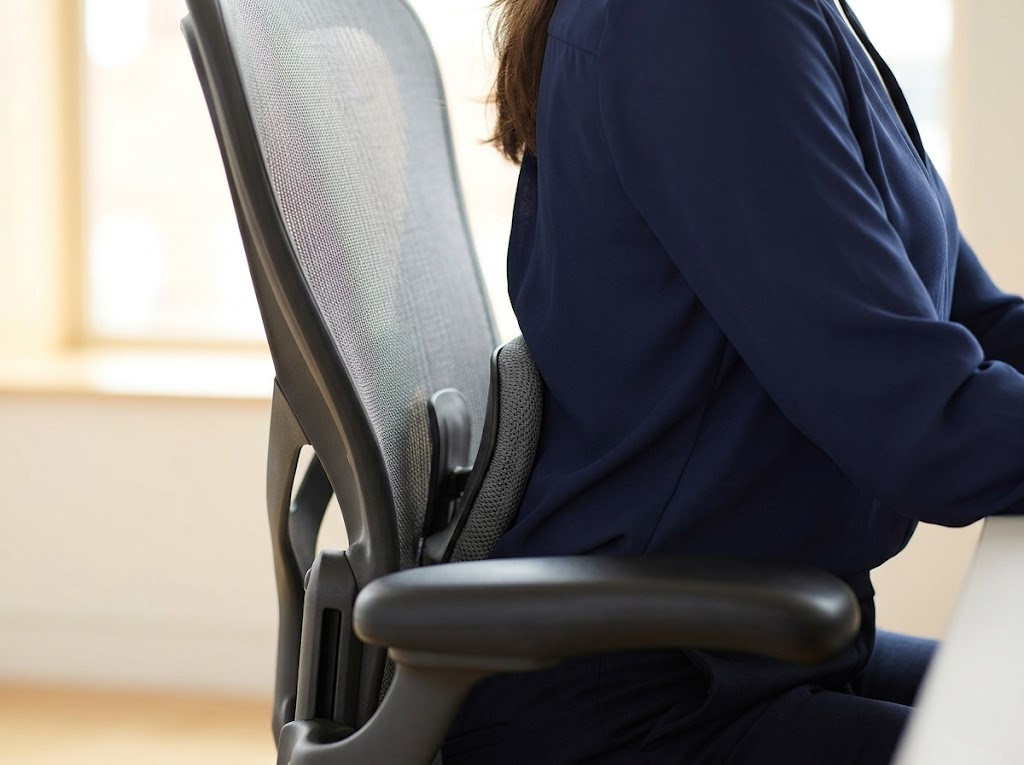
Your lower back needs consistent support to maintain its natural inward curve. The lumbar support built into your chair should sit right at the curve of your lower spine. A slight recline of 100 to 110 degrees is ideal because it reduces the load on your spinal discs compared to sitting perfectly upright.
Hips and Thighs
Your hips should be pushed as far back in the chair as possible. Your thighs should be sloping down to the floor, with your knees at or slightly below hip level. There should be a gap of about two to three finger widths between the front edge of the seat and the back of your knees to prevent the seat from pressing into your legs and restricting circulation.
Feet and Legs
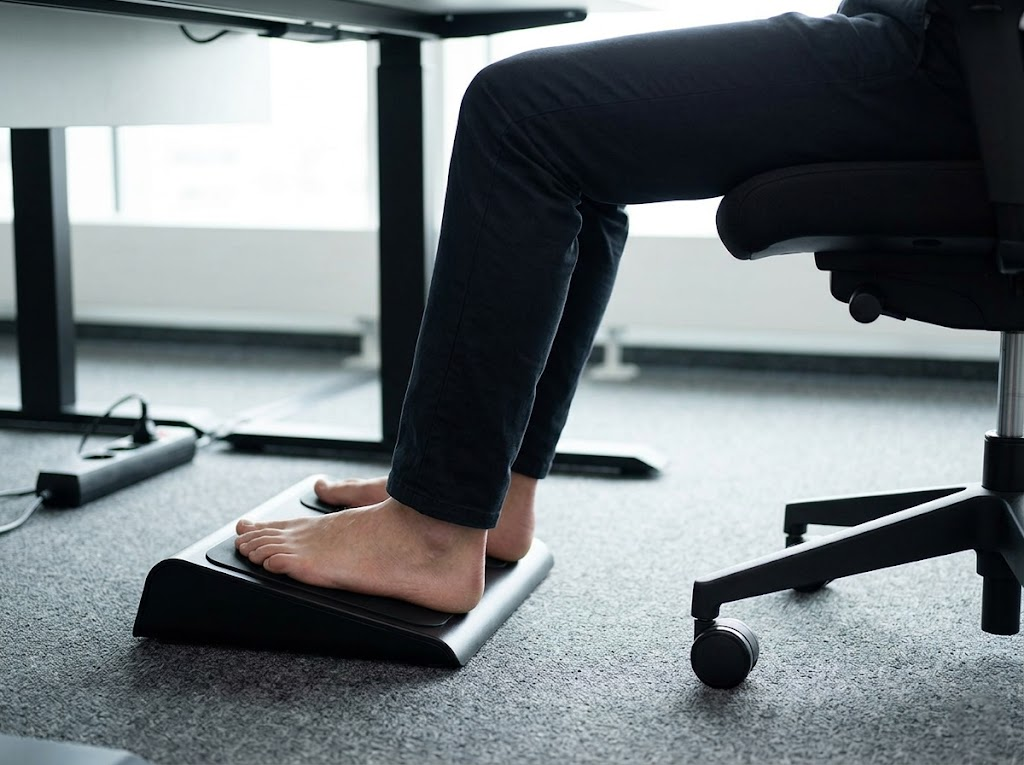
Both feet should rest flat on the floor. If your chair height makes this impossible, use a footrest to fill the gap. Avoid crossing your legs for extended periods, as this shifts your pelvis out of alignment and reduces blood flow to your lower body.
How to Adjust Your Chair for the Best Ergonomic Seating Position
Even the best ergonomic chair will not help you if it is not adjusted correctly. Many people buy a high-quality chair and never adjust the settings, so the chair is working for someone else’s body, not theirs. Here is how to dial in each setting.
Start with seat height. Raise or lower the seat until your feet are flat on the floor and your thighs are parallel to the ground. If you need to raise the chair higher to reach your desk, add a footrest.
Next, adjust the seat depth. Slide the seat pan forward or backward to create a small gap between the seat edge and the backs of your knees. A seat that is too deep will press into your legs and force you to slouch forward.
Then set the backrest. Position the lumbar support to fit the curve of your lower back. Tilt the backrest to a slightly reclined angle of around 100 to 110 degrees. The backrest tension should be firm enough to support you but loose enough to let you shift and move freely.
Finally, set the armrests. They should be at elbow height so your shoulders stay relaxed. If the armrests push your shoulders up, lower them or remove them entirely. Armrests that are too high are worse than no armrests at all.
Common Seating Position Mistakes
Many people assume they are sitting correctly when they are not. Here are the most frequent errors that undermine an otherwise good setup:
- Perching on the edge of the chair instead of sitting all the way back, which removes lumbar support and forces your back muscles to do extra work
- Tilting the chair back too far without proper lumbar contact, which causes the lower back to round and increases disc pressure
- Resting wrists on the desk while typing, which bends the wrists upward and compresses the carpal tunnel
- Sitting with legs tucked underneath, which twists the pelvis and creates uneven pressure on the spine
- Locking into one position for hours, which fatigues muscles and stiffens joints, regardless of how good your posture is
Each of these mistakes puts extra strain on your body that compounds throughout the day. The good news is that most of them can be corrected in under a minute once you know what to look for.
Why Movement Matters Just as Much as Position
Finding the right ergonomic seating position is essential, but holding any single posture for too long can cause problems. Static sitting reduces circulation, fatigues stabilizing muscles, and gradually shifts your body out of alignment as you tire. Even a textbook-perfect posture becomes harmful if you hold it without moving for hours on end.
The Mayo Clinic recommends getting up and walking around as often as possible throughout the workday. At a minimum, take a short movement break every 30 to 60 minutes. Stand, stretch your neck and shoulders, walk for a minute or two, and then reset your posture when you sit back down.
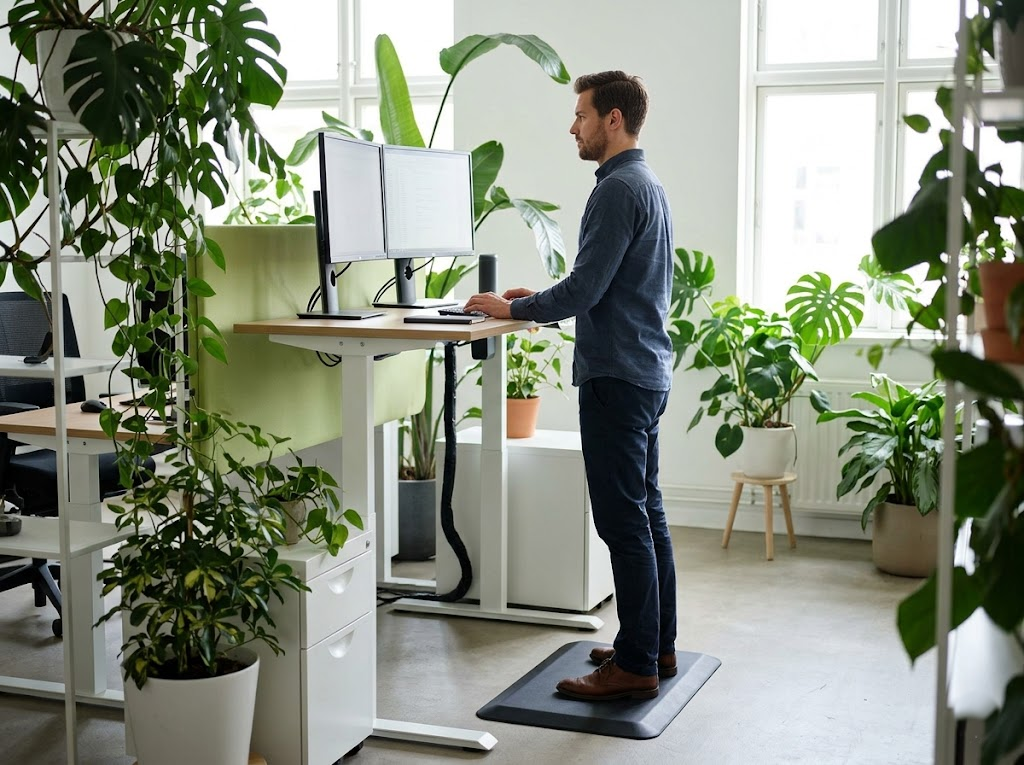
If you have a sit-stand desk, alternate between the two positions throughout the day. When standing, the same principles of neutral alignment apply. Your elbows should remain at 90 degrees, your monitor at eye level, and your wrists straight. Standing on an anti-fatigue mat can help reduce strain on your feet and lower back during standing intervals.
Quick Reference: The Ideal Ergonomic Seating Position
| Body Part | Ideal Position |
| Head | Centered over the spine, eyes on the upper third of the screen |
| Shoulders | Relaxed and dropped, not hunched |
| Elbows | Bent at 90 degrees, close to the body |
| Wrists | Straight and level with the keyboard |
| Lower back | Supported by lumbar rest, reclined 100 to 110 degrees |
| Hips | Pushed fully back in the chair |
| Thighs | Parallel to the floor, knees at or below hip level |
| Feet | Flat on the floor or on a footrest |
Use this as a daily checklist. A quick posture reset each morning takes less than 30 seconds and can prevent hours of discomfort.
Work With Ergo Global to Build a Workspace That Works for You
At Ergo Global, we believe no one should have to choose between getting their work done and feeling good at the end of the day.
As ergonomics consultants, we work with individuals and teams to evaluate every element of the workspace, from chair settings and desk height to monitor placement and daily habits. Every recommendation is tailored to the person in the chair, because that is where real results come from.
If you are dealing with discomfort or want to get ahead of it before problems develop, we are ready to help.
Take the first step toward a pain-free workday.
Get in touch with Ergo Global for a personalized ergonomic evaluation.