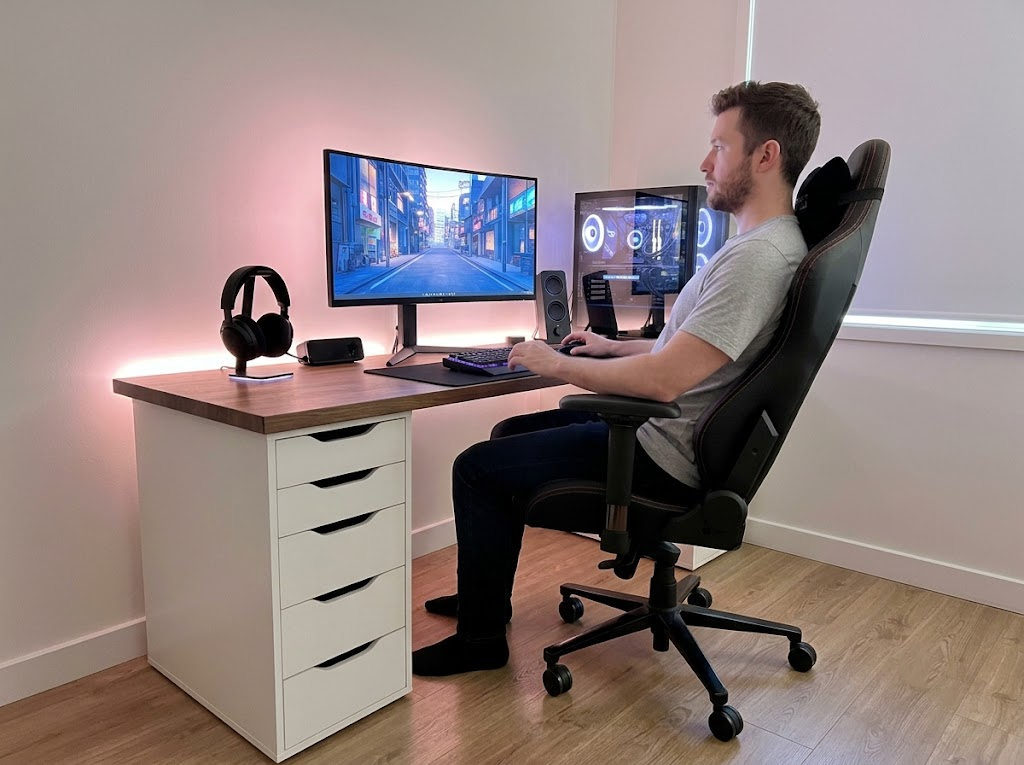


If you spend hours typing each day, your keyboard is either working for you or against you. Understanding the full range of ergonomic keyboard benefits can help you make a smarter choice for your health, your comfort, and your productivity.
Why Traditional Keyboards Fall Short
Standard keyboards have barely changed since the typewriter era. They use flat layouts with straight rows of keys that force your hands into unnatural positions.
Try a simple test. Rest your fingers on a traditional keyboard, then relax your hands completely. You will notice your hands roll outward, your elbows drift closer to your body, and your shoulders drop.
That gap between your natural resting position and the position a flat keyboard demands is exactly where strain begins.
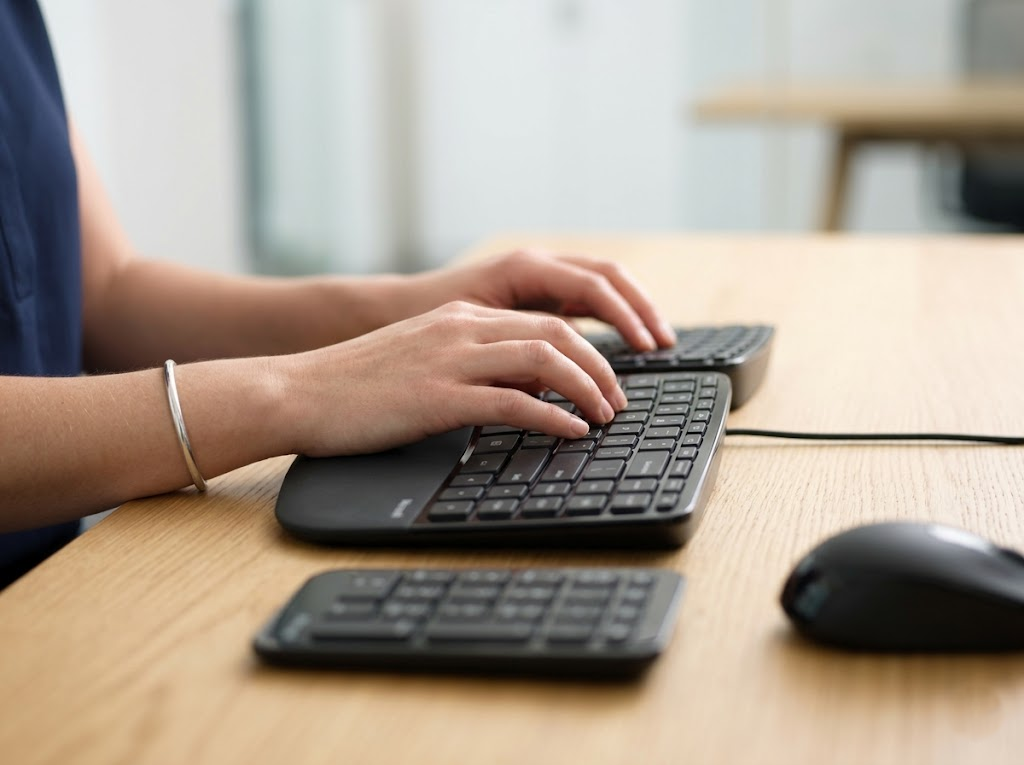
This forced alignment forces your wrists into a posture called ulnar deviation, where the wrists bend sideways toward the little finger. Over time, this increases friction on tendons, places pressure on nerves, and causes muscle fatigue in the hands, wrists, and forearms.
For millions of workers who type six to eight hours a day, that constant strain adds up fast. According to OSHA, musculoskeletal disorders are among the most frequently reported causes of lost or restricted work time in the United States.
The Health Advantages of Switching to an Ergonomic Keyboard
The most significant ergonomic keyboard benefits relate directly to physical health. These keyboards use curved, split, or tented layouts that let your hands, wrists, and forearms rest in a more natural position while you type.
Rather than forcing your body to conform to the device, the device conforms to your body.
Reduced Wrist and Hand Strain
Ergonomic keyboards promote a neutral wrist posture, as health professionals call it. This means your wrists stay straight and aligned with your forearms, rather than bending upward or sideways.
A study conducted by Kensington found that participants using an ergonomic keyboard exhibited 68% less ulnar deviation and 77% less wrist extension than those using traditional keyboards.
This matters because proper alignment reduces compression on the tendons and nerves running through your forearms. That compression is what leads to conditions like carpal tunnel syndrome, where the median nerve gets pinched at the wrist.
Carpal tunnel treatment can be costly and disruptive. Over 500,000 surgeries are performed in the U.S. every year, costing more than $2 billion.
Prevention through better equipment is far cheaper than treatment.
Prevention of Repetitive Strain Injuries
Repetitive strain injuries affect a staggering number of workers each year. The National Safety Council reported over 937,000 musculoskeletal disorder cases in the 2023 to 2024 reporting period. Nearly half were serious enough to require days away from work.
Ergonomic keyboard benefits go well beyond treating existing pain. They play a critical preventive role.
Professionals who type frequently can avoid problems by switching to an ergonomic keyboard before symptoms ever appear. This proactive approach is far more effective than trying to reverse damage after an injury has already developed.

Long-Term Health Improvements That Last
A follow-up study on PubMed tracked 29 workers who used ergonomic keyboards over an average of 34 months. Participants maintained the improvements in symptom severity and daily function that they had achieved after just six months.
Their typing speed and accuracy stayed consistent, too. This tells us the health benefits of ergonomic keyboards are not temporary. They hold up over the long term.
Better Shoulder and Upper Body Alignment
The effects of a poorly designed keyboard go well beyond the wrists. When a standard keyboard forces your hands close together on a narrow layout, your shoulders rotate inward, and your elbows flare outward.
Holding this position for hours creates chronic tension across the neck, shoulders, and upper back.
Split ergonomic keyboards fix this by letting you position each half at shoulder width. A 2023 workplace trial reported by Boardsource found that participants experienced a clear reduction in shoulder and upper-back fatigue after switching to fully split designs.
By separating the keyboard halves, ergonomic keyboards keep your shoulders relaxed and aligned, rather than hunched and strained.

Lower Forearm Muscle Fatigue
Forearm fatigue is one of the earliest warning signs that your keyboard setup is working against you. Standard flat keyboards require your forearms to rotate fully inward, a posture known as pronation.
Sustained pronation puts continuous pressure on the forearm muscles and tissues. Over time, this reduces blood circulation and can lead to repetitive strain injuries.
Ergonomic keyboards with tenting features address this directly. Tenting raises the inner edge of the keyboard so your forearms rest in a more natural handshake angle rather than a fully flat palm-down orientation.
Research shows that ergonomic keyboard interventions can reduce forearm muscle activity by up to 40%, allowing you to type for longer periods without the buildup of fatigue.
Improved Blood Circulation in the Hands
One of the lesser-discussed ergonomic keyboard benefits is its positive impact on blood flow. When wrists are bent upward in extension, the blood vessels passing through the wrist become compressed. This leads to pain, fatigue, and numbness during long typing sessions.
Many traditional keyboards actually make this worse with built-in pop-up feet that increase the upward angle.
Ergonomic keyboards counter this with a flat or negative slope design that keeps all keys at or below wrist level. The Journal of Orthopedic and Sports Physical Therapy notes that a neutral wrist position reduces tendon forces and lowers pressure in the carpal tunnel.
For workers who notice tingling, coldness, or numbness in their fingertips, improving circulation through better keyboard positioning can offer meaningful relief.
How Ergonomic Keyboard Benefits Boost Productivity

Pain is one of the biggest obstacles to sustained focus at work. When your hands and wrists are uncomfortable, your attention shifts from your task to the discomfort. You take more breaks, you slow down, and your output suffers.
More Focus, Fewer Interruptions
By removing the source of discomfort, ergonomic keyboards help you maintain focus and typing speed throughout the entire day.
Research confirms that ergonomic setups can boost output by 10 to 20 percent during prolonged tasks like coding, writing, and data entry. When your body is comfortable, your mind is free to do its best work.
Improved Typing Accuracy
Ergonomic keyboard benefits are not limited to speed. They also affect accuracy.
A keyboard setup that promotes proper hand and finger positioning helps typists make fewer errors. Fewer errors mean less time spent proofreading, correcting, and retyping.
For professionals who rely on precision in their writing or data work, this improvement alone can be a major advantage.
A Happier, Healthier Workday
Workplace stress takes a measurable toll on performance. A study of 1,505 full-time employees found that 41% said workplace stress made them less productive, and half of the respondents lost between 1 and 5 hours each week to stress.
Physical discomfort from a poor workstation setup is a major contributor to that stress. When employees feel physically supported and comfortable, they report lower stress levels and higher satisfaction with their work environment.
What to Look for in an Ergonomic Keyboard
Not all ergonomic keyboards are created equal. The right choice depends on your body type, your work habits, and your specific needs.
A split or curved keyframe places each hand at a natural angle, reducing the inward twisting of the wrists. Some keyboards split into two completely independent halves, letting you position each side exactly where it feels most comfortable.
Tenting refers to the slight upward angle from center to edge that reduces forearm pronation. Adjustable tenting lets you fine-tune the angle to match your preference.
A built-in palm rest supports the base of your hands and keeps your forearms elevated to a comfortable height.
Compact sizing also matters. A smaller keyboard without a number pad brings the mouse closer to your body, reducing shoulder strain from reaching too far to the side.
Ergonomic Keyboards Are Not Just for People in Pain
A common misconception is that ergonomic keyboards are only for people already dealing with discomfort or injury. In reality, the greatest ergonomic keyboard benefits come from prevention.
Anyone who types regularly can reduce their risk of developing problems by switching to an ergonomic setup before issues arise.
Nine out of ten users who make the switch never return to a conventional keyboard, which shows just how noticeable the difference becomes.
There is typically a short adjustment period when switching to a new layout. Most users adapt within one to two weeks, and any initial dip in typing speed quickly disappears as muscle memory adjusts.
The Bigger Picture: Ergonomics Beyond the Keyboard
An ergonomic keyboard is a powerful upgrade on its own, but it delivers the best results when paired with a fully optimized workstation.
An adjustable chair, a properly positioned monitor, a supportive mouse, and a desk at the right height all contribute to an overall healthier posture. Ergonomics is not about a single product. It is about creating an environment where your body can perform comfortably and sustainably throughout the day.
For employers, investing in ergonomic equipment makes strong financial sense. According to OSHA, employers pay more than $1 billion per week in direct workers’ compensation costs for disabling workplace injuries.
Addressing those issues at the source, starting with something as simple as a better keyboard, can lead to meaningful reductions in injury costs and absenteeism.
Let Ergo Global Help You Build a Healthier Workspace
At Ergo Global, we have spent years helping individuals and organizations create workspaces that support long-term health and peak performance.
As dedicated ergonomics consultants, we assess every aspect of your workstation setup, from your keyboard and mouse to your chair, desk, and monitor positioning. We tailor our recommendations to your unique needs, your work habits, and your body.
Whether you are an employer looking to reduce injury costs and boost team productivity or a professional who wants to work pain-free, we are here to guide you every step of the way.
Our goal is to help you feel better, work better, and stay healthier for the long run.
Ready to transform your workspace?
Contact Ergo Global today for a personalized ergonomic consultation.