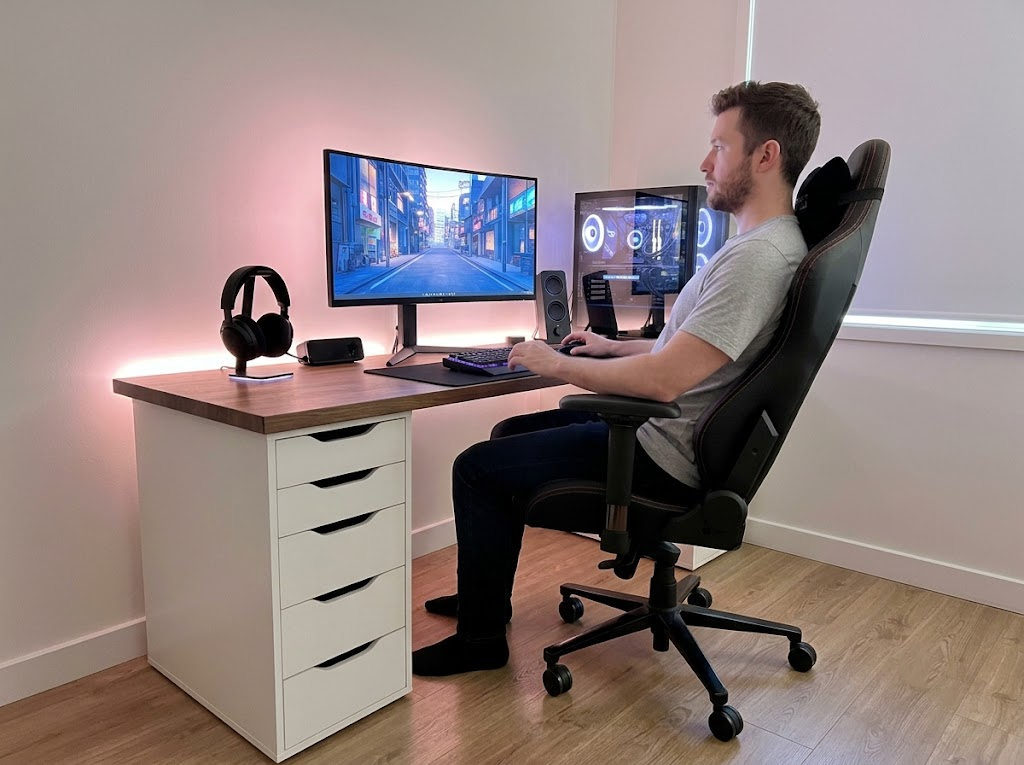


Most people spend their workday at a desk without giving much thought to how they are sitting. But the way your body is positioned while you work has a direct impact on your comfort, your energy, and your long-term health. Getting your ergonomic desk position right is one of the simplest changes you can make to feel better at work.
Why Your Desk Position Matters More Than You Think
Poor desk posture is not just uncomfortable. It is a health risk that builds slowly over time.
When your chair is too low, your monitor is off-center, or your keyboard forces your wrists into an awkward angle, your body compensates by tensing muscles that were never meant to hold those positions for hours. The result is chronic pain in the neck, shoulders, lower back, and wrists.

The numbers tell a clear story. According to research cited by ESP Physio, office workers experience neck pain at a rate of 42 to 63 percent each year, and back pain accounts for 40% of all sick days taken at work. A study published in PMC found that workers who could freely adjust their posture throughout the day were approximately 6.5% more productive than those stuck in a fixed sitting position.
The good news is that most of these problems are preventable. A proper ergonomic desk position keeps your joints in a neutral alignment, reduces unnecessary muscle strain, and allows you to work for longer periods without discomfort.
What Is the Most Ergonomic Desk Position?
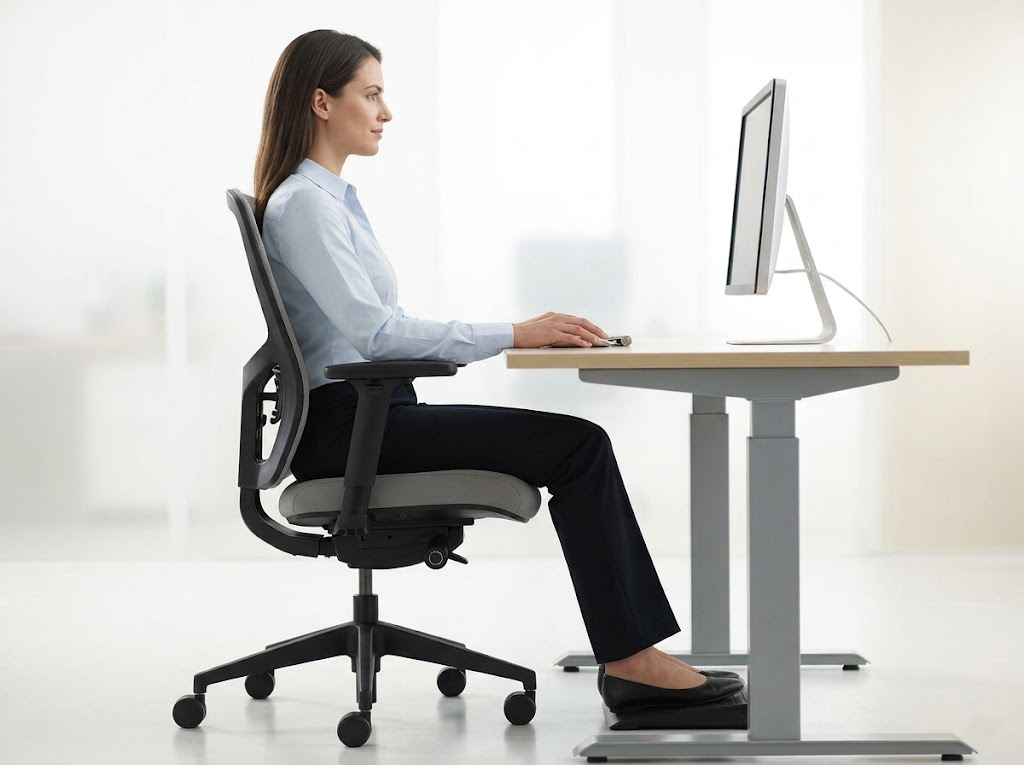
The ideal ergonomic desk position is built around one core principle: neutral alignment. This means your body is positioned so that your joints are relaxed, your muscles are not overworking, and your spine maintains its natural curves.
According to the Mayo Clinic, a proper ergonomic setup starts with your chair and works outward to your desk, monitor, keyboard, and mouse. Every piece of equipment should support your body rather than force it into an unnatural posture.
Here is what a well-aligned ergonomic desk position looks like from head to toe.
Head and Neck
Your head should be level and facing forward, with your eyes naturally landing on the upper third of your monitor screen. Your neck should be straight, not craning forward or tilting downward.
Shoulders and Upper Arms
Your shoulders should be relaxed and dropped, not hunched or elevated. Your upper arms should hang naturally at your sides, close to your body.
Elbows and Wrists
Your elbows should be bent to roughly 90-110 degrees, with your forearms parallel to the floor. Your wrists should remain straight and level with your keyboard, not bent upward or downward.

Back and Lumbar Support
Your back should be fully supported by your chair, with the lumbar curve of your lower spine resting against the chair’s built-in support. A slight recline of 100 to 110 degrees takes pressure off the spinal discs.
Hips and Thighs
Your hips should be pushed as far back in the chair as they can go, with your thighs sloping down slightly towards the floor. There should be about one to two inches of space between the front edge of the seat and the back of your knees.
Feet
Your feet should be flat on the floor. If your chair is too high for this, a footrest can fill the gap and keep your legs properly supported.
Setting Up Each Part of Your Workstation
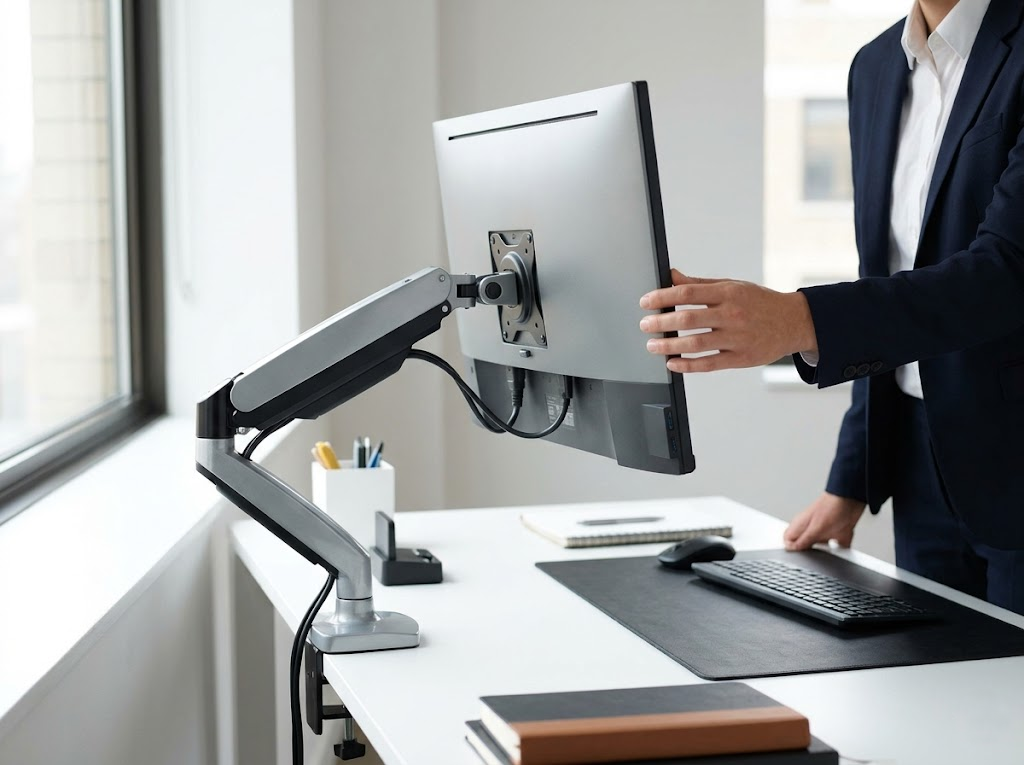
Getting the full ergonomic desk position right means adjusting each component of your workstation individually. Here is how to approach each one.
Chair
Your chair is the foundation of your entire setup. Start by adjusting the seat height so your feet rest flat on the floor, and your knees are at or slightly below hip level. Set the backrest to support the natural curve of your lower back. If your chair has armrests, position them so your shoulders stay relaxed while your elbows rest lightly at your sides. A seat that is too deep can press into the backs of your knees and cut off circulation, so make sure there is about one to two inches of clearance between the seat edge and your legs.
Desk Height
Your desk should allow your forearms to rest parallel to the floor when typing. The UCLA Ergonomics Lab recommends that your keyboard be set to a height that keeps your shoulders relaxed and your elbows slightly open. If your desk is too high and cannot be lowered, a keyboard tray mounted below the surface is one of the most effective single changes you can make.
Monitor Placement
Position your monitor directly in front of you, about an arm’s length away. The top of the screen should sit at or slightly below your seated eye level. This prevents you from tilting your head up or down, which creates neck strain over time. If you use a laptop, an external monitor, or a laptop stand, a separate keyboard is strongly recommended.
Keyboard and Mouse
Place your keyboard centered with your body, directly in front of your monitor. Your wrists should float in a neutral position while typing, not resting on the desk surface. Keep your mouse immediately beside the keyboard at the same height to avoid reaching outward, which can strain your shoulder.
Common Ergonomic Desk Position Mistakes
Even people who care about their setup often fall into habits that undo their efforts. Here are some of the most frequent mistakes to watch for:
- Sitting too far from the desk, which causes you to lean forward and round your upper back
- Monitor positioned too low, forcing your head to tilt downward and adding extra load to your neck muscles
- Keyboard placed too high, causing your shoulders to shrug upward and creating tension across the upper back
- Crossing your legs for extended periods, which restricts blood flow and shifts your pelvis out of alignment
- Ignoring lumbar support, which allows your lower back to flatten and increases pressure on your spinal discs
- Keeping the mouse too far away, forcing your arm to extend, and creating shoulder fatigue throughout the day
Each of these small misalignments puts strain on your body that compounds over hours, days, and weeks. Fixing them often takes less than five minutes but makes a dramatic difference in how you feel by the end of the day.
The Role of Movement in an Ergonomic Desk Position
Even the most perfectly arranged workstation cannot fully protect you if you sit in the same position for hours at a time without moving. Static posture, no matter how good it looks on paper, creates strain.

Your body was designed to move. Sitting still for too long reduces blood circulation, fatigues your muscles, and stiffens your joints. The Canadian Center for Occupational Health and Safety recommends alternating between sitting and standing throughout the day if your workstation allows it.
At a minimum, you should take a short movement break every 30 to 60 minutes. Stand up, walk for a minute or two, and stretch your neck, shoulders, and back. These micro-breaks do not reduce your productivity. In fact, they help sustain it by keeping your body comfortable and your mind alert.
If you have access to a sit-stand desk, aim to alternate between sitting and standing every 30 to 60 minutes. When standing, the same principles of neutral alignment apply. Your elbows should still be at 90 degrees, your monitor at eye level, and your wrists straight. Standing on an anti-fatigue mat and wearing supportive footwear also helps reduce strain on your feet and lower back during standing intervals.
Quick Reference: The Ideal Ergonomic Desk Position
| Body Part | Ideal Position |
| Head | Level, facing forward, eyes on the upper third of the screen |
| Shoulders | Relaxed, not hunched or elevated |
| Elbows | Bent at 90 to 110 degrees, close to the body |
| Wrists | Straight and level with the keyboard |
| Back | Supported by a chair, with a slight recline of 100 to 110 degrees |
| Hips | Pushed back in the chair, thighs sloping down slightly to the floor |
| Knees | At or slightly below hip level |
| Feet | Flat on the floor or on a footrest |
Print this table or keep it near your desk as a daily reminder. A quick 30-second posture check each morning can prevent hours of discomfort later in the day.
Let Ergo Global Help You Get It Right
At Ergo Global, we help individuals and organizations set up workstations that truly support long-term health and performance.
As experienced ergonomics consultants, we go beyond generic advice. We evaluate your specific desk, chair, monitor, keyboard, and habits to create a setup tailored to your body.
Whether you manage a team of office workers or you are setting up a home office for yourself, we provide clear, actionable guidance that makes a real difference. Our goal is to help you work without pain, stay productive, and protect your health for years to come.
Ready to optimize your workspace?
Contact Ergo Global today for a personalized ergonomic assessment.