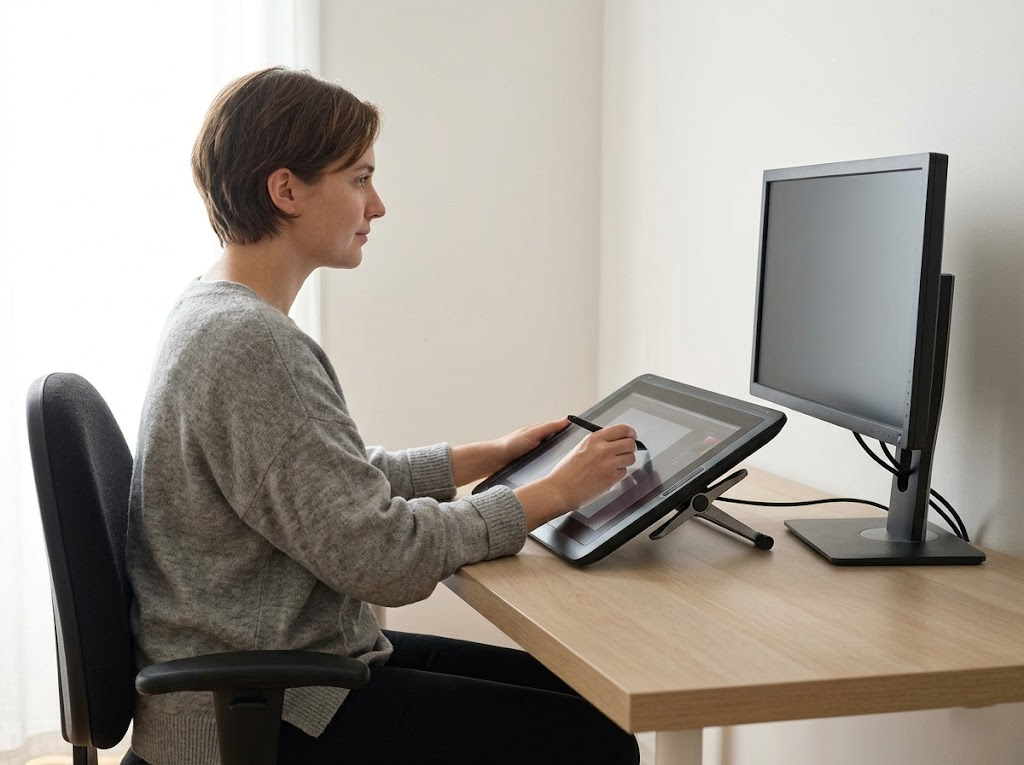


Modern work habits frequently lead to a physical condition known as cervical kyphosis. Most people recognize this issue as tech neck. This condition describes the repetitive strain on the neck caused by prolonged screen use. You can prevent tech neck with ergonomic adjustments that keep your spine in a neutral position.
What is Tech Neck?
Tech neck is a clinical postural strain that affects the cervical spine. It occurs when you tilt your head forward to view a smartphone or a laptop screen.
The human head weighs about ten to twelve pounds when you hold it perfectly upright. As your head tilts forward, the effective weight on your neck increases significantly. At a sixty-degree angle, your delicate neck structures must support about sixty pounds of pressure.

This extra weight strains the muscles and ligaments in the upper back. Over time, the muscles in the front of your neck become weak. The muscles in the back of your neck and shoulders become overstretched and tight.
This physical imbalance causes chronic pain and severe stiffness. It can also lead to long-term medical issues like painful disc herniation or nerve compression.
How to Recognize Signs of a Tech Neck

The most obvious sign of an issue is stiffness and pain. You should not ignore discomfort in your neck or shoulders.
Seek professional help if you experience these symptoms:
- Weakness or tingling in your arms or legs.
- Pain that wakes you up during the night.
- Severe or persistent pain.
- Numbness in the pelvic area.
- Loss of bladder or bowel control.
Minor adjustments to your setup help you avoid long-lasting discomfort. You can stay productive and feel your best by following these guidelines.
Ergonomic Adjustments to Prevent Tech Neck
Improving your workspace is the most effective way to protect your spine. Proper equipment placement ensures your body remains aligned without extra effort.
Use these primary adjustments to set up a healthier desk:
| Feature | Ergonomic Standard |
| Monitor Height | Top of the screen at eye level |
| Viewing Distance | 20 to 40 inches from the eyes |
| Elbow Angle | 90 degrees while typing |
| Wrist Position | Neutral and straight |
| Knee Position | Level with or slightly below the hips |
Monitor and Screen Position
The height of your screen completely determines your head angle. If your monitor sits too low, you will naturally tilt your head forward. Place your monitor so that the top third of the display is exactly at your eye level. This specific height allows you to see the entire screen clearly while keeping your neck straight. Ensure the screen is about an arm’s length away from your face. This distance reduces eye strain and prevents you from leaning your upper body forward to read small text.
Laptop Usage
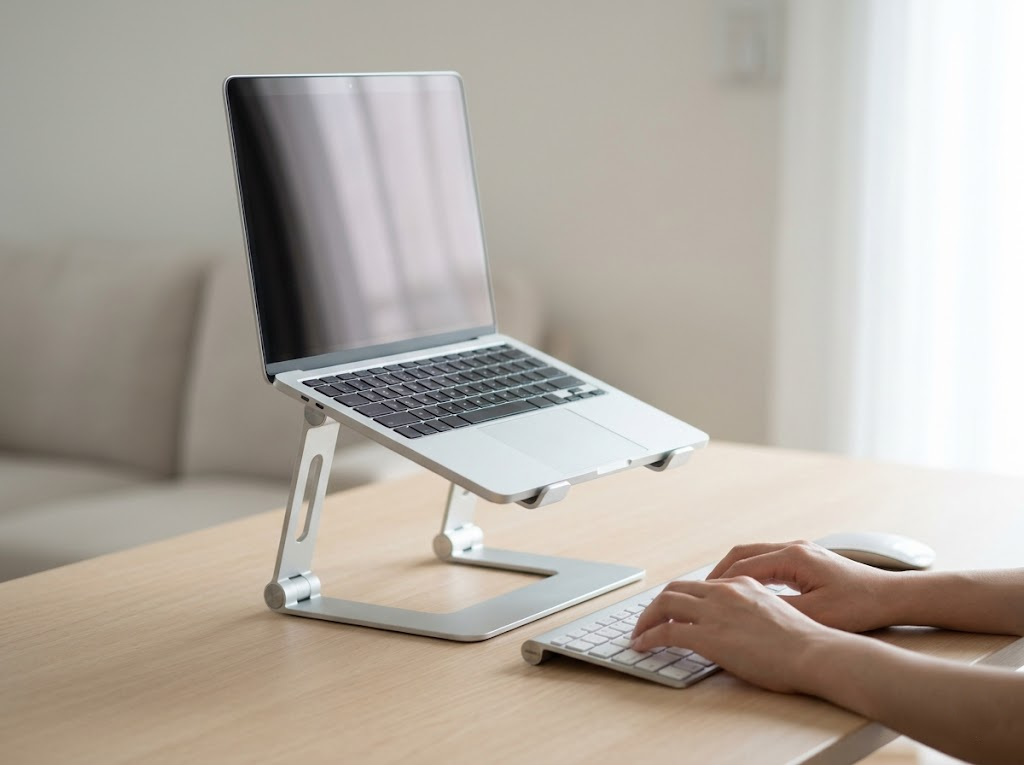
Laptops often cause poor posture because the screen and keyboard are connected. Using a laptop on a flat desk forces you to look down.
To fix this, use a laptop stand to raise the screen. You must also use a separate keyboard and mouse. This setup allows you to keep your arms at a comfortable 90-degree angle while keeping your eyes level with the screen.
Chair Support
A good chair is a main component of a healthy office.
Select a chair with firm lumbar support to maintain your lower back’s natural inward curve. This targeted support prevents slouching and automatically keeps your upper spine upright. Recline the backrest slightly to reduce the physical pressure resting on your intervertebral discs.
Make sure your feet rest flat on the floor to stabilize your posture.
Phone Usage

Mobile devices are a major source of neck strain. Most users hold their phones at waist height. This requires the neck to bend at an extreme angle.
Hold your phone higher, at eye level, to keep your neck straight. If you are sitting, rest your elbows on a table to support your arms.
Behavioral Habits to Reduce Neck Pain
Furniture alone cannot solve every issue. You must also change your daily habits to protect your spine. Consistent awareness of your body is required to break old slouching patterns.
The 20-20-20 Rule

Staring closely at monitors fatigues the eye muscles and causes subtle forward head movement. You can counteract this by following the 20-20-20 rule. Every twenty minutes, you should look at an object at least twenty feet away for twenty seconds. This brief pause relaxes the ciliary muscles in the eyes and resets your visual focus. Taking away visual strain naturally prevents you from squinting and leaning closer to the digital display.
Regular Posture Checks
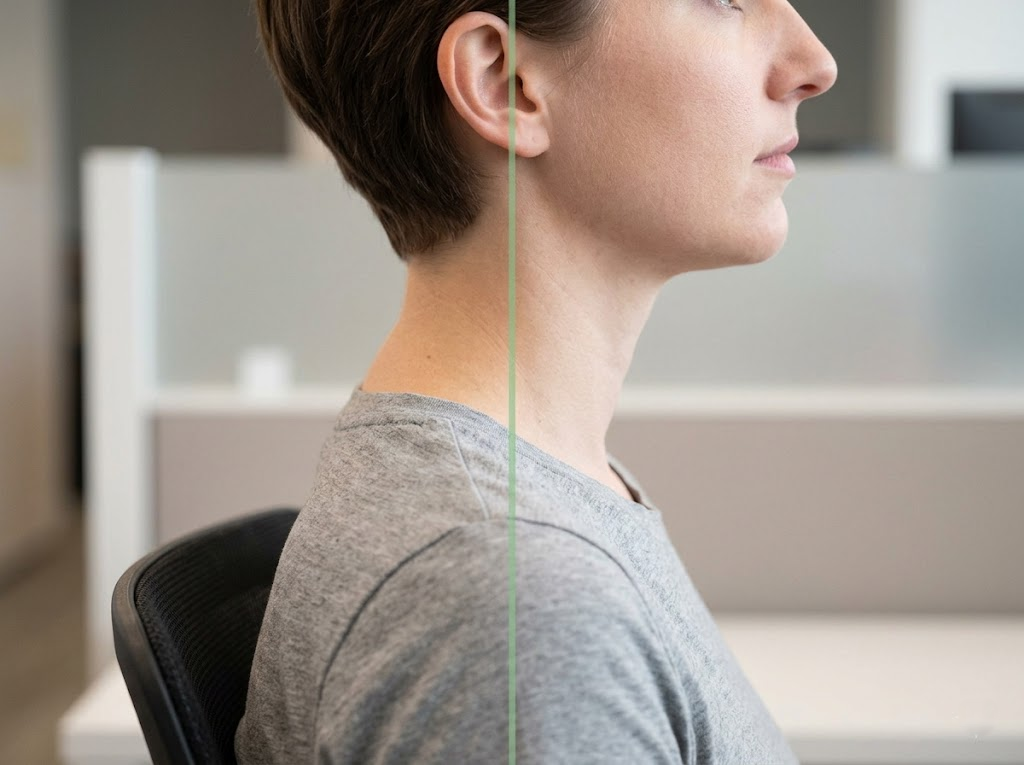
You must actively monitor your body position throughout the day. Perform regular posture checks to ensure you are sitting correctly. Keep your shoulders relaxed and pulled slightly back. Maintain a straight back and verify that your ears are perfectly aligned over your shoulders. Correcting your alignment before pain sets in is a smart way to manage physical stress. Consistent awareness helps prevent tech neck with ergonomic mindfulness.
Movement and Stretching
Your muscles require regular blood flow to function without cramping. Static postures restrict this necessary circulation. Stand up and walk around the office every hour to pump fresh blood through the muscular system. Perform gentle neck stretches by slowly tilting your ear toward your shoulder. These short periods of movement prevent stiffness from setting into the cervical tissues. Walking away from your workstation also gives your mind a necessary break from complex tasks.
Strengthening Exercises
Strong muscles are better at supporting your head. You can perform chin tucks to strengthen the deep neck flexors. To do a chin tuck, sit tall and pull your chin straight back as if you are making a double chin. Hold this for 5 seconds, then repeat it 10 times. Another helpful exercise is the shoulder blade squeeze. Pull your shoulder blades together and down. This exercise strengthens the upper back and helps keep your chest open.
Prevention Tips for Daily Comfort
Implementing these changes can prevent work-related pain from becoming permanent. Here are several methods to improve your daily routine.
- Tip No. 1: Stand Up Periodically
The average adult sits for nine hours each day. This long duration causes the whole body to suffer greatly. You should consider adding a standing desk component to your office setup. People who add bouts of standing into their workday experience significantly less lower back pain. However, this only works if your workstation is adjusted to the correct height. Make sure your computer is at a height that prevents any crouching. Your elbows and wrists should sit at a 90-degree angle when you type. Wear highly supportive shoes even when working from your home office.
- Tip No. 2: Arrange Your Monitors Correctly
You should never have to look up, down, or to the side to see your active work. Awkward viewing angles are the main cause of tech neck. Any screen you use should allow you to look straight ahead. This optimal placement provides the best support for your neck and successfully prevents severe muscle imbalances.
- Tip No. 3: Use Quality Ergonomic Equipment
Proper equipment ensures your work environment remains comfortable throughout the day. If you have not invested in proper office gear, you should do so very soon. An ergonomic chair is the most vital piece of furniture you can own. It actively prevents pain from developing in your hips, neck, and back. Choose a chair that deeply supports your lower back and allows you to work without leaning too far in any strange direction.
- Tip No. 4: Utilize a Footstool
Using a dedicated footstool can take a lot of pressure off your lower back. Your knees should rest at or slightly above your hip level. Do not cross your knees or ankles while sitting, as this habit significantly increases your spinal strain.
- Tip No. 5: Improve Your Lighting
Straining to see your work immediately strains your neck. Your office space should always have plenty of bright light. Natural daylight is best, but a good desk lamp is a highly helpful alternative. Following proper lighting guidelines prevents you from instinctively leaning forward to see small details clearly.
- Tip No. 6: Move Every Hour
Set a loud alarm on your phone to remind you to move at least once an hour. It is incredibly easy to completely lose track of time while working intensely. Stand up and stretch your entire body. Rotate your neck very slowly up and down and from side to side. Regular movement keeps your connective tissues highly flexible.
Ergo Global: Your Partners in Ergonomic Health

At Ergo Global, we focus on helping you create a healthy, productive workspace. As a professional ergonomics consultant team, we understand the physical challenges of the modern office. We work with you to identify risks and implement solutions that protect your spine.
We offer ErgoWOW from Ergo Global, our AI Ergonomics Software, to help you stay on track. This software uses your webcam to monitor your posture in real-time. It sends a gentle alert when it detects slouching or forward head tilt. This immediate feedback helps you prevent tech neck with ergonomic consistency.
Contact us to learn how we can help your team stay pain-free.