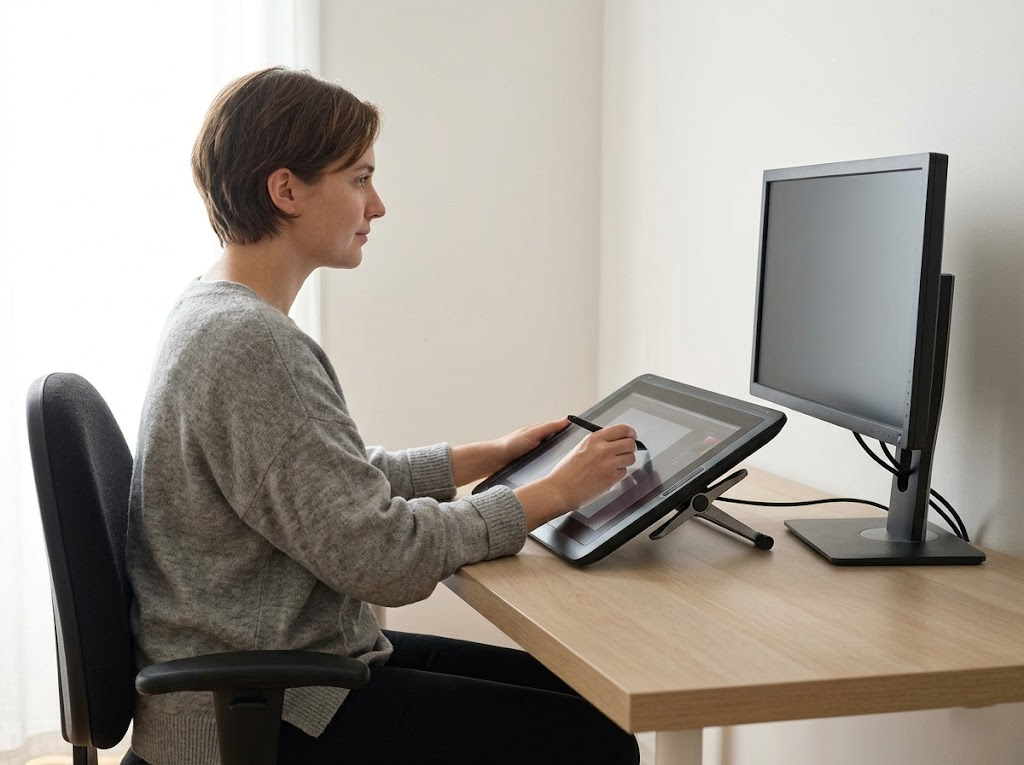


Working in an office often feels like a safe and easy way to earn a living. However, many people find that their health suffers from spending too many hours sitting. A dull ache in the lower back or a sharp pain in the neck has become a standard experience for the modern worker.
If you want to protect your body and keep your energy levels high, you must learn how to prevent back pain while working. This guide explains why these issues happen and provides a list of steps to help you stay healthy at your desk.
Why Do So Many Office Workers Experience Pain?
According to medical professionals, office workers are highly prone to bone and joint diseases. The nature of the job requires you to stay in one position for a very long time. This puts massive pressure on your spine because it has to support the weight of your upper body without the help of natural movement.

The Problem with Poor Posture
Most office workers do not maintain a scientific sitting posture during their shifts. You might lean forward to read small text on a monitor or slouch when you get tired in the afternoon. These habits place excessive pressure on the vertebrae and pull on your muscles in ways that cause damage. Over time, this damage builds up until the pain becomes a daily struggle.
If your desk and chair are not set up correctly, you will struggle to maintain a healthy pose. This lack of awareness or lack of proper equipment leads to constant strain on the ligaments and discs in your back. Once these structures are irritated, the pain becomes a regular part of your daily routine.
Repetitive Strain and Muscle Tension
Even if you think you are sitting still, your body is performing many small and repetitive movements. Typing on a keyboard or clicking a mouse for hours creates a cycle of tension. When these movements are paired with poor posture, your muscles become overworked. This fatigue eventually travels from your hands and arms up to your shoulders and down into your back. The body is a connected system, and a problem in one area will eventually cause pain in another.
The Impact of a Sedentary Lifestyle
A lack of physical activity is a major reason why office workers suffer from back issues. When you sit all day and then go home to sit on the couch, your core and back muscles become weak. These muscles are supposed to support your spine and keep you upright. If they are weak, your spine has to take on more of the load on its own. This lack of flexibility makes your body feel stiff and makes every movement feel more difficult than it should be.
Nutrition and Environment
Working in a closed office often means you lack enough sunlight to stay healthy. This can cause a Vitamin D deficiency, which weakens your bones and makes them brittle. Poor eating habits also affect your comfort levels. If you do not get enough calcium or magnesium, your skeletal system will struggle to stay strong. A diet high in sugar can also cause inflammation that makes back pain feel much worse.
The Most Common Symptoms of Lower Back Strain
You should pay close attention to the signals your body sends you during the workday. If you ignore small aches today, they can turn into major injuries later.
Here are the most common signs that your office setup is hurting your back:
- Frequent stiffness in the lower back that makes it hard to stand up straight after a meeting.
- A dull ache in the neck and shoulders that feels like a heavy weight is pressing down on you.
- Numbness or tingling in your fingers and wrists after typing for several hours.
- Sharp pains that shoot down into your buttocks or thighs when you move suddenly.
- Tightness in the hips that feels like your muscles have shortened or become stuck.
- General fatigue where your whole body feels exhausted even though you did not do manual labor.
If you have a high fever or lose control of your bladder, you should see a doctor immediately. Those are signs of a more serious medical emergency. For most people, however, the solution lies in changing how they work.
How to Sit Correctly to Prevent Back Pain
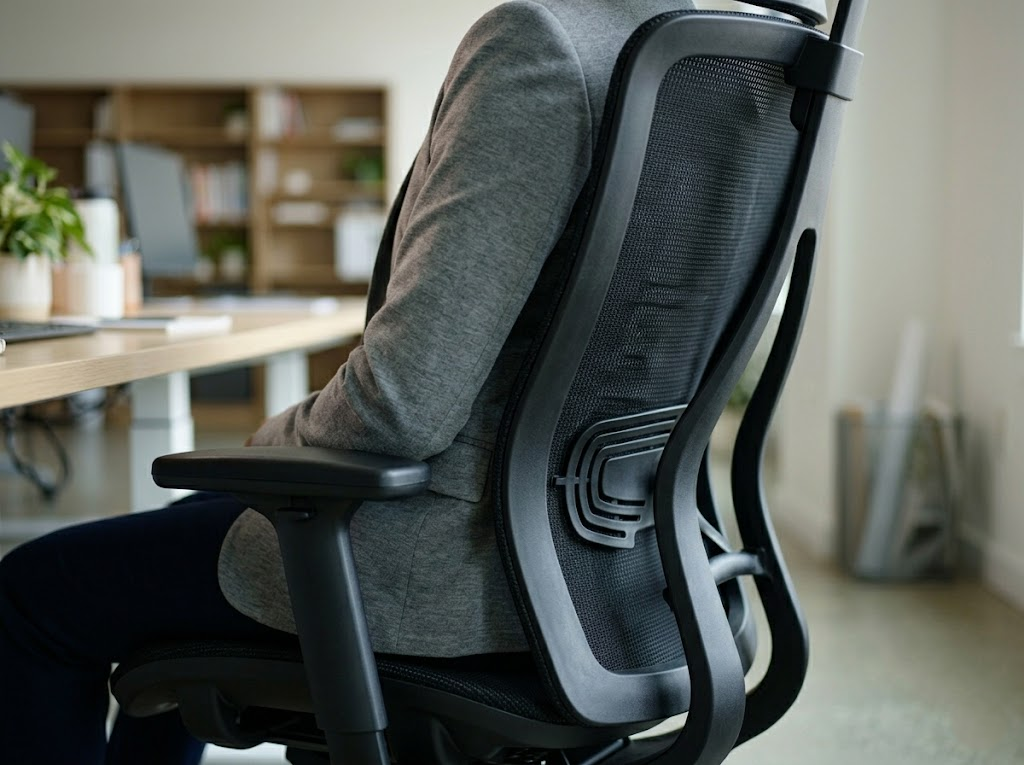
The first step to prevent back pain while working is to master your sitting position. Your body needs a foundation that supports its natural curves.
- Support Your Back: Your back should always be fully against the chair backrest. A high-quality ergonomic chair supports the lumbar region and helps disperse the pressure of your body weight. You should feel firmly supported, with no wobbling or slouching in the seat. An ergonomic chair with breathable mesh is often best because it keeps you comfortable even during long work sessions.
- Angle Your Hips and Knees: Sit with your back straight and your shoulders relaxed. Your hips and thighs should form an angle between 100 and 120 degrees for the best blood flow. This slight recline is often better than sitting perfectly upright at 90 degrees because it reduces the load on your lower spine.
- Flat Feet: Your feet must touch the floor comfortably. This creates a 90-degree angle at the knees. If your feet do not reach the ground due to your height or the chair’s height, you should use an ergonomic footrest. This simple tool helps improve blood circulation and prevents your legs from feeling heavy or numb at the end of the day.
- Elbow Alignment: Your desk should be at a height where your elbows form a 90-degree angle when you are typing. This keeps your wrists straight with the keyboard so you do not have to strain your forearms. Support your arms either on the desk surface or on the armrests of your chair to take the weight off your shoulders.
How to Make Your Workspace More Ergonomic
If you want to prevent back pain while working, you must pay close attention to the equipment you use every day. Your desk and chair are the most important tools for your job. When these items are not set up correctly, they can cause serious physical harm over time.
Follow this guide to adjust your equipment to improve your health.
Step 1: Set the Correct Monitor Height and Distance

One of the most frequent mistakes made in the office is placing the monitor too low. This setup forces you to tilt your head down, which puts significant pressure on your cervical vertebrae. To fix this, adjust your screen so the top of the display is at your natural eye level. This allows you to look straight ahead naturally without straining your neck muscles.
You should also check the distance of the screen from your face. It is best to keep the monitor about an arm’s length away. If the screen is too far, you will naturally lean your neck forward to read. If it is too close, your eyes will feel tired. Finding the right balance keeps your spine in a neutral position.
Step 2: Use a Separate Keyboard and Mouse
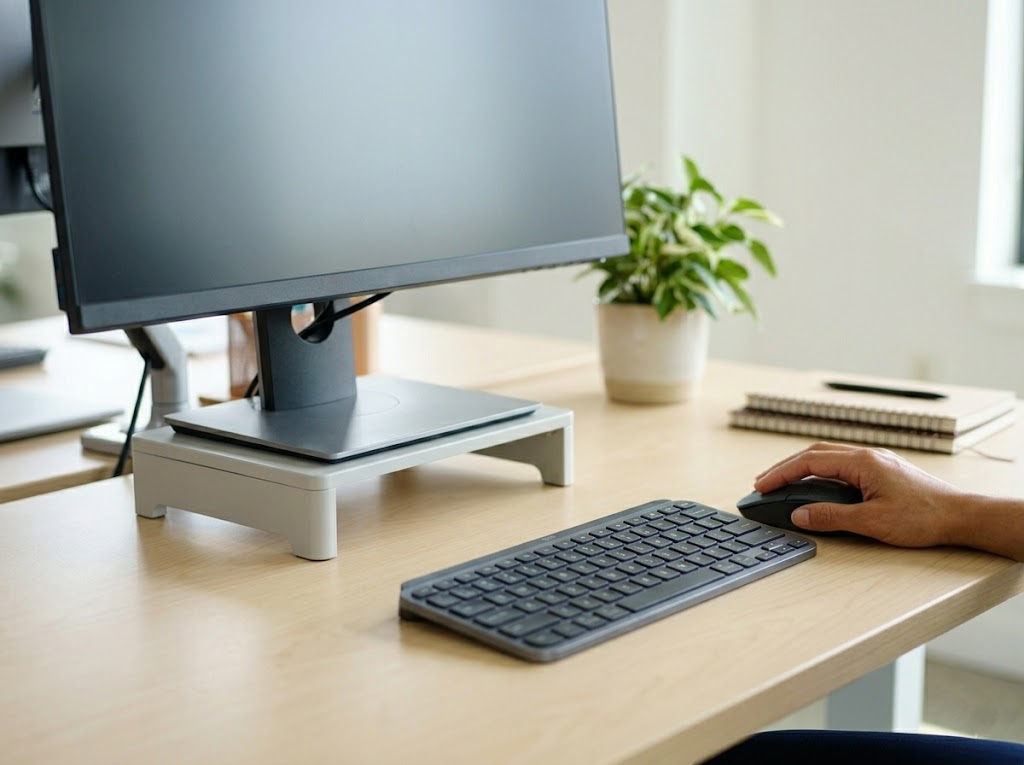
Laptops are a major cause of back and neck issues because the screen and keyboard are joined together. If you use a laptop, you should always connect a separate keyboard and mouse. This allows you to lift the screen up to eye level while keeping your hands at a comfortable height.
Keep your keyboard and mouse close enough to your body so that you do not have to stretch your arms forward. Stretching your arms out puts a lot of stress on your upper back and shoulders. You should also avoid resting your wrists heavily on the desk’s sharp edge, as this can compress your nerves. Try to use keyboard shortcuts whenever you can. This helps your health by reducing the number of times you need to reach for the mouse.
Step 3: Align Your Chair and Desk
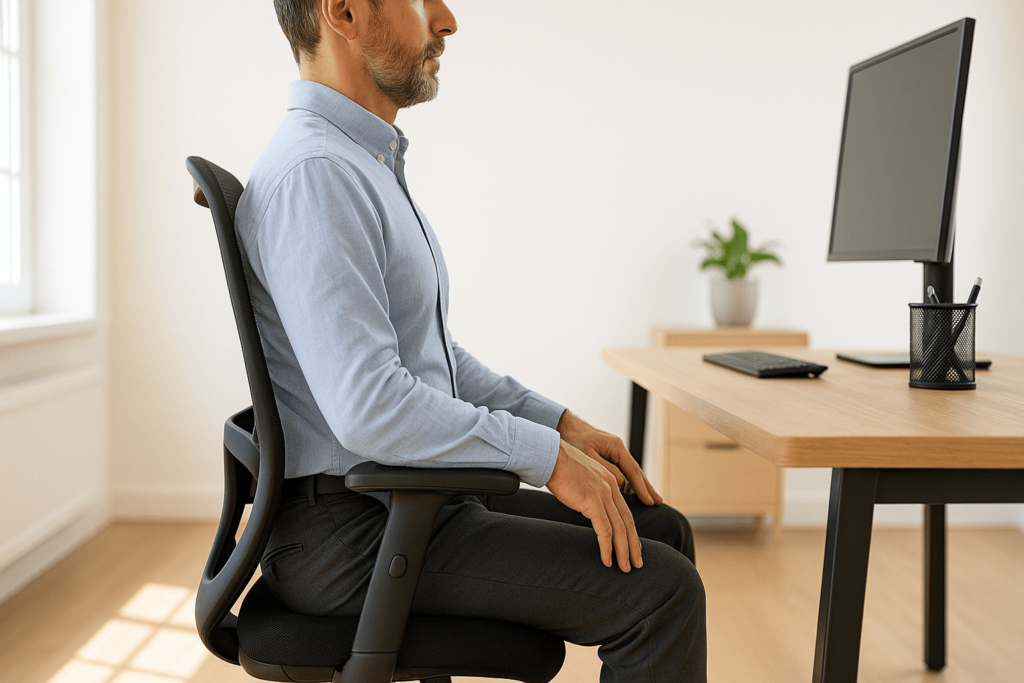
Your chair should provide firm support for your lower back to help you stay upright. Adjust the height of your seat so that your elbows are at the same level as the desk surface. This ensures your arms stay relaxed while you type. If your desk is too high, you might need to raise your chair and use a footrest to keep your feet flat on the floor.
You should also ensure there is plenty of open space under your desk. Keep this area clear of boxes or trash bins so your legs can move freely. Being able to shift your leg position helps prevent stiffness and keeps your lower back from feeling locked in one spot.
Incorporate Movement Into Your Day
You cannot expect to stay healthy if you sit for many hours without a single break. Movement is the best medicine for a stiff back and a tired mind.
Take Regular Breaks
Sitting for a long time leads to physical discomfort and mental fatigue. You should set a timer to remind yourself to stand up every thirty to sixty minutes. Use this time to walk around the room or get a glass of water. These micro breaks reduce muscle tension and help your blood flow to your brain.
Desk Stretches for Flexibility
Simple stretches can relieve the tension that builds up during a busy morning of emails and meetings. Try these movements several times a day to prevent back pain while working:
- Pec Stretch: Place one arm on a doorway with the elbow bent to 90 degrees. Lean your body forward and hold for thirty seconds to open up your chest and shoulders.
- Thoracic Extensions: Place your elbows on the desk and move your seat back. Sink your chest down toward the floor to stretch through your middle back.
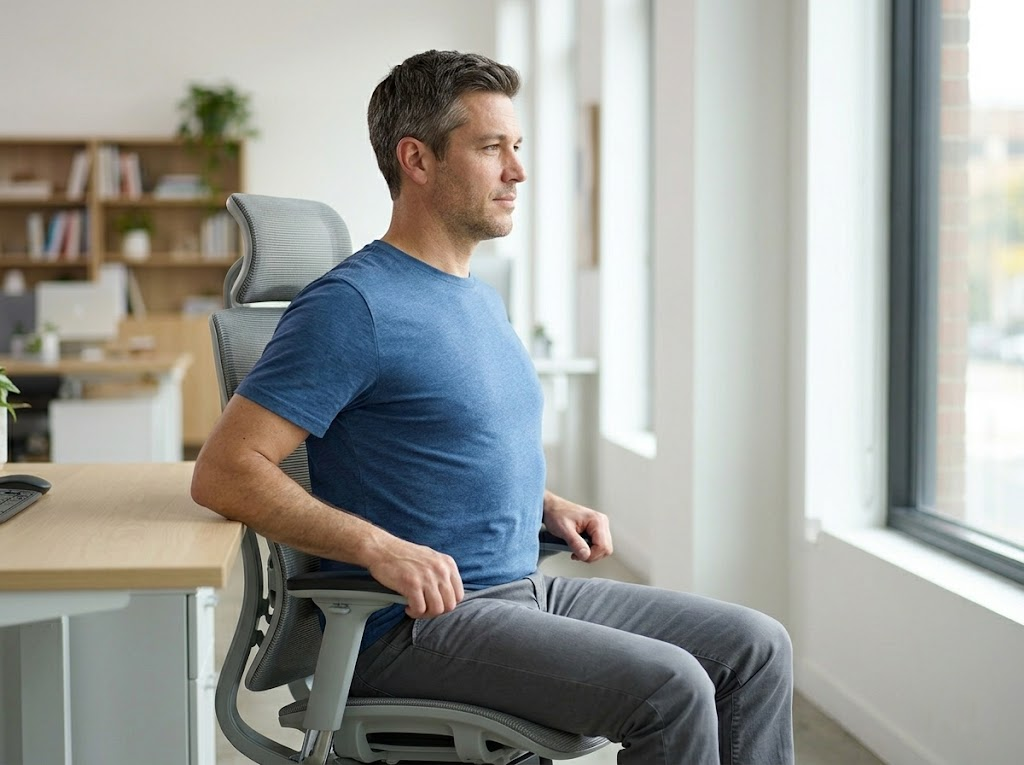
- Thoracic Rotations: While sitting in your chair, turn your torso to one side and hold for ten seconds. Repeat on the other side to keep your spine mobile.
- Overhead Reach: Stretch your arms straight up toward the ceiling and hold for 15 seconds to lift your spine and decompress your discs.
Walking Meetings

If you have a meeting that does not require a screen, try taking it while walking. Walking helps the muscles in your lower back stay active and prevents the stiffness that comes from sitting. Even a five-minute walk can reset your posture and help you feel more energized.
Improve Your Office Life With Ergo Global
At Ergo Global, we serve as ergonomics consultants to help you thrive without physical suffering. Our team analyzes overlooked details, such as monitor glare and chair height, to help you prevent back pain while working.
Whether for a home office or a corporate space, we provide expert assessments to ensure your furniture fits your body perfectly. We offer group training and private consultations to keep you productive and pain-free. If you are tired of a sore back or stiff neck, let us help you build a workspace that supports your health.
Contact us today to start your journey toward a better office life.