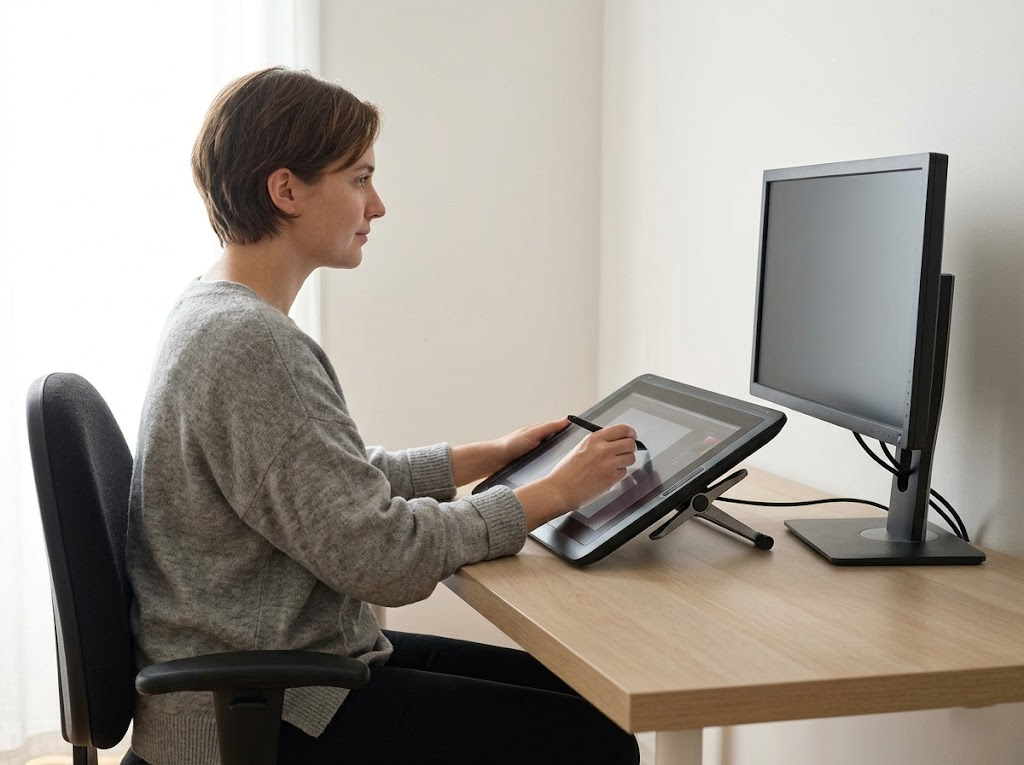


Lower back pain is a nearly universal experience for adults who work in modern office settings. Most people spend at least eight hours a day sitting at a desk, which puts significant pressure on the spine.
If you want to protect your health and maintain your productivity, you must identify the best sitting position for lower back pain. This guide will explain how to align your body and adjust your workspace to eliminate discomfort.
Why You Must Prioritize Your Sitting Posture
Maintaining a healthy posture is about more than just looking professional. It is a fundamental requirement for your long-term health.
When your body is aligned correctly, your muscles and ligaments work without excessive strain. This balance allows your internal organs to function at their peak and keeps your energy levels high.
The Real Benefits of Proper Alignment
When you consistently use the best sitting position for lower back pain, you will notice several immediate improvements in your daily life.
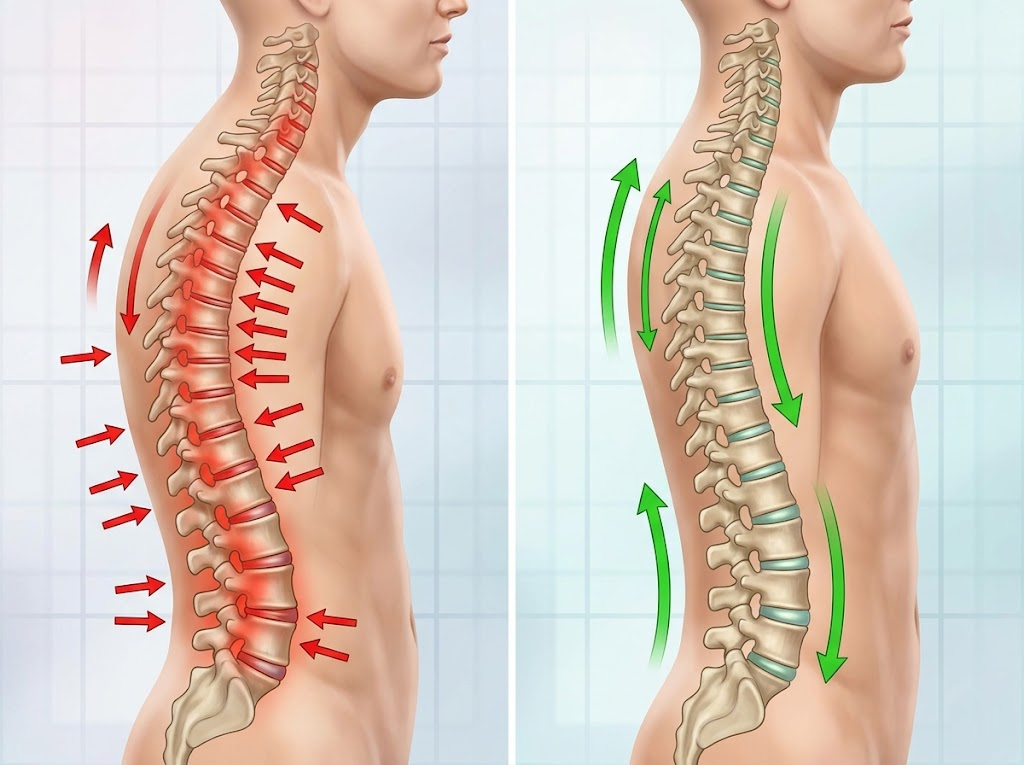
- Spinal Protection: Proper sitting posture maintains the natural S-curve of the spine, preventing the vertebrae from grinding together.
- Reduced Joint Wear: Correct alignment reduces the friction on your hip and knee joints. This can prevent the early onset of arthritis and other degenerative conditions.
- Lower Muscle Fatigue: When your skeleton supports your weight, your muscles do not have to work as hard. You will feel less tired at the end of the workday.
- Improved Circulation: Sitting correctly opens up the pathways for blood to flow to your legs and feet. This prevents the swelling and numbness that many office workers experience.
- Enhanced Breathing: A straight back allows your lungs to expand fully. This increases the amount of oxygen reaching your brain, which helps you stay focused and alert.
The Dangerous Consequences of Poor Posture
Many people ignore their posture until they feel a sharp pain.
However, the damage usually starts much earlier. Constant slouching or leaning can lead to a deformed skeletal structure. This puts you at risk for herniated discs, scoliosis, and chronic muscle spasms. It also affects your outward appearance and confidence, as poor posture often leads to a hunched back or an uneven gait.
Furthermore, a collapsed posture can compress your stomach and lungs. This leads to poor digestion and shallow breathing, which can lower your overall quality of life.
What is The Best Sitting Position for Lower Back Pain
Finding the best sitting position for lower back pain requires a total body approach. You cannot just focus on your back while ignoring your feet or your neck. Every part of your body must work together to create a stable foundation.
Step 1: The Core Foundation
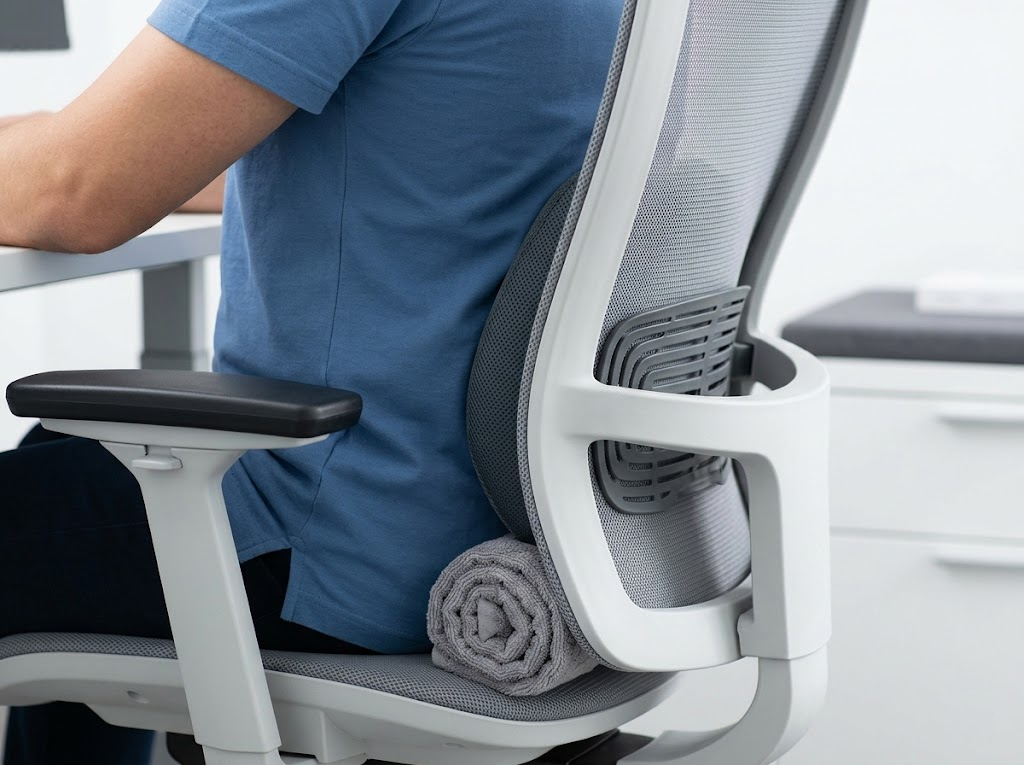
The most important part of your sitting position is how your back meets the chair. You should sit all the way back in the seat so that your lower back is firmly against the backrest.
If your chair has a gap at the bottom, your spine will naturally curve into a C-shape. This is a major cause of lower back pain. If your chair does not have built-in support, you can use a small pillow or a rolled-up towel to fill the space in your lower back.
Step 2: The 90-90-90 Rule
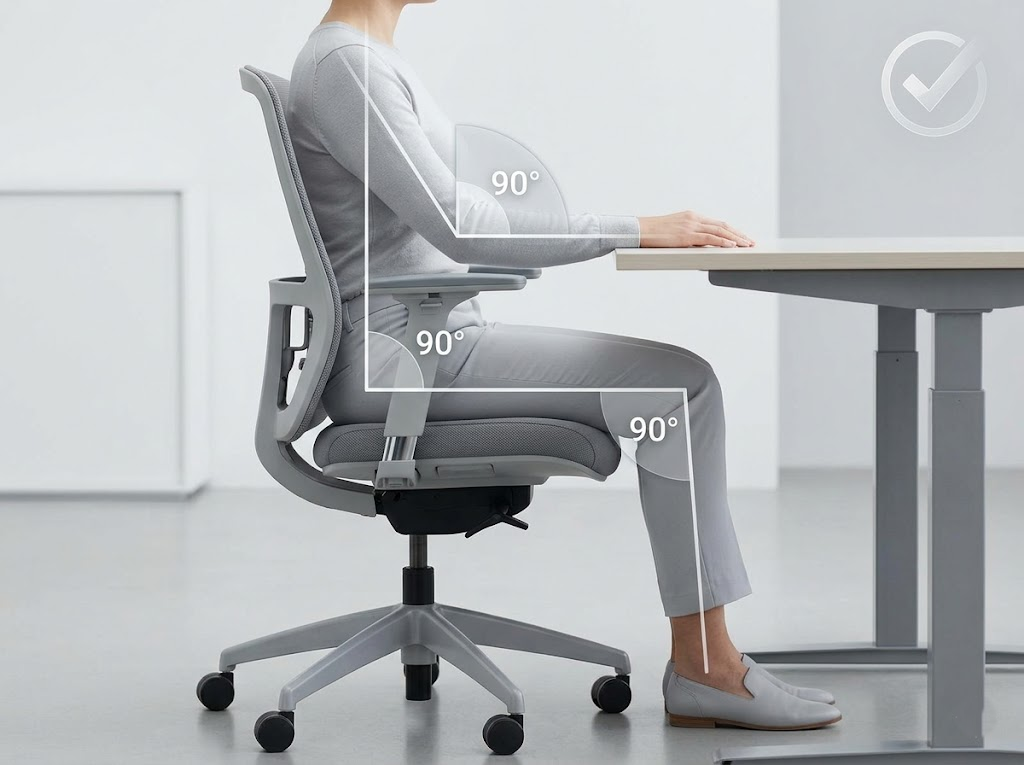
A balanced posture is often described through the 90-90-90 rule. This means your body should form three distinct right angles.
| Body Part | Correct Alignment |
| Elbows | Bent at 90 degrees and kept close to your sides. |
| Hips | Bent at 90 to 100 degrees with your back against the chair. |
| Knees | Bent at 90 degrees with your feet resting flat on the floor. |
Step 3: Relax Your Upper Body
Sit up straight and look directly forward. You should feel like there is a string pulling the top of your head toward the ceiling.
Keep your shoulders relaxed and down. Many people tend to shrug their shoulders when they are stressed or tired. This creates tension in the neck and upper back.
Your elbows should stay close to your body, forming an L-shape. This keeps your forearms parallel to the floor and reduces the weight hanging off your shoulders.
Step 4: Feet and Leg Placement
Your feet should never dangle or be tucked under your chair. They must stay flat on the ground to provide a stable base for your weight. If your feet do not reach the floor, you should use a footrest.
Avoid crossing your legs at the knees or the ankles. This habit twists the pelvis and puts uneven pressure on the lower spine, which leads to long-term pain.
Step 5: Avoid Twisting
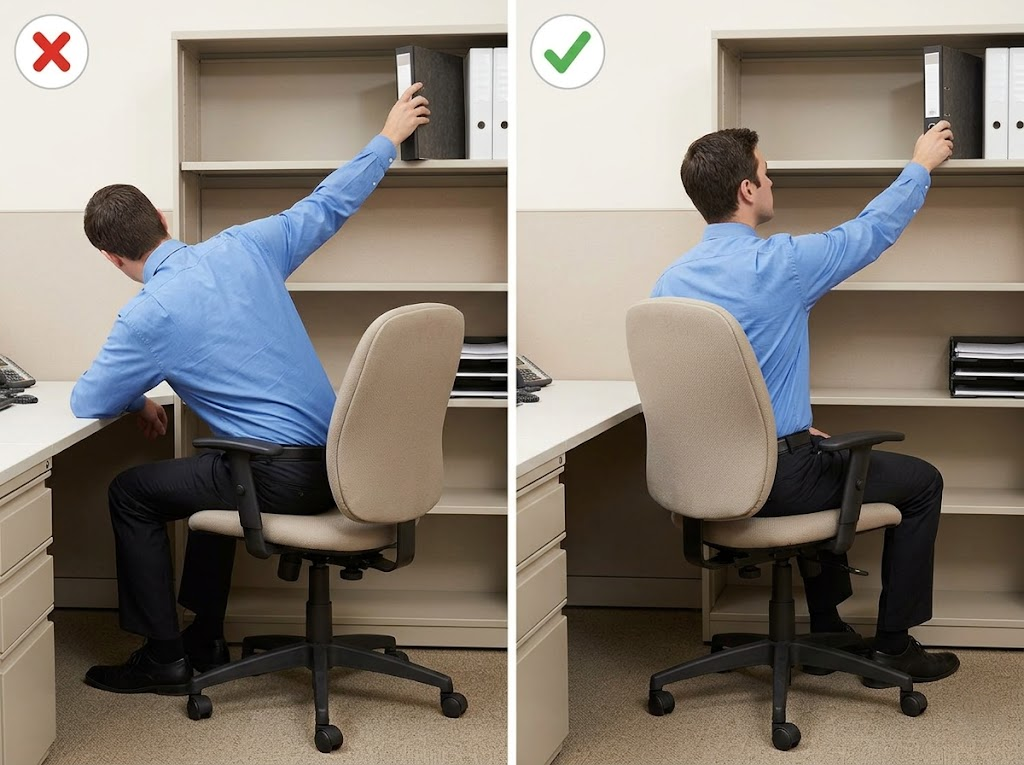
If you use a swivel chair, do not twist at the waist to reach for things. Instead, turn your entire body using the chair. Repeatedly twisting your lower back while sitting can cause small tears in the spinal discs. This is a common cause of sharp lower back pain among office workers.
How to Adapt Your Posture for Computer Work
The way you interact with your technology often dictates your posture. If your computer setup is poor, you will struggle to maintain the best sitting position for lower back pain.
Monitor Height and Eye Level
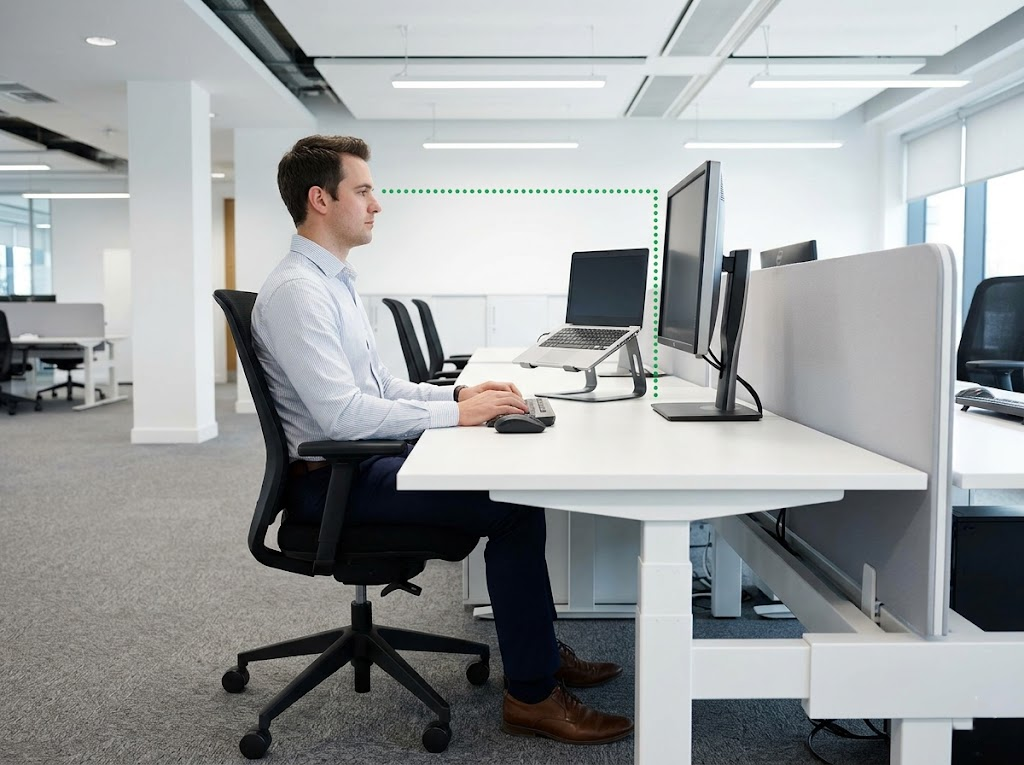
Your monitor should be directly in front of you. The top of the screen should be at eye level. This prevents you from tilting your head down.
If you use a laptop, you must use a separate stand to raise the display. Looking down for hours is the fastest way to ruin your spinal alignment.
The screen should be about an arm’s length away. If it is too far, you will lean forward to see. If it is too close, you may tilt your head back. Both of these movements pull you out of the best sitting position for lower back pain.
Arm and Wrist Support
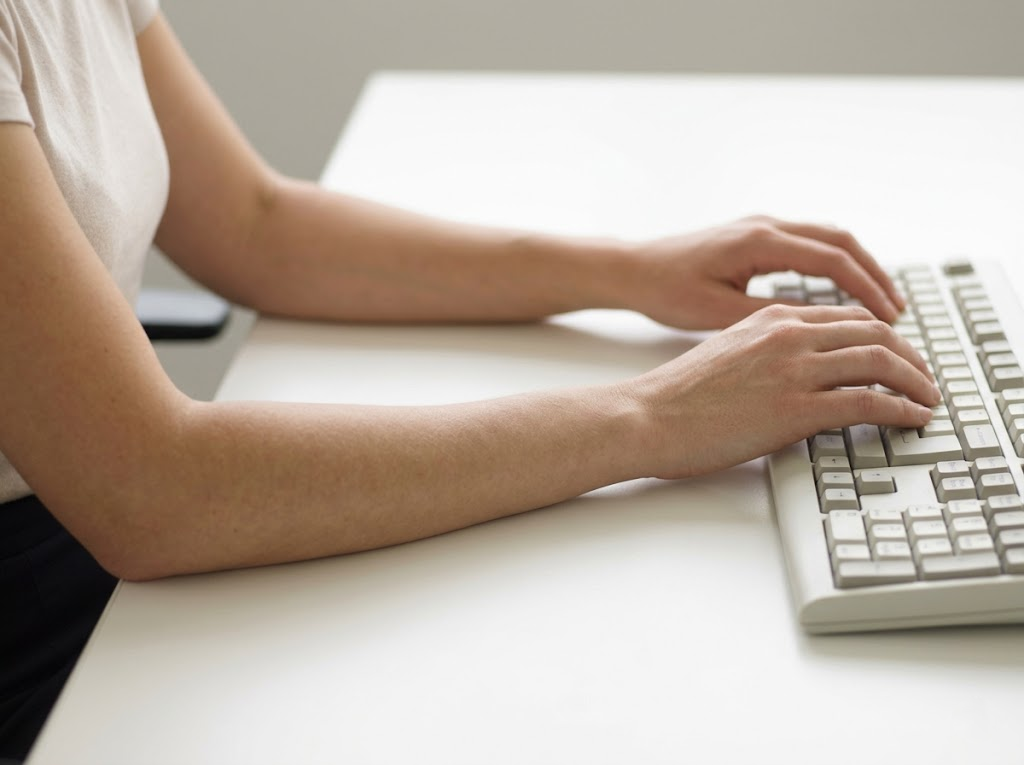
Keep your keyboard and mouse close to your body. Your elbows should stay at your sides to form an L-shape. Your forearms should be parallel to the ground.
If you have to reach forward to type, you are pulling your shoulder blades apart. This creates tension that travels down your back. Your wrists should remain straight and neutral as you work.
Bad Sitting Habits You Must Avoid
Many people do not realize that their daily habits are causing their back pain. To protect your spine, you must identify and stop these common mistakes.
Sitting in One Spot Too Long
Even if you have the perfect posture, staying in one position for hours is not healthy. Your body is designed to move. When you stay still, your blood flow slows down, and your muscles become stiff. This leads to a buildup of waste products in your tissues, which causes soreness. You should try to shift your position slightly or stand up every hour.
Leaning to One Side
Many office workers have a habit of leaning on one armrest or tilting their head to one side while on the phone. This causes your spine to curve like a letter C. Over time, the muscles on one side of your back become tight while the other side becomes weak. This imbalance is a primary cause of chronic lower back stiffness and hip pain.
Crossing Your Knees or Ankles
Crossing your legs might feel natural, but it is very hard on your alignment. It forces your pelvis to tilt and rotates your lower spine. This puts uneven pressure on your spinal discs. To maintain the best sitting position for lower back pain, you must keep both feet on the floor and your hips square.
Sitting Without Proper Back Support
If you sit on a stool or the edge of a chair, your back is left chông chênh or unsupported. This forces your core muscles to work constantly to keep you from falling over. Eventually, these muscles will tire out, and your spine will collapse into a slouch. Always choose a chair that provides a solid surface for your back to rest against.
Neck and Head Strain
Many people tilt their heads forward to see their computer screen or phone more clearly. This is often called text neck, and it puts a massive amount of weight on the small vertebrae in your neck. This strain travels down your spine and can cause pain in your middle and lower back. Always bring your devices up to your eye level instead of moving your head down to meet them.
Incorrect Foot Placement
If your chair is too high, your feet might dangle or you might tuck them under the seat. This pulls on your hamstrings and tilts your pelvis forward. This position increases the arch in your lower back and causes sharp pain after a few hours. Ensure your chair height allows your feet to be flat and your knees to be at 90 degrees to the floor.
Ergo Global – Professional Ergonomics Consultant for Your Office
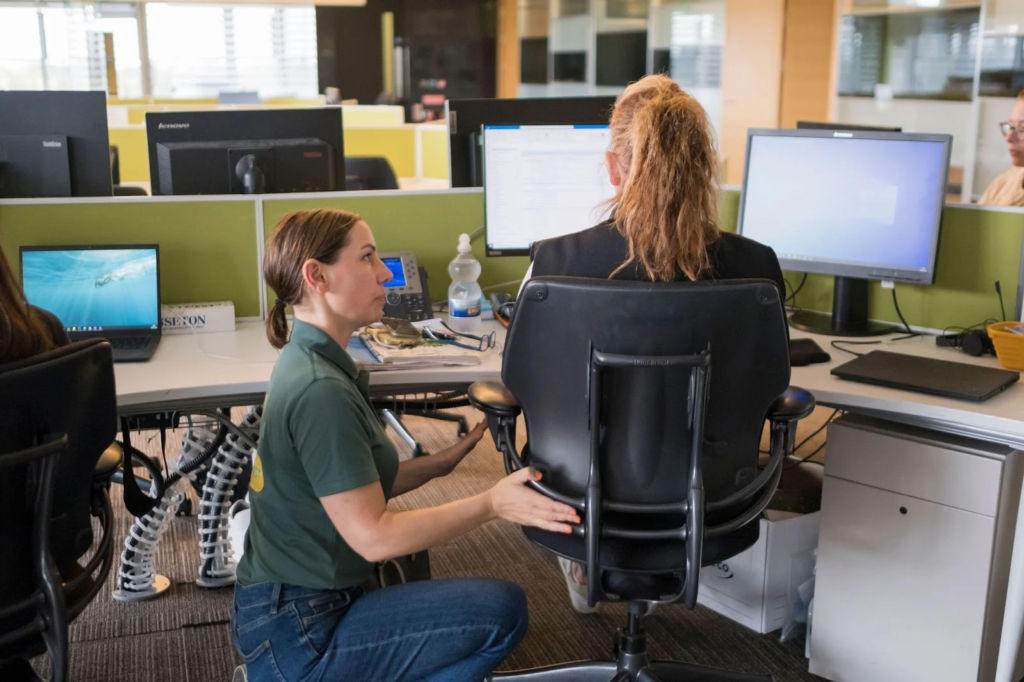
At Ergo Global, we believe your workspace should support you without causing physical suffering. We work as dedicated ergonomics consultants to help you find the best sitting position for lower back pain through specialized assessments.
Our team examines details like monitor glare and chair height to ensure your furniture fits your body perfectly. Whether you are setting up a home office or managing a large corporate space, we provide the knowledge needed to protect your spine. We offer group training and private consultations to keep you productive and pain-free.
If you are tired of a sore back or a stiff neck, let us help you.
Contact us today to start building a healthier career.