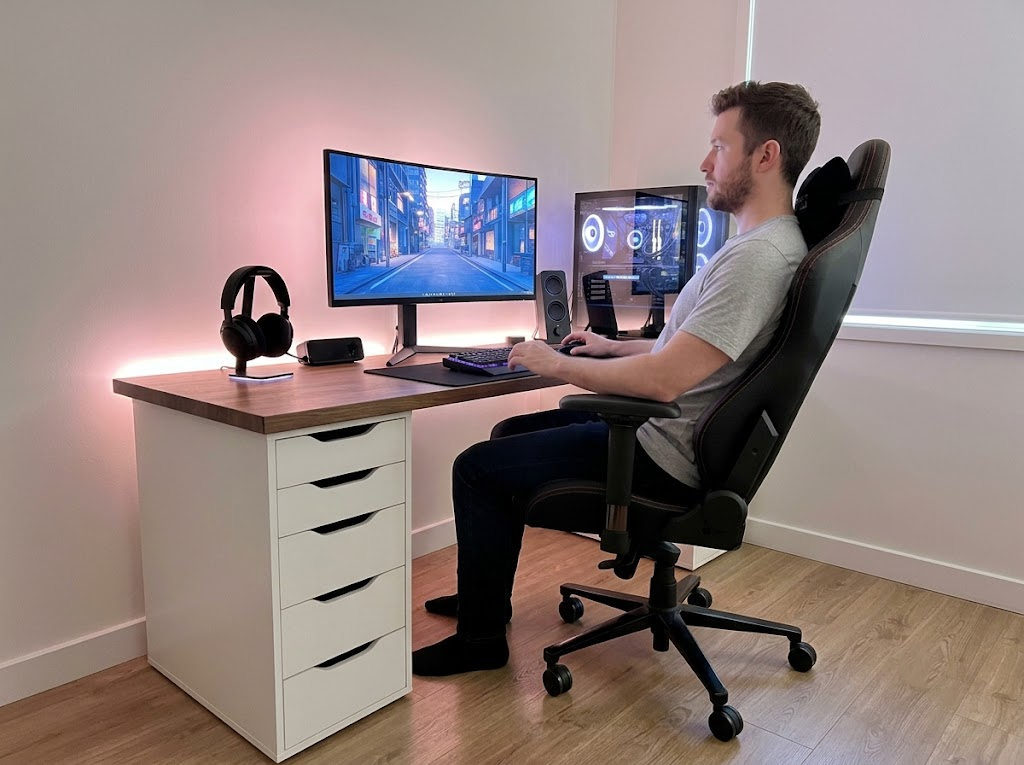


Most people do not connect their afternoon headaches, stiff neck, or nagging lower back pain to the way their office is set up. They blame stress, aging, or a poor night’s sleep. But in most cases, the real culprit is sitting right in front of them: a poorly arranged workstation, a chair set at the wrong height, or a monitor that forces the neck into an unnatural angle for hours at a time.
Bad office ergonomics is one of the most widespread and underreported sources of physical strain in the modern workforce. It affects desk workers, executives, remote employees, and anyone who spends a significant portion of their day seated at a screen. Understanding what bad ergonomics actually looks like and what it does to the body over time is the first step toward building a healthier, more productive work life.
What Bad Office Ergonomics Actually Looks Like
Bad office ergonomics does not always look dramatic. There is rarely a single obvious mistake. Instead, it tends to be a collection of small misalignments that compound over time.

A chair that sits too low forces the hips to tilt backward, flattening the lumbar curve of the spine. A monitor placed too high causes the neck to extend upward for hours, straining the muscles that support the head. A keyboard positioned too far away forces the shoulders to constantly reach forward, which builds tension across the upper back. A mouse placed on the wrong side, or too far from the body, leads to repetitive strain in the wrist and forearm.
These setups are common. Walk through almost any open-plan office, and you will see most of them in use. Many workers have never been shown how to set up their workstation properly, and many employers have never invested in a professional ergonomics assessment. The result is a silent accumulation of physical stress that eventually surfaces as pain, fatigue, or injury.
Research published in Scientific Reports found that over 80% of office workers studied showed signs of work-related musculoskeletal disorders, with suboptimal workstation ergonomics identified as the primary contributing factor.
The Physical Effects of a Poor Ergonomic Setup

The body is remarkably good at adapting. When you sit in a position that strains your muscles or joints, your body compensates. Other muscle groups take over, soft tissue becomes overloaded, and over time, the compensation itself becomes a source of discomfort.
Here is what bad office ergonomics tends to produce:
Musculoskeletal disorders
These are injuries and conditions affecting the muscles, tendons, ligaments, nerves, and joints. Carpal tunnel syndrome, tendinitis, and tension neck syndrome are all common examples that develop from prolonged awkward postures or repetitive movements at a poorly designed workstation. A large-scale study of office workers found the neck was the most commonly affected area, reported by 58.6% of participants, followed by the lower back at 52.5% and the shoulders at 37.4%.
Chronic back pain
Sitting for long periods already places a significant load on the lumbar spine. Bad ergonomics amplifies that load. Slouching forward rounds the lower back, compresses the spinal discs, and weakens the supporting muscles over time. Lower back pain is consistently ranked among the leading causes of workplace absenteeism globally, with the CDC documenting hundreds of thousands of back injury cases involving lost workdays in the United States alone.
Headaches and eye strain
When a monitor is too bright, too close, at the wrong angle, or poorly positioned relative to natural light sources, the eyes work harder than necessary. This leads to eye fatigue, blurred vision, and tension headaches that tend to worsen throughout the day.
Fatigue and reduced concentration
When the body is spending energy compensating for poor posture and physical discomfort, less energy is available for focused work. Workers in environments with bad office ergonomics often report feeling drained earlier in the day, making more errors, and struggling to maintain attention during longer tasks.
Repetitive strain injuries
These develop gradually from repeated movements performed in awkward positions. They are particularly common in the wrists, elbows, and shoulders, and they can become chronic conditions that interfere with daily life well beyond the office. A systematic review published in the Journal of Clinical Medicine confirmed that prolonged exposure to poor ergonomic conditions is a primary driver of lower back pain, carpal tunnel syndrome, tendinitis, and neck strain across sedentary occupations.
The Organizational Cost That Gets Overlooked
Beyond the individual, bad office ergonomics carries a real cost to businesses. This is a dimension that often gets overlooked when ergonomics is framed purely as a health-and-safety checkbox.
Productivity losses from discomfort and pain are difficult to measure, but they are consistent. A worker managing neck pain or wrist discomfort throughout the day is not performing at their best. Their output slows, their error rate rises, and they are more likely to take short-term sick leave or eventually longer absences.
Research on workplace absenteeism estimates that unscheduled absences cost employers an average of $3,600 per hourly worker per year, a figure that rises significantly when the downstream effects on team productivity and replacement costs are factored in.

Healthcare and rehabilitation costs follow. Musculoskeletal disorders are among the most expensive workplace health conditions to treat. According to OSHA, implementing proper ergonomic solutions can reduce the risk of musculoskeletal disorders by up to 60%, which translates directly into reduced healthcare expenditure and lower workers’ compensation claims. Prevention through proper ergonomics design costs a fraction of what organizations spend managing the downstream effects of ignoring it.
Staff turnover is another consideration. A workplace where people regularly experience physical discomfort sends a clear signal about how much the organization values its employees. When employees feel physically unsupported, engagement drops, and retaining good people becomes harder. A study found that businesses prioritizing ergonomics experienced an average 48% reduction in employee turnover and a 58% reduction in absenteeism. Those are meaningful numbers for any organization’s bottom line.
Remote Work Has Made This Worse
The shift toward remote and hybrid work has introduced a new layer of ergonomic risk. When people work from home, they often do so at kitchen tables, on sofas, or in makeshift setups that offer far less support than even a basic office environment.
Employers who would never accept a poorly arranged office chair in a corporate setting often have no visibility over what their employees are using at home. A laptop propped on a stack of books is not a long-term solution. Neither is sitting on a dining chair without lumbar support for eight or more hours. Bad office ergonomics has effectively moved into the home, and without deliberate intervention, the physical consequences are the same.

The data reflects this clearly. A survey by the Institute for Employment Studies found that home-based workers reported significant increases in neck pain (58%), shoulder pain (56%), and back pain (55%) compared to their in-office counterparts. A separate Chubb insurance survey found that 41% of Americans reported new or worsened back, neck, and shoulder pain after transitioning to remote work. More recently, research tracking remote workers’ health outcomes found that up to 61% report worsening musculoskeletal pain linked to non-ergonomic home setups.
The good news is that ergonomic principles apply regardless of where the work happens. The same assessments, adjustments, and training that improve office workstations can be adapted for home environments.
Simple Changes That Make a Real Difference
While a professional assessment gives the most thorough results, there are adjustments that almost anyone can make to reduce the risk of harm from a bad ergonomic setup.

Chair height
Your feet should rest flat on the floor, with your knees at roughly a 90-degree angle. If the chair does not adjust low enough, a footrest can help. If it does not adjust high enough, it may be time to replace it.
Monitor position
The top of the screen should sit at or just below eye level, roughly an arm’s length away. This reduces the temptation to hunch forward and keeps the neck in a more neutral position.
Keyboard and mouse placement
Both should be close enough to the body that the arms hang naturally from the shoulders rather than reaching forward. The wrists should be roughly level with the elbows, not angled up or down during typing.
Breaks and movement
No ergonomic setup fully compensates for prolonged stillness. Regular movement throughout the day, even brief walks or standing periods, helps maintain circulation, reduce muscle fatigue, and give the spine the variation it needs.
These are starting points. The specific adjustments that will benefit any individual depend on their body, their tasks, and their existing equipment. That is where professional assessment adds genuine value.
Why a Professional Ergonomics Assessment Can Change the Outcome
There is a meaningful difference between adjusting your own chair based on general advice and having a qualified ergonomics consultant evaluate your entire workstation, posture, and work habits.
A professional assessment identifies the specific factors driving discomfort, recommends targeted interventions, and provides guidance that is grounded in both the science of human movement and the practical realities of the workplace.
For organizations, this extends further. A workplace ergonomics program does not just address individual workstations. It builds a culture of awareness, reduces long-term liability, and demonstrates a genuine commitment to workforce wellbeing.
Bad office ergonomics is a fixable problem. With the right knowledge and support, workplaces that have been causing pain and reducing performance for years can be transformed into environments where people genuinely feel better and work better.
How Ergo Global Can Help
At Ergo Global, we have built our practice around one belief: that everyone deserves a workspace that supports rather than harms their body. We provide professional ergonomics consulting services for organizations of all sizes, whether your teams work in a traditional office, from home, or across hybrid environments.
Our assessments go beyond surface-level advice. We look at the full picture, from workstation layout and equipment to posture habits and workflow patterns, and we deliver practical, measurable recommendations.
We have helped hundreds of businesses reduce injury rates, improve productivity, and create genuinely healthier workplaces. If bad office ergonomics is affecting your team, we are ready to help you fix it for good.
Contact us to book your workplace ergonomics assessment today.